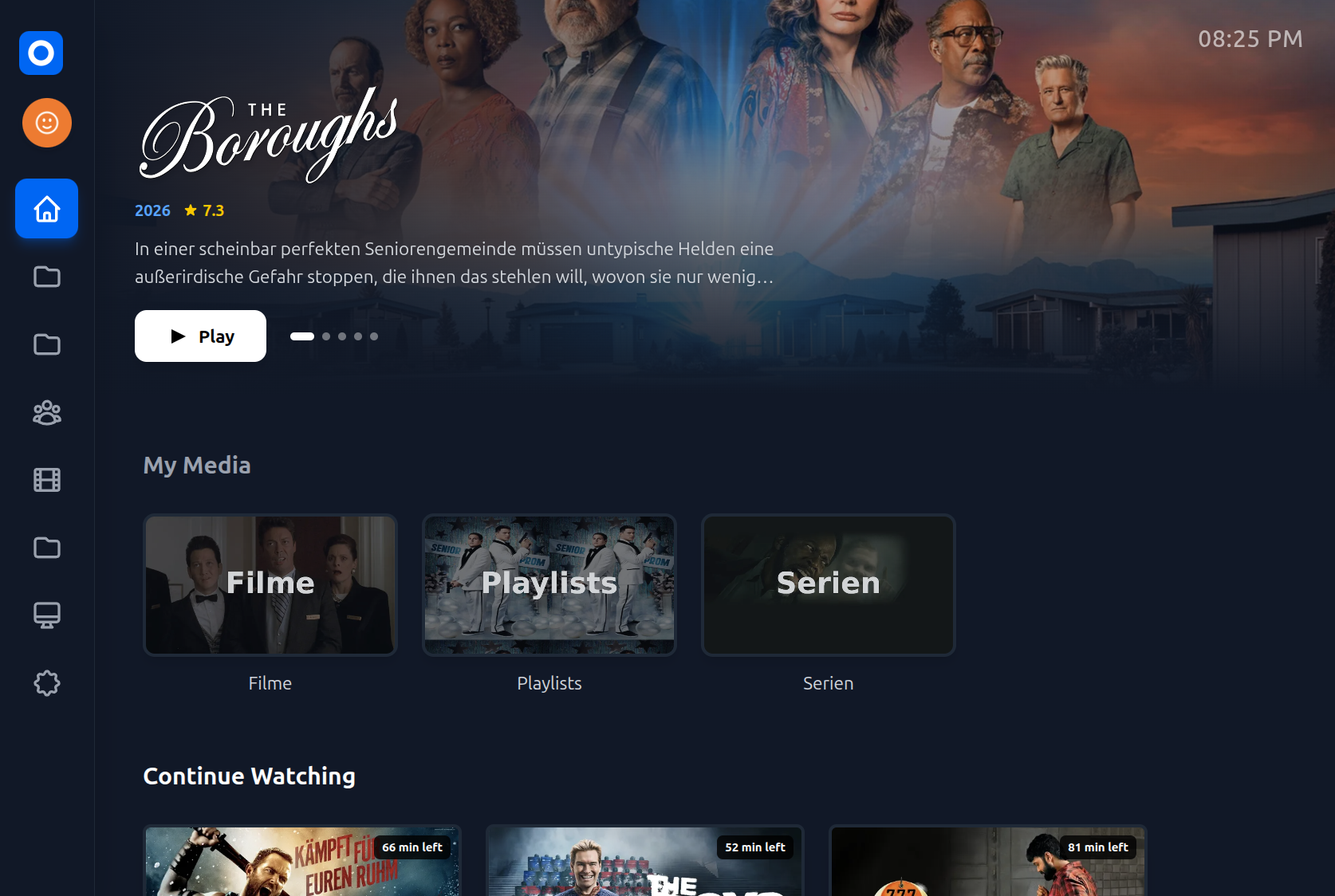
Description
Fast User Switching: Switch between profiles quickly and easily.
Save Passwords: You can save your password as a token. Then you can jump right into your profile without typing the password again.
Shared Profile: If you use a shared profile, you can link two personal profiles to it. It hides movies or series that one of you has already seen. This makes it easy to find something new to watch together.
Custom Avatars: Create your own profile picture directly on the TV. You can use your recently watched shows or movies as a background. Or you can choose an SVG icon with a custom background. No need to upload images.
WebSockets & SyncPlay: Full WebSocket support for remote commands from the Jellyfin server and SyncPlay features to watch together.
Direct Play Focus: I use libbitsub, jassub, and hls to support many formats. This helps to run Direct Play on the TV and avoid transcoding on the server, even for complex subtitles like VobSub and DVDSub.
Multi-Language: The app supports English, German, Spanish, French, Italian, Dutch, Portuguese, and Polish.
Repository
https://github.com/seluce/OcenFinEmbed Badge
Add this badge to your README to link back to your hub page:

Installation Instructions
You can install OcenFin via an .ipk file. No root is required.
Prepare the TV: Install the official "Developer Mode" app from the LG Content Store on your TV and enable it.
Sideload from PC: To install the app from your computer to the TV, I highly recommend using dev-manager-desktop. It provides a very easy-to-use graphical interface.
Bypass the 50-Hour Limit: LG restricts developer apps to a 50-hour lifespan. To keep OcenFin working permanently, use dev-manager-desktop to also install the "Auto Dev Token Refresh" app on your TV. It automatically resets the timer in the background so your apps never expire.
Comments (0)
No comments yet. Be the first to share your thoughts!
Log in to comment

High-availability NVMe VPS to self-host Jellyfin or Emby with 99.9% uptime.
Get started with Onidel

