
Description
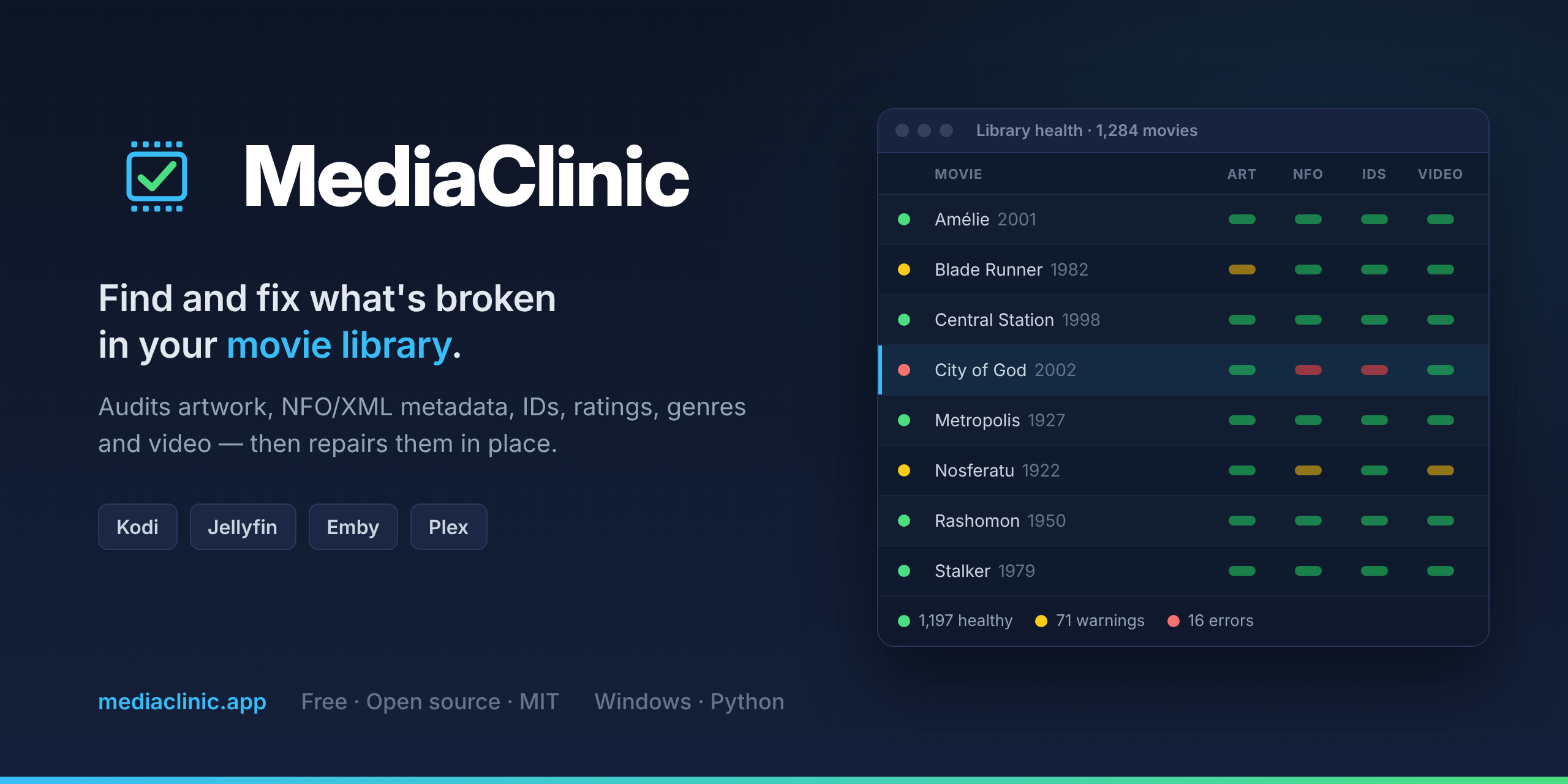
MediaClinic is a free, open-source (MIT) desktop app for the movie library itself, not a server plugin. It scans your movie folders and shows the health of every movie in one colour-coded table: artwork that is missing, corrupt, too small or the wrong shape; NFOs that are malformed or have missing or conflicting IMDb / TMDB IDs; collections (<set>) that don't match TMDB; and, optionally with FFprobe, video resolution and audio / subtitle languages.
Tick Jellyfin and/or Emby and the checks follow what each one actually reads, based on tests with marked files on real servers (for example: Jellyfin creates collections from <set> only with "Automatically add to collection" on).
Then fix it from the same table: fetch artwork from TMDB / fanart.tv or from video frames, correct IDs, sync ratings, fix collections, or run Auto Repair with a preview first. Every file it changes is backed up first, and Undo returns a movie to its original state. The app's own settings, cache and backups stay outside your library.
Windows download (no Python needed); runs from source on Linux. English, Portuguese and Spanish. Built with AI assistance.
Repository
https://github.com/junqueirach/mediaclinicEmbed Badge
Add this badge to your README to link back to your hub page:

Installation Instructions
A - Windows
- Download
MediaClinic-0.20.0-win64.zipfrom the latest release. - Unzip it to a folder you can write to (not
C:\Program Files). - Open the
MediaClinicfolder and runMediaClinic.exe. No Python needed; keep the whole folder together. - The exe is not code-signed: if SmartScreen warns, click More info → Run anyway.
B - Linux (from source) On Debian / Ubuntu: sudo apt install python3-tk python3-venv ffmpeg xdg-utils fonts-noto-color-emoji git clone https://github.com/junqueirach/mediaclinic cd mediaclinic python3 -m venv .venv && .venv/bin/pip install pillow openpyxl sh MediaClinic.sh
First start
A one-page window asks for the language, your movies folder, the programs that play your movies (tick Jellyfin and/or Emby) and how strict the checks are. Then run Full Scan.
Optional: install FFmpeg / FFprobe to check video quality and audio languages. Every file MediaClinic changes is backed up first, and Backup History / Undo restores it.
The Linux commands sit in a code block inside the Markdown. If the preview shows the block breaking early, replace its inner three backticks with four spaces of indentation on each command line.
Comments (0)
No comments yet. Be the first to share your thoughts!
Log in to comment
NVMe VPS from €7.90 per month. Great to self-host Jellyfin or Emby.
Get started with CorceLink


