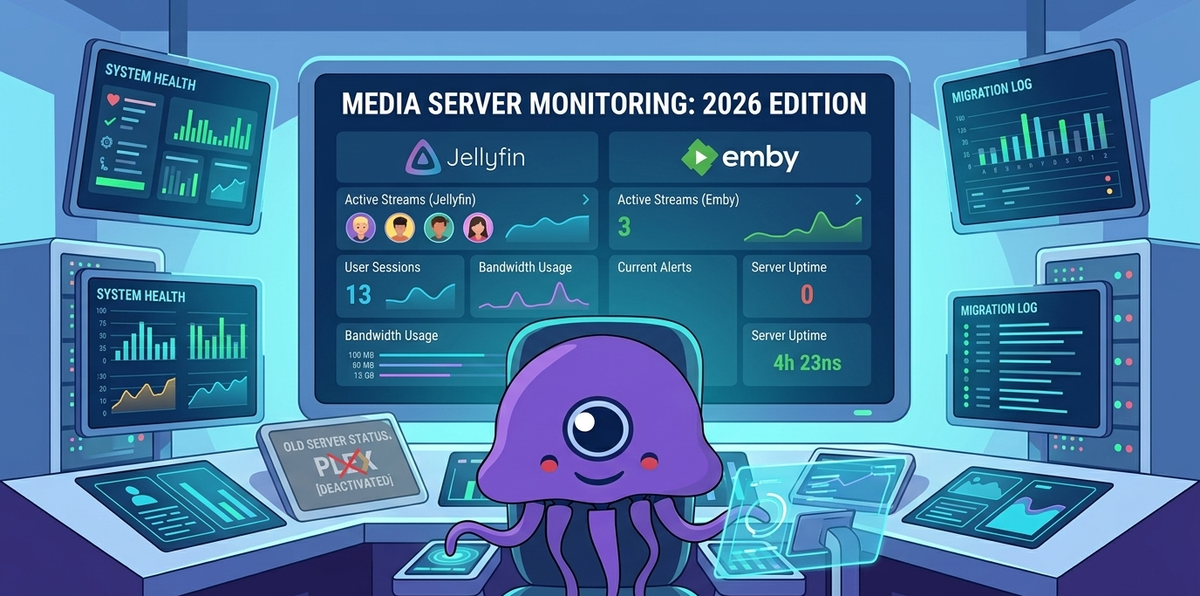
Replacing Tautulli After Leaving Plex: The Complete Monitoring Guide for Jellyfin and Emby (2026)
You migrated from Plex to Jellyfin or Emby. Your library is set up, your clients are configured, hardware transcoding works. Then you realize: you have no idea who is watching what.
For years, Tautulli was your window into your Plex server. Active sessions, watch history, per-user statistics, notification rules, and beautiful graphs. It was the first thing you checked every morning and the last thing you looked at before bed.
Tautulli does not work with Jellyfin or Emby. It is Plex-only, always has been, always will be.
This guide covers every tool that replaces Tautulli in the Jellyfin and Emby ecosystem, from mobile-first monitoring to full web dashboards.
What Tautulli Actually Did
Before looking at replacements, let us be specific about what Tautulli provided:
| Feature | Description |
|---|---|
| Active sessions | Who is watching, what, on which device, right now |
| Transcode info | Whether a stream is Direct Play or transcoding, and why |
| Watch history | Complete log of every play event with timestamps |
| Per-user statistics | Total watch time, most-watched content, activity patterns |
| Notifications | Alerts for new sessions, playback events, server issues |
| Library statistics | Most popular content, play counts, growth over time |
| Graphs and charts | Visual representation of usage over time |
| Newsletter | Automated email with recently added content |
| API | Programmatic access to all data |
No single tool replaces all of this. But the combination of JellyWatch (or EmbyWatch) + Jellystat covers 100% of Tautulli's functionality and adds features Tautulli never had.
The Replacement Stack
| Tautulli feature | JellyWatch / EmbyWatch | Jellystat | Streamystats |
|---|---|---|---|
| Active sessions (real-time) | ✅ Best-in-class | ✅ | ✅ |
| Transcode diagnostics | ✅ With reason | ✅ | ✅ |
| Push notifications | ✅ Native Android | ❌ | ❌ |
| Watch history | ✅ | ✅ Full | ✅ |
| Per-user statistics | ✅ | ✅ Detailed | ✅ |
| Interactive charts | Basic | ✅ | ✅ |
| Home screen widget | ✅ | ❌ | ❌ |
| Radarr/Sonarr/Seerr | ✅ Integrated | ❌ | ❌ |
| Media request management | ✅ | ❌ | ❌ |
| Server health (CPU/RAM) | ✅ | ❌ | ❌ |
| Mobile-first | ✅ Native app | ❌ (web) | ❌ (web) |
| Newsletter | ❌ | ❌ | ❌ |
| Platform | Android | Web (Docker) | Web (Docker) |
| Cost | Free + Premium | Free | Free |
The recommended setup: JellyWatch (mobile, real-time, notifications) + Jellystat (desktop, historical, graphs).
Option 1: JellyWatch - The Tautulli You Carry in Your Pocket
JellyWatch is a native Android app built specifically for Jellyfin server administrators. It is not a web wrapper, it is a purpose-built mobile application that connects directly to your Jellyfin API.
For Emby users, EmbyWatch provides the identical feature set built for the Emby API.
What Makes JellyWatch Better Than Tautulli for Daily Use
Tautulli was a web dashboard. You had to open a browser, navigate to the URL, and wait for it to load. JellyWatch is on your home screen. One tap and you see everything.
Push notifications are the killer feature Tautulli never truly had natively. JellyWatch sends instant Android notifications when:
- A new session starts on your server
- A session stops or pauses
- A new device connects
- CPU spikes above a threshold
- Your server goes offline
You know what is happening on your server without opening any app. Your phone buzzes and you glance at the notification. That is the experience Tautulli users always wanted but had to hack together with external notification services.
JellyWatch Feature Breakdown
Real-Time Session Monitoring
The main dashboard shows every active session with:
- User name and avatar
- Media title and poster
- Playback progress with animated bar
- Playback state (Playing / Paused / Buffering)
- Device name and client application
- IP address (admin view)
- Playback method badge: Direct Play, Direct Stream, or Transcode
- Transcode reason: exactly why the server is transcoding (codec, bandwidth, subtitle)
This is more information per session than Tautulli showed by default.
Transcoding Diagnostics
When a session is transcoding, JellyWatch tells you why:
- Unsupported video codec (e.g., HEVC on Firefox)
- Unsupported audio codec (e.g., TrueHD on Fire TV)
- Bandwidth limit set too low
- Subtitle burn-in (PGS/VobSub)
- HDR to SDR tone mapping
This is actionable information. You can message the user, adjust their settings, or fix the underlying issue.
Server Health
- CPU usage in real time
- RAM usage
- Storage space per drive
- Active stream count
- Server uptime
Arr Stack Integration
This is something Tautulli never offered. JellyWatch integrates with:
- Seerr/Jellyseerr - view, approve, or reject media requests with one tap
- Radarr - monitor movie download queue, retry failed downloads
- Sonarr - monitor TV episode downloads, check upcoming episodes
You manage your entire media stack from one app. No browser tabs, no switching between web UIs.
Watch History and Statistics
- Per-user viewing time (daily, weekly, monthly, yearly)
- Most-watched content
- Content type breakdown (movies vs TV vs music)
- Interactive trend charts
- Shareable statistics cards
Android Home Screen Widget
A widget that shows active session count and server status at a glance. No app to open, the information is always visible on your home screen.
Installing JellyWatch
- Download from Google Play
- Open the app → Add Server → enter your Jellyfin URL
- Log in with your admin credentials
- Enable push notifications in Settings → Notifications
Total setup time: under 2 minutes.
JellyWatch Free vs Premium
| Feature | Free | Premium |
|---|---|---|
| Active sessions | ✅ | ✅ |
| Basic server info | ✅ | ✅ |
| Push notifications | ❌ | ✅ |
| Detailed transcode info | ❌ | ✅ |
| Multiple servers | ❌ | ✅ |
| Arr stack integration | ❌ | ✅ |
| Home screen widget | ❌ | ✅ |
| Watch history & stats | ❌ | ✅ |
| Watch Pass (user sharing) | ❌ | ✅ |
The free tier covers basic session monitoring. Premium unlocks the full Tautulli-replacement experience.
Option 2: Jellystat - The Web Dashboard for Deep Analytics
If you want Tautulli's web dashboard experience with historical graphs and detailed per-user analytics, Jellystat is the closest equivalent.
What Jellystat Provides
- Playback history - every play event with user, device, codec, duration, completion %
- Per-user analytics - total watch time, most-watched genres, activity heatmaps
- Library statistics - most popular content, least-watched items, growth over time
- Playback method breakdown - Direct Play vs Transcode ratio over time
- Device breakdown - which clients are used most
- Interactive charts - visual trends by day, week, month, year
Docker Setup
services:
  jellystat-db:
    image: postgres:15-alpine
    environment:
      POSTGRES_DB: jfstat
      POSTGRES_USER: postgres
      POSTGRES_PASSWORD: your_secure_password
    volumes:
      - ./jellystat/db:/var/lib/postgresql/data
    restart: unless-stopped

  jellystat:
    image: cyfershepard/jellystat:latest
    environment:
      POSTGRES_USER: postgres
      POSTGRES_PASSWORD: your_secure_password
      POSTGRES_IP: jellystat-db
      POSTGRES_PORT: 5432
      JWT_SECRET: your_jwt_secret
    ports:
      - 3000:3000
    volumes:
      - ./jellystat/backup-data:/app/backend/backup-data
    depends_on:
      - jellystat-db
    restart: unless-stopped
docker compose up -d
Access at http://your-server:3000. Connect your Jellyfin server with an API key.
Jellystat vs Tautulli: Feature Comparison
| Feature | Tautulli (Plex) | Jellystat (Jellyfin) |
|---|---|---|
| Active sessions | ✅ | ✅ |
| Watch history | ✅ | ✅ |
| Per-user stats | ✅ | ✅ |
| Graphs and charts | ✅ Extensive | ✅ Good |
| Notifications | ✅ Built-in | ❌ (use JellyWatch) |
| Newsletter | ✅ | ❌ |
| API | ✅ | ✅ |
| Mobile app | ❌ (web only) | ❌ (use JellyWatch) |
| Historical backfill | ✅ | ✅ (from Playback Reporting plugin) |
| Platform | Plex only | Jellyfin only |
Jellystat covers ~80% of Tautulli's web dashboard functionality. The missing 20% (notifications, newsletter) is handled by JellyWatch and webhook plugins.
Option 3: Streamystats - The Lightweight Alternative
If Jellystat's PostgreSQL requirement feels heavy, Streamystats is a simpler alternative that uses SQLite:
services:
  streamystats:
    image: ghcr.io/fredrikburmester/streamystats:latest
    ports:
      - 3000:3000
    volumes:
      - ./streamystats/data:/app/data
    restart: unless-stopped
One container, no separate database. Lighter than Jellystat but with fewer features.
| Feature | Jellystat | Streamystats |
|---|---|---|
| Database | PostgreSQL (separate container) | SQLite (built-in) |
| Setup complexity | Medium | Simple |
| UI design | Functional | More modern |
| Feature depth | Deeper | Lighter |
| Active development | Active | Very active |
The Recommended Setup for Ex-Plex Users
Minimum (replaces 70% of Tautulli)
JellyWatch only - install the app, connect your server, done. You get real-time sessions, transcode diagnostics, push notifications, and basic stats from your phone.
Time to set up: 2 minutes.
Recommended (replaces 95% of Tautulli)
JellyWatch + Jellystat - JellyWatch for daily mobile monitoring and instant notifications. Jellystat for deep historical analytics when you want to dig into data on a desktop.
Time to set up: 10 minutes.
Full Stack (replaces 100% + adds features Tautulli never had)
JellyWatch + Jellystat + Uptime Kuma - Add Uptime Kuma for server availability monitoring and a public status page your users can check.
Time to set up: 20 minutes.
Migrating Your Monitoring Mindset
What Changes
| Tautulli habit | New equivalent |
|---|---|
| Open browser → check Tautulli | Glance at JellyWatch widget on home screen |
| Check who is streaming | JellyWatch push notification tells you instantly |
| Debug a buffering complaint | JellyWatch shows transcode reason per session |
| Check monthly stats | Jellystat web dashboard |
| Get notified of new sessions | JellyWatch push notifications (native, no setup) |
| Share stats on Reddit | JellyWatch shareable stats cards |
What Improves
- Faster access - native app vs web dashboard
- Push notifications - instant, no external service needed
- Arr stack in one place - Radarr, Sonarr, Seerr alongside monitoring
- Media request approval - approve/reject from your phone
- Server health - CPU, RAM, storage visible alongside sessions
- Widget - server status always visible on your home screen
What You Lose (Honestly)
- Newsletter generation - no direct equivalent (use Discord/Telegram notification plugins for new media alerts)
- Tautulli's specific graph styles - Jellystat has graphs but they look different
- iOS app - JellyWatch is Android-only currently
For Emby Users: EmbyWatch
Everything described above for JellyWatch applies identically to EmbyWatch for Emby servers. Same team, same features, different API:
- Real-time session monitoring
- Transcoding diagnostics with reason
- Push notifications
- Radarr/Sonarr/Seerr integration
- Watch history and statistics
- Android home screen widget
- Watch Pass for user sharing
If you migrated from Plex to Emby instead of Jellyfin, EmbyWatch is your Tautulli replacement.
Setting Up Notifications (The #1 Tautulli Feature People Miss)
JellyWatch Push Notifications (Easiest)
- Install JellyWatch → Settings → Notifications
- Toggle on: New session, Session stopped, New device
- Done. Native Android notifications, no external service.
Jellyfin Webhook Plugin + Discord/Telegram (For Non-Android Users)
- Dashboard → Plugins → Catalog → Webhook → Install
- Add a Discord webhook or Telegram bot
- Select events: Playback Start, Playback Stop, Item Added
- Rich embeds with poster artwork
Jellyfin + Ntfy (Self-Hosted Push)
For privacy-first push notifications without Google services:
- Deploy Ntfy alongside Jellyfin
- Configure Jellyfin Webhook plugin to POST to Ntfy
- Subscribe on your phone via the Ntfy app
FAQ
Is JellyWatch free? Yes. The free tier includes basic session monitoring. Premium unlocks push notifications, detailed transcode info, arr stack integration, and the widget.
Does Jellystat work with Emby? Jellystat is designed for Jellyfin. For Emby, use EmbyWatch for monitoring and the Emby Playback Reporting plugin for basic server-side statistics.
Can I use JellyWatch without Jellystat? Absolutely. JellyWatch is standalone. Many users only run JellyWatch and find it sufficient for daily monitoring.
Is there an iOS equivalent of JellyWatch? Not currently. JellyWatch and EmbyWatch are Android-only. iOS users can use Jellystat (web) or the Jellyfin web dashboard for monitoring.
How does JellyWatch compare to Tautulli in terms of data depth? For real-time monitoring and notifications, JellyWatch is superior (native app, push notifications, widget). For historical analytics with detailed graphs, Jellystat is the closer Tautulli equivalent. Use both together for complete coverage.
Will Tautulli ever support Jellyfin? No. Tautulli is built specifically for the Plex API and the developer has stated it will remain Plex-only.
I used Tautulli's API for custom scripts. What replaces that? The Jellyfin API itself is well-documented and provides all the data Tautulli exposed. Jellystat also has an API. For webhook-based automation, use the Jellyfin Webhook plugin.
The Bottom Line
Tautulli was great for Plex. But it was a web dashboard from 2017 that never got a proper mobile app. The Jellyfin/Emby monitoring ecosystem in 2026 is actually better:
- JellyWatch/EmbyWatch gives you instant mobile monitoring that Tautulli never offered
- Jellystat gives you the web dashboard and historical analytics
- Together they cover 100% of Tautulli's functionality plus features it never had
The monitoring gap is not a reason to stay on Plex. It is solved.
Ready to replace Tautulli? Start here. Download JellyWatch on Google Play - the Tautulli replacement built for Jellyfin. Real-time sessions, push notifications, and your entire media stack in one app.
On Emby? Download EmbyWatch on Google Play - the same complete monitoring experience for Emby servers.
Tautulli is a trademark of its respective developer. JellyWatch and EmbyWatch are not affiliated with the Tautulli project.



Comments
No comments yet. Be the first to share your thoughts.
Leave a comment