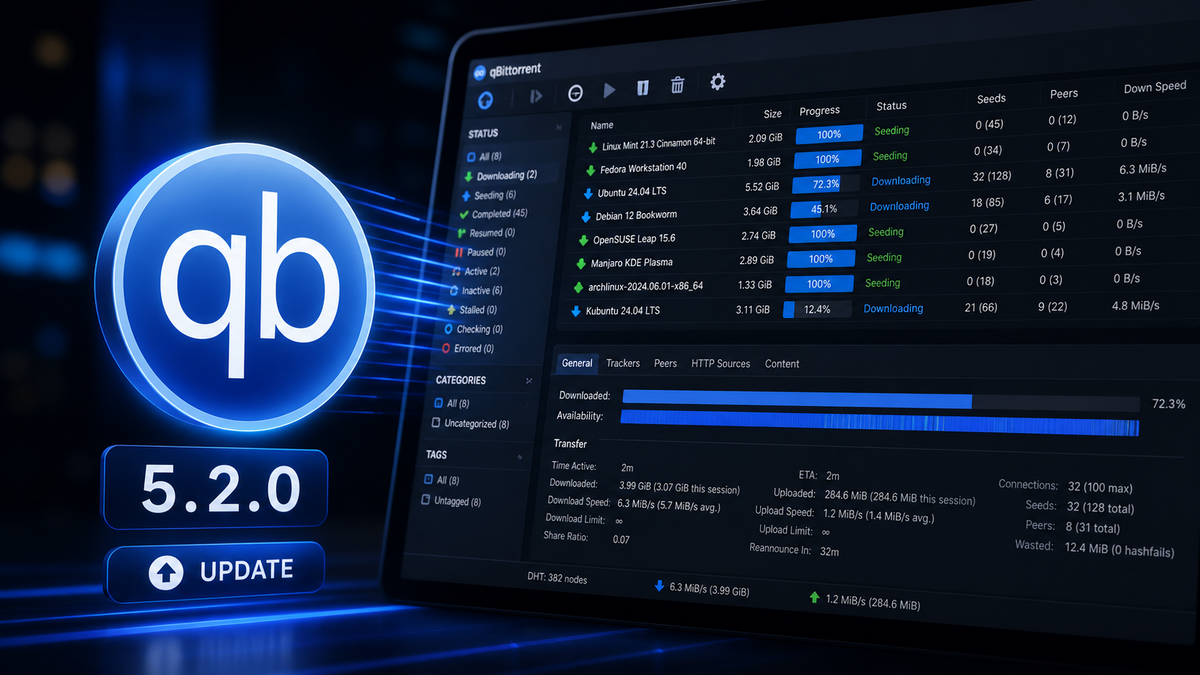
qBittorrent 5.2.0 Released: What's New and Why It Matters
qBittorrent 5.2.0 dropped on May 3rd, 2026. This is a major version release with a massive changelog accumulated over months of development. If you run qBittorrent as the download client behind Radarr, Sonarr, and Jellyfin, here is everything that changed and what you should know before upgrading.
Library Versions
| Library | Version |
|---|---|
| libtorrent | 1.2.20 / 2.0.12 |
| Qt | 6.10.3 |
| Boost | 1.86 / 1.91 |
Qt 6.10.3 is a significant jump. Qt 6.5 support is also dropped in this release. If you run qBittorrent on older hardware or a minimal Linux install, verify your system libraries are compatible before upgrading.
The Biggest New Features
Category-Level Share Limits
You can now set seeding ratio and time limits per category instead of only globally or per torrent. For Jellyfin admins who use Radarr and Sonarr with separate categories (radarr, sonarr), this means you can configure different seeding behavior for movies vs TV shows without touching individual torrents.
How to use it: Right-click a category in the sidebar, select Edit Category, and configure the share limits there.
Subcategories Are Now Unconditional
Previously subcategories were an opt-in feature. In 5.2.0 they are always enabled. If you had subcategories disabled, your category structure will now show the full hierarchy. Torrents are also automatically moved to the parent category when a subcategory is removed.
Free Disk Space in the Status Bar
The status bar now shows free disk space at a glance. For media server admins who are constantly watching storage, this is a welcome addition that saves you from opening a separate terminal or dashboard.
Style and Color Scheme on All Platforms
You can now configure the application style and color scheme on all platforms, not just Windows. Progress bar colors are also customizable, including an option to follow the torrent state color or disable state colors entirely.
Reboot Option on Download Completion
You can now configure qBittorrent to reboot the system when all downloads complete. Niche use case, but useful for scheduled overnight download sessions on dedicated hardware.
Persistent Additional Trackers
Additional trackers added via the tracker list are now persisted and loaded on startup. Previously these were session-only.
"Created On" Column
A new Created On column is available in the transfer list, showing when the torrent file was originally created. Useful for sorting and identifying old content.
Advanced Tracker Status Filter
A new separate tracker status filter in the sidebar lets you filter torrents by tracker state (working, not working, etc.) independently from the main status filters.
Asynchronous Piece Calculation
Piece hash calculation now runs asynchronously, which means the UI stays responsive when adding large torrents or rechecking files. On slower hardware like an Intel N100 mini PC, this is a noticeable improvement.
Other Notable Feature Additions
- Torrent Creator toolbar button: Quick access to the torrent creator directly from the toolbar
- Copy content paths: You can now copy the content paths of selected torrents
- Hostname resolver cache expiry interval: New advanced control for DNS caching behavior
- Pass torrent comment to external program: The comment field is now available as a variable in the "Run External Program" feature
- New translations: Albanian, Bosnian, Kazakh, Nepali, and Serbian (Latin) added
WebUI Improvements
The WebUI received a substantial number of updates in 5.2.0. Key highlights:
- Torrent creator in WebUI: You can now create new .torrent files directly from the web interface
- Virtual list for table performance: Large torrent lists render significantly faster
- Tracker status filter support: The new tracker filter is available in the WebUI too
- Add/remove trackers from selected torrents: Bulk tracker management from the WebUI
- New Add Torrent experience: Redesigned dialog for adding torrents
- Basic auth support: The WebUI now supports authenticating via HTTP Basic auth
- Horizontal tab scrolling: Tabs scroll horizontally when there are too many to display
- Ctrl+F to focus filter field: Keyboard shortcut for faster navigation
- Category download path management: Manage category download paths from the WebUI
- Reannounce individual trackers: Per-tracker reannounce from the WebUI
- Share limit action: Implement share limit directly from the WebUI context menu
- Torrent availability bar: Visual availability indicator added
- I2P peers in peer list: I2P peers are now visible in the WebUI peer list
- Redesigned login form: Cleaner login page
- Display density option: New option to increase display density in tables
- Default date format: Configurable date format in the WebUI
- Mobile improvements: Footer scrollable on mobile, better search page on mobile, mobile keyboard no longer auto-capitalizes username
- Escape key closes dialogs: Consistent keyboard behavior across all dialogs
- Preferences window stays open after failed save: No longer closes on error
WebAPI Changes
Several new endpoints and improvements for automation:
app/processInfoendpoint withlaunch_timefieldsetCommentendpoint for setting torrent comments- Announce stats now included in sync data
- Optional files info in torrent list responses
- API key authentication: New support for authenticating via API key (in addition to session cookies)
- Permanent cookies replacing session-only cookies
- Port appended to session cookie name
- Better error messages for missing required parameters
- 204 response when no data is returned
- Metadata added to
/app/getDirectoryContentresponse - No error thrown when editing a category without changes
If you use any custom scripts or tools that interact with the qBittorrent WebAPI, review the API changes before upgrading.
Bug Fixes Worth Noting
Several crash fixes are included that affect common workflows:
- Fix crash when exiting immediately after adding a torrent (two separate fixes)
- Fix crash when closing the app with AddNewTorrentDialog open
- Fix crash due to invalid entry in ipfilter.dat
- Fix crash when moving an RSS folder into its own subfolder
- Fix incorrect save path when torrent is added from a watched folder
- Fix failure to start seeding a newly created torrent in Torrent Creator
- Fix active torrents filter not reflecting actual transfers
- Block invalid file names when renaming torrent content
- Reannounce DHT when reannouncing all trackers
- Raise connection max limits and torrent share ratio maximum limit
The watched folder save path fix is particularly relevant for Radarr/Sonarr users who use watched folders as an alternative import method.
RSS Improvements
- Per-feed refresh interval: you can now set different refresh rates for individual RSS feeds
- Simple string filtering for RSS (in addition to regex)
- Smart filter now rejects articles with unrecognized episode numbers
- RSS entry date now uses short format
- "Open link" added to RSS article header
- RSS article icons replaced with SVG
Search Engine
- SOCKS4/SOCKS4a proxy support added to the search engine
- SOCKS proxy settings are now enforced in search engine plugins
- CTRL+W closes search tabs
- Improved search results filtering and parsing performance
- Better error propagation from search engine plugins
- Python installer version updated
Platform-Specific Changes
Windows
- ARM64 build support added to the NSIS installer
- Symbolic links now allowed in the torrent creator
- Additional language translations in the installer (Hindi, Bosnian, Turkish, Russian, Ukrainian, Swedish)
Linux
- "Physical memory (RAM) usage limit" option removed (was already non-functional on most systems)
- Orphan processes are no longer allowed
macOS
- Proper keyboard shortcut for deleting items
- Fixed shift-click selection
- Status bar menu with DL/UL display
- Semi-native Window menu added
- Improved icons
- Option to toggle speed indicator in dock
- Option to show/hide status bar icon
- Fixed text cutoff in About dialog
- Fixed priority text overlap when editor is active
- Fixed app freezing on quit due to Qt accessibility deadlock
- Fixed crash when deleting torrents
Performance
Two notable performance improvements:
- Resume queue load performance: Faster startup when you have many torrents
- Avoid copying resume data when loading torrents: Reduced memory allocation on startup
Both matter if you run qBittorrent with hundreds of active torrents, which is common on a Jellyfin server with an active Radarr/Sonarr setup.
How to Upgrade
Docker (recommended)
docker compose pull
docker compose up -d
If you pin your image version, update to qbittorrentteam/qbittorrent:5.2.0 or switch back to latest.
Linux (package manager)
Check your distribution's package repository. The official qBittorrent PPA for Ubuntu/Debian typically updates within a few days of a release.
Windows
Download the installer from qbittorrent.org. The 5.2.0 release includes ARM64 builds for the first time.
macOS
macOS builds are self-signed, which may trigger security warnings. This is expected behavior noted in the official release announcement.
Integration with Radarr, Sonarr, and Jellyfin
Nothing in 5.2.0 breaks existing Radarr/Sonarr integration. The WebAPI remains backward compatible. The new category-level share limits are additive and do not affect existing configurations.
If you use the WebUI to manage downloads alongside JellyWatch for session monitoring, the WebUI performance improvements in 5.2.0 make the interface noticeably faster on large libraries.
The watched folder save path fix is worth noting if you have ever seen Radarr or Sonarr imports land in the wrong directory after being added via a watched folder.
Should You Upgrade?
Yes. The crash fixes alone make this a worthwhile update. The category-level share limits and WebUI improvements are genuinely useful for media server setups. There are no known breaking changes for standard Radarr/Sonarr/Jellyfin configurations.
As always, back up your qBittorrent config before upgrading if you have a complex setup.
Running qBittorrent with Jellyfin? Monitor your active downloads and streams from one app. Download JellyWatch on Google Play - Radarr, Sonarr, and Jellyfin session monitoring in a single Android app.
On Emby? Download EmbyWatch on Google Play - the same monitoring experience for Emby servers.



Comments 3
Category-level share limits are a game changer. My Radarr category now seeds to 2.0 ratio and my Sonarr category seeds for 7 days. No more per-torrent configuration.
The WebUI virtual list performance improvement is immediately noticeable. I have 400+ active torrents and the page no longer lags when scrolling. Finally.
Async piece calculation fixed the UI freeze I got every time I added a large torrent. Used to hang for 10-15 seconds on my N100. Now it is instant. Great update.
Leave a comment