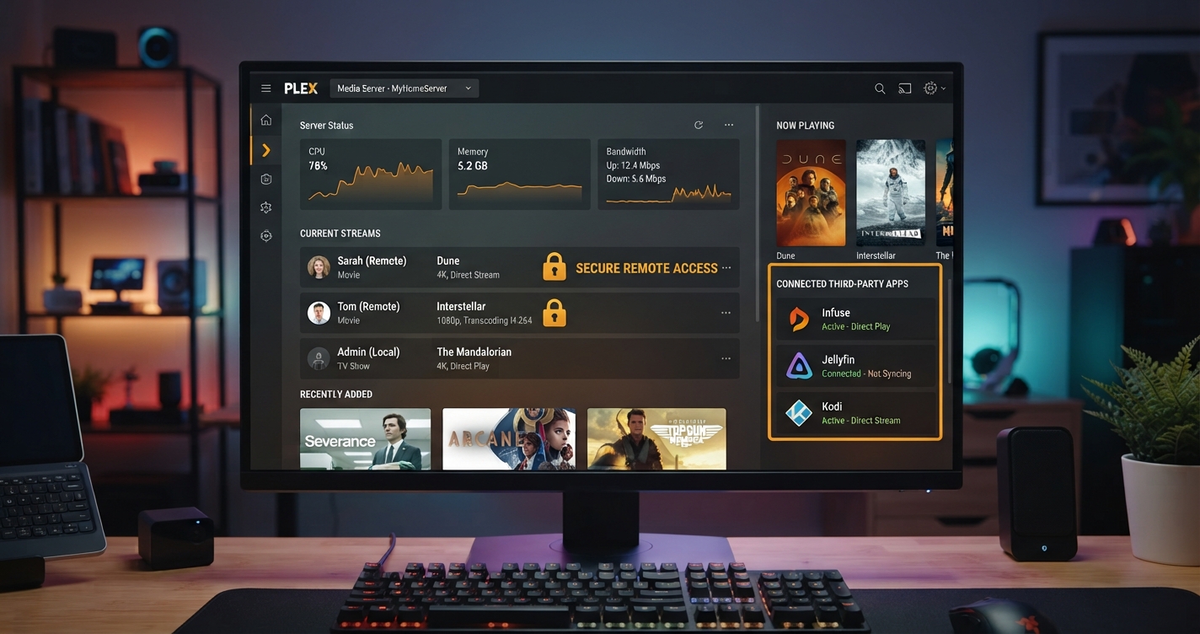
Plex Now Charges for Remote Streaming in Infuse and Other Third-Party Apps: Your Options in 2026
For a while there was a simple workaround for Plex's remote streaming paywall: skip the official app and play your library through a third-party client such as Infuse. That workaround is closing. In late September 2026, Firecore, the company behind Infuse, told its users that Plex had informed them that remote streaming from a Plex server will require a paid Plex license, and that this includes playback through third-party apps.
This article explains what changed, who has to pay, what still works for free, and what your realistic options are if you do not want another subscription.
What Actually Changed
Firecore posted its notice on September 21, 2026. According to that notice, remote streaming from a Plex server now requires a paid Plex license, including when the video is played through apps like Infuse. Playback on your local network is not affected.
A few details are worth being careful about:
- The announcement said the change would start "later this week", so there is no single confirmed switch-over date.
- Press coverage on September 30 described the loophole as closed, but behavior can differ by platform and by whether the server owner has an active Plex Pass.
- Some headlines call this the "last" free loophole. That overstates it. What is closed is free remote video playback through Plex's own remote streaming system. Local playback and self-managed network tunnels still work.
If you want to know whether you are affected, test it. Leave your home Wi-Fi, play something from a third-party app, and see whether you are asked for a pass.
How We Got Here
This was announced long before it arrived, and the rollout has been gradual.
| Date | What happened |
|---|---|
| March 2025 | Plex announced a price increase and a new policy for streaming outside the home network |
| November 2025 | Enforcement began on Roku, with a warning that it would expand to other platforms and to third-party clients using the Plex API |
| April 29, 2026 | Plex's own support post extended the requirement to Fire TV and supported TVs and consoles such as Samsung, LG, Vizio, PlayStation and Xbox |
| September 2026 | Third-party apps such as Infuse are included |
We covered the earlier steps in Plex Just Paywalled Remote Access and Plex Lifetime Pass Triples to $750.
Who Has to Pay
The rules are more specific than "everyone pays".
| Situation | What covers remote video |
|---|---|
| The server owner has an active Plex Pass | Every account streaming from that server |
| A viewer has a Remote Watch Pass | Only that viewer's own account, plus their Plex Home managed accounts |
| Nobody has a pass | Local network playback only |
| Music in Plexamp, photos in Plex Photos | Free, not restricted |
For a family, one Plex Pass on the server owner's account is the simpler option. Individual Remote Watch Passes only make sense for a single person streaming remotely.
What it costs
At the time of the Roku rollout, Plex Pass was listed at $6.99 per month or $69.99 per year, and the Remote Watch Pass at $1.99 per month or $19.99 per year. Those were introductory numbers, and Plex has changed prices more than once since, including the lifetime pass. Check Plex's current plans page before you budget anything.
The relay cap
If your connection falls back to Plex Relay instead of a direct connection, streams are capped at 2 Mbps even for paying users. For good quality you need a working direct connection, which usually means UPnP or a port forward to TCP 32400. That may not be possible behind carrier-grade NAT.
"I Am at Home and Plex Says I Am Remote"
Plex treats playback as remote whenever the player cannot reach the server on the same subnet of the same local network. If a device at home suddenly asks for a pass, check these first:
- Separate subnets. A guest Wi-Fi network, an IoT VLAN, or a mesh node running in router mode can put the TV on a different subnet from the server.
- Firewall on the server. On Windows, make sure Plex Media Server is allowed through the firewall.
- Double NAT. An ISP gateway plus your own router can interfere. Putting one device into bridge mode often fixes it.
These are the usual culprits, not a guaranteed fix for every case.
Your Options
Option 1: Pay for Plex
If you and your family are happy with Plex, a Plex Pass on the server owner's account is the cleanest route. It is a legitimate choice. Plex runs real infrastructure for authentication, discovery and relays, and its apps are polished.
The cost of this option is trust, not just money. Plex has changed terms, prices and app lineups repeatedly, and it is fair to ask what moves behind the paywall next.
Option 2: Stay local
If you only watch at home, nothing changes for you. Your home network stays free.
Option 3: Use a mesh VPN
A mesh VPN such as Tailscale makes a phone or laptop behave as if it were on your home network. Firecore itself pointed to this kind of setup for people who do not want to use Plex Remote Access.
The catches are real:
- Every viewer needs the VPN app installed and approved on your network.
- Plex decides what counts as local, and Plex has not published any guarantee that a VPN setup will pass that check. It could change how it decides.
See our Tailscale and WireGuard guide for how this works with a media server.
Option 4: Move to Jellyfin and keep Infuse
Jellyfin has no remote streaming fee, no account requirement and no central service that can decide to charge you. And if you like Infuse, you do not have to give it up. Infuse can connect directly to a Jellyfin server.
The short version of the setup:
- In Infuse, open Settings and add a files source, then choose Jellyfin.
- Enter your server address and your Jellyfin username and password.
- Turn off Library Mode for the Jellyfin source, so Infuse uses your Jellyfin metadata and watch progress instead of its own.
- Play a file and confirm the playback info says Direct Play.
The full walkthrough, including codec support on Apple TV, is in our Infuse and Jellyfin setup guide. If you would rather use a free, open-source Apple client, see Swiftfin for iOS and Apple TV.
Infuse itself has its own paid tier, so check Firecore's current pricing for the features you need.
Plex vs Jellyfin for Remote Viewing
| Plex | Jellyfin | |
|---|---|---|
| Remote video on official apps | Paid pass required | Free |
| Remote video on third-party apps | Paid pass required since September 2026 | Free |
| Account with a company | Required | Not required |
| Who runs the remote connection | Plex infrastructure and relays, or your own direct connection | Your own reverse proxy or VPN |
| Setup effort for remote access | Low | Medium |
| Native Apple TV app | Yes | Swiftfin, or third-party apps such as Infuse |
The honest tradeoff: Plex makes remote access easy, and Jellyfin makes you set it up yourself. In return you own the whole path. The common ways to do it are a reverse proxy, a Cloudflare Tunnel, or a VPN.
What to Do This Week
- Test remote playback from a third-party app on mobile data, so you know where you stand.
- If you are affected and want to stay on Plex, decide between a server-level Plex Pass and individual passes.
- If you want out, install Jellyfin next to Plex and point it at the same media folders. Nothing moves, so you can run both while you decide. Our Plex to Jellyfin migration guide covers watch history too.
- Keep your Infuse subscription if you like it, and connect it to Jellyfin.
Final Thoughts
Plex said this was coming, and it has now followed through. Whether you pay, tunnel, or switch depends on how many people watch remotely and how much setup you are willing to do. The one thing you no longer get is a free workaround inside Plex's own ecosystem.
Running Jellyfin for your family? Keep an eye on who is watching. Download JellyWatch on Google Play and see active sessions, transcodes and server health from your phone.
Sources: XDA Developers, MakeUseOf, WindowsForum, Plex. Content was rephrased for compliance with licensing restrictions.



Comments
No comments yet. Be the first to share your thoughts.
Leave a comment