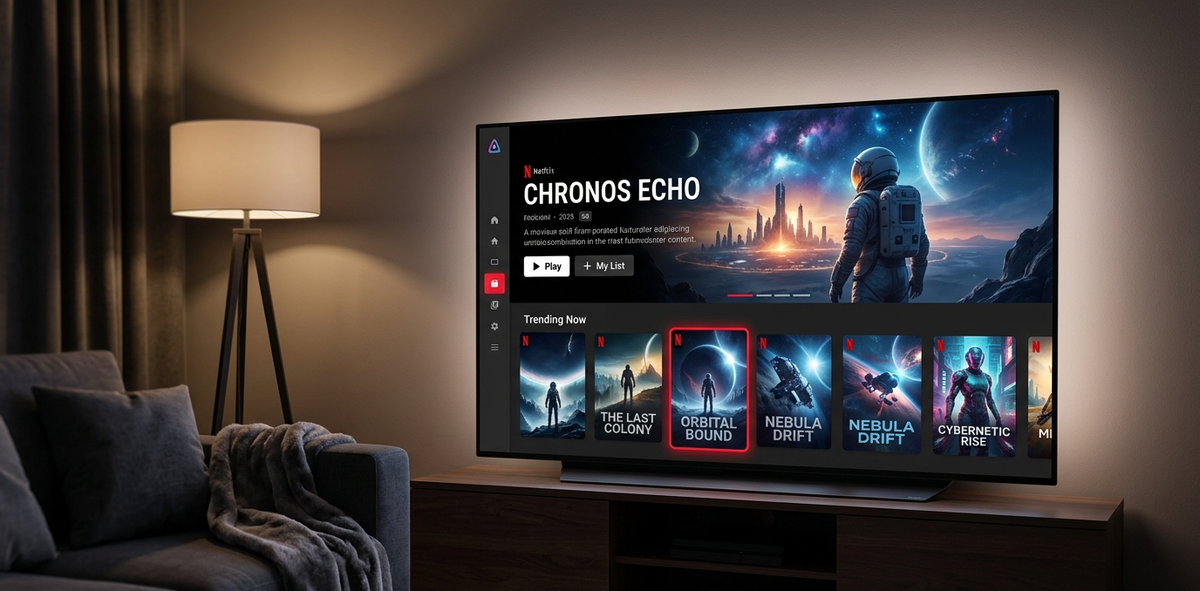
How to Make Jellyfin Look Like Netflix in 5 Minutes (2026)
The default Jellyfin interface is clean and functional. But if you share your server with family or friends, a Netflix-like theme makes the experience feel premium and familiar. The JellyFlix theme transforms Jellyfin into something that looks remarkably like Netflix - red accents, bold typography, hero banners, and cinematic card hover effects.
This takes less than 5 minutes.
Method 1: Skin Manager Plugin (One Click)
The fastest method. No CSS knowledge required.
Step 1: Install Skin Manager
- Dashboard → Plugins → Repositories → Add:
- Name:
Awesome Jellyfin - URL:
https://raw.githubusercontent.com/awesome-jellyfin/awesome-jellyfin/main/catalog.json
- Name:
- Dashboard → Plugins → Catalog → search Skin Manager → Install
- Restart Jellyfin
Step 2: Add the JellyFlix Repository
- Dashboard → Plugins → Skin Manager
- Click Add Repository
- Enter:
https://raw.githubusercontent.com/prayag17/JellyFlix/master/skin.json - Click Save
Step 3: Apply JellyFlix
- In Skin Manager, find JellyFlix in the theme list
- Click Apply
- Refresh your browser (Ctrl+Shift+R)
Done. Your Jellyfin now looks like Netflix.
Method 2: Manual CSS (Copy-Paste)
If you prefer not to install a plugin, paste the CSS directly:
- Dashboard → General → scroll to Custom CSS Code
- Paste the JellyFlix CSS from the GitHub repository
- Click Save
- Refresh your browser
The full CSS is available at: https://raw.githubusercontent.com/prayag17/JellyFlix/master/default.css
You can use an @import statement instead of pasting the entire CSS:
@import url("https://raw.githubusercontent.com/prayag17/JellyFlix/master/default.css");
Paste this single line into the Custom CSS field. Jellyfin loads the theme from GitHub on each page load.
What Changes
JellyFlix transforms the following elements:
Home page
- Hero banner - a full-width featured content section at the top, just like Netflix
- Red accent color (#E50914) throughout the interface
- Card hover effects - posters scale up smoothly on hover with a shadow
- Cleaner navigation bar - simplified top bar with Netflix-style layout
Library browsing
- Larger poster cards with rounded corners
- Bold white typography on dark backgrounds
- Smooth transitions between pages
- Backdrop blur behind content sections
Player
- Minimal player controls with Netflix-style progress bar
- Dark overlay during playback controls
Customizing the Accent Color
JellyFlix uses Netflix red by default. To change it, add this after the JellyFlix import:
:root {
    --accent: #0071EB;  /* Disney+ blue */
}
Popular alternatives:
| Color | Hex | Looks like |
|---|---|---|
| Netflix red | #E50914 | Netflix (default) |
| Disney+ blue | #0071EB | Disney+ |
| Spotify green | #1DB954 | Spotify |
| HBO purple | #B535F6 | HBO Max |
| Amazon blue | #00A8E1 | Prime Video |
| Warm orange | #FF6B35 | Crunchyroll |
Before and After
Before (default Jellyfin)
- Standard blue accent color
- Flat poster grid
- Simple navigation bar
- No hero section
- Basic hover effects
After (JellyFlix)
- Netflix red accent throughout
- Full-width hero banner on home page
- Cinematic poster hover with scale and shadow
- Bold typography
- Dark, immersive background
- Smooth page transitions
The transformation is dramatic. Users who have never seen Jellyfin before often mistake it for a commercial streaming service.
Does It Work on TV Clients?
No. Custom CSS only applies to the Jellyfin web interface (browser, Jellyfin Media Player, and web-based TV apps like the LG webOS and Samsung Tizen apps).
Native clients (Findroid, Swiftfin, Jellyfin Android TV) have their own UI and do not load web CSS.
| Client | JellyFlix visible? |
|---|---|
| Web browser | Yes |
| Jellyfin Media Player (desktop) | Yes |
| LG webOS app | Yes (web-based) |
| Samsung Tizen app | Yes (web-based) |
| Findroid (Android) | No |
| Swiftfin (iOS/tvOS) | No |
| Jellyfin Android TV | No |
| Infuse | No |
Combining JellyFlix with Other Tweaks
JellyFlix is a base theme. You can add additional CSS on top:
Hide the Cast & Crew section
#castCollapsible {
    display: none !important;
}
Make the scrollbar darker
::-webkit-scrollbar { width: 6px; }
::-webkit-scrollbar-track { background: #111; }
::-webkit-scrollbar-thumb { background: #333; border-radius: 3px; }
Hide the "Shuffle" button
.btnShuffle {
    display: none !important;
}
Increase poster size
.card {
    font-size: 1.1vw !important;
}
Add these snippets below the JellyFlix import in your Custom CSS field.
Troubleshooting
| Problem | Fix |
|---|---|
| Theme not applying | Hard refresh: Ctrl+Shift+R |
| Theme partially broken | Clear browser cache completely |
| Theme reverts after Jellyfin update | Re-apply via Skin Manager or re-paste CSS |
| Some elements look wrong | JellyFlix may need an update for the latest Jellyfin version - check GitHub |
| @import not loading | Some browsers block cross-origin CSS - paste the full CSS instead |
Other Netflix-Like Themes
If JellyFlix is not quite right, alternatives exist:
| Theme | Style | Install |
|---|---|---|
| JellyFlix | Netflix clone (closest match) | Skin Manager |
| Ultrachromic | Dark, cinematic, vibrant | Skin Manager |
| Jellyfin-Netflix (DevilsDesigns) | Another Netflix interpretation | Skin Manager |
| Custom CSS | Build your own | Dashboard |
All are available via Skin Manager with their respective repository URLs.
FAQ
Does JellyFlix affect performance? No. CSS is purely visual - it does not add any processing load to your server or client.
Can each user have a different theme? Yes. Each user can set their own CSS in User Settings → Display → Custom CSS. This overrides the server-wide theme for that user only.
Will JellyFlix break after a Jellyfin update? Possibly. Major Jellyfin updates sometimes change CSS class names. Check the JellyFlix GitHub for compatibility updates after upgrading Jellyfin.
Can I use JellyFlix on Emby? No. JellyFlix targets Jellyfin-specific CSS classes. Emby has a different UI structure.
Conclusion
Five minutes. One plugin install or one CSS paste. Your Jellyfin server goes from "functional open-source project" to "this looks like Netflix." Your users will notice the difference immediately.
The best part: it is completely free, reversible, and does not affect server performance in any way.
Your Jellyfin looks like Netflix - now monitor it like a pro. Download JellyWatch on Google Play - session monitoring, server health, and push notifications for Jellyfin admins.



Comments
No comments yet. Be the first to share your thoughts.
Leave a comment