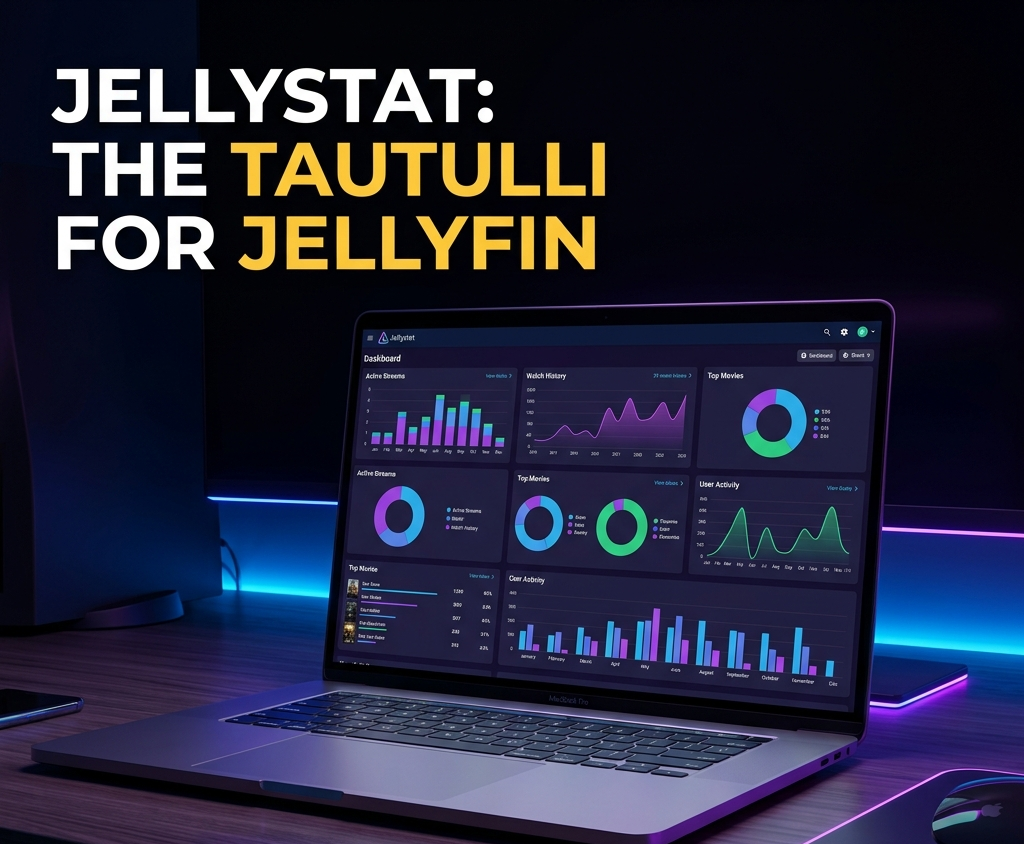
Jellystat: The Tautulli Alternative for Jellyfin , Setup, Features, and Dashboard Guide (2026)
Plex users have Tautulli , a dedicated statistics dashboard that shows who watched what, when, on which device, and how. Jellyfin users have had no equivalent for years. That changed with Jellystat.
Jellystat is a free, open-source statistics application built specifically for Jellyfin. It connects to your server via the Jellyfin API and provides a rich web dashboard with per-user analytics, library statistics, playback history, and more.
This guide covers the full setup and how to get the most out of your data.
What Is Jellystat?
Jellystat is a self-hosted web application that:
- Pulls playback data from your Jellyfin server via the API
- Stores it in a PostgreSQL database for historical analysis
- Presents it in a clean web dashboard
- Shows per-user watch history, most-played content, and playback method breakdown
- Tracks library growth over time
- Provides session logs with device and codec details
It is the closest thing to Tautulli available for Jellyfin in 2026.
Jellystat vs Tautulli vs JellyWatch
| Feature | Jellystat | Tautulli (Plex) | JellyWatch |
|---|---|---|---|
| Platform | Web dashboard | Web dashboard | Android native app |
| Real-time sessions | Yes | Yes | Yes |
| Historical statistics | Yes (PostgreSQL) | Yes | Basic |
| Per-user analytics | Yes | Yes | Yes |
| Push notifications | No | Yes | Yes |
| Arr stack integration | No | No | Yes |
| Mobile-first | No | No | Yes |
| Works with Jellyfin | Yes | No (Plex only) | Yes |
| Cost | Free | Free | Free + Premium |
Use Jellystat for: deep historical analytics, library reports, and a Tautulli-style web dashboard.
Use JellyWatch for: real-time monitoring from your phone, push notifications, and managing your entire media stack on the go.
They complement each other perfectly.
Step 1: Deploy Jellystat with Docker Compose
Jellystat requires a PostgreSQL database alongside the main application.
services:
  jellystat-db:
    image: postgres:15.2-alpine
    container_name: jellystat-db
    environment:
      POSTGRES_DB: jfstat
      POSTGRES_USER: postgres
      POSTGRES_PASSWORD: your_secure_password
    volumes:
      - ./jellystat/db:/var/lib/postgresql/data
    restart: unless-stopped

  jellystat:
    image: cyfershepard/jellystat:latest
    container_name: jellystat
    environment:
      POSTGRES_USER: postgres
      POSTGRES_PASSWORD: your_secure_password
      POSTGRES_IP: jellystat-db
      POSTGRES_PORT: 5432
      JWT_SECRET: your_jwt_secret_change_this
    ports:
      - 3000:3000
    volumes:
      - ./jellystat/backup-data:/app/backend/backup-data
    depends_on:
      - jellystat-db
    restart: unless-stopped
Important: Change your_secure_password and your_jwt_secret_change_this to strong random strings before deploying.
docker compose up -d
Open http://your-server:3000 to access the Jellystat dashboard.
Step 2: Connect Jellystat to Your Jellyfin Server
Get your Jellyfin API key
- Open Jellyfin Dashboard
- Navigate to API Keys
- Click Create and name it "Jellystat"
- Copy the generated key
Configure Jellystat
- Open Jellystat at
http://your-server:3000 - Create your admin account on first launch
- Go to Settings, Jellyfin
- Enter:
- Jellyfin URL:
http://jellyfin:8096(Docker service name) or your server IP - API Key: the key you just created
- Jellyfin URL:
- Click Test Connection then Save
Jellystat immediately begins pulling data from your Jellyfin server.
Step 3: Understanding the Dashboard
Home Overview
The main dashboard shows:
- Active sessions , who is currently watching
- Total plays today / this week / this month
- Most popular content , top movies and shows by play count
- Recent activity , last 10 playback events
- Library size , total items per library type
Playback History
The history view shows every playback event with:
- User who watched
- Media title, season, episode
- Date and time
- Duration watched and completion percentage
- Device name and client app
- Playback method (Direct Play / Transcode)
- Video codec, resolution, audio codec
This is the data Tautulli users are used to , now available for Jellyfin.
User Statistics
For each user on your server:
- Total watch time (all time, monthly, weekly)
- Most-watched genres
- Favorite shows and movies
- Device breakdown (which clients they use)
- Playback method ratio (Direct Play vs Transcode)
- Activity heatmap (which hours and days they watch)
Library Statistics
- Total items per library
- Most-played movies and episodes
- Least-played content (useful for identifying what nobody watches)
- Library growth over time
- Storage usage per library
Step 4: Configure Data Sync
Jellystat syncs data from Jellyfin on a schedule. Configure the sync interval:
- Settings, Sync
- Set Sync Interval to your preference:
- 5 minutes , near real-time, higher database load
- 15 minutes , good balance (recommended)
- 1 hour , minimal load, less granular history
Backfill historical data
Jellystat can import historical playback data from Jellyfin's activity log:
- Settings, Sync
- Click Sync All History
- Jellystat imports all available historical data from Jellyfin
This gives you statistics going back to when you first installed Jellyfin, not just from when you installed Jellystat.
Step 5: Expose Jellystat via Reverse Proxy
For access from outside your network:
Caddyfile:
stats.yourdomain.com {
    reverse_proxy jellystat:3000
}
Security note: Jellystat contains detailed information about your users' viewing habits. Protect it with authentication. Add basic auth in Caddy:
stats.yourdomain.com {
    basicauth {
        admin $2a$14$your_hashed_password
    }
    reverse_proxy jellystat:3000
}
Generate a bcrypt hash: caddy hash-password --plaintext yourpassword
Jellystat vs Streamystats
A newer alternative, Streamystats, has emerged as a competitor to Jellystat:
| Feature | Jellystat | Streamystats |
|---|---|---|
| Database | PostgreSQL | SQLite |
| Setup complexity | Medium (needs Postgres) | Simple (single container) |
| UI design | Functional | More modern |
| Active development | Active | Very active |
| GitHub stars | ~1,200 | ~336 |
| Maturity | More mature | Newer |
Jellystat is more established with a larger community. Streamystats is simpler to deploy (no separate database) and has a more modern UI. Both are worth trying.
Streamystats Docker Compose
services:
  streamystats:
    image: fredrikburmester/streamystats:latest
    container_name: streamystats
    ports:
      - 3000:3000
    volumes:
      - ./streamystats/data:/app/data
    restart: unless-stopped
Even simpler than Jellystat , no separate database container needed.
Practical Use Cases
Find out who is actually using your server
Jellystat's user statistics reveal which users are active and which accounts are dormant. Useful for deciding who to keep on your server.
Identify transcoding offenders
The playback method breakdown shows which users are constantly triggering transcodes. You can then help them configure their client for Direct Play.
Justify hardware upgrades
When asking for a new GPU or more RAM, Jellystat's data shows concrete usage: "We had 847 playback sessions last month, 23% were transcoding, and CPU peaked at 94% during 4K streams."
Find content nobody watches
The least-played content report helps you identify movies and shows that have never been watched. Useful for storage cleanup decisions.
Share stats with your users
Jellystat's per-user statistics can be shared with users so they can see their own watch history and stats , similar to Spotify Wrapped but for your media server.
Troubleshooting
| Problem | Cause | Fix |
|---|---|---|
| Cannot connect to Jellyfin | Wrong URL or API key | Verify URL is reachable from Jellystat container |
| No historical data | Sync not run yet | Click "Sync All History" in Settings |
| Database connection error | Wrong Postgres credentials | Check environment variables match in both containers |
| Sessions not updating | Sync interval too long | Reduce sync interval in Settings |
| Missing users | User has no playback history | Play something on that account |
| High database disk usage | Large history | PostgreSQL stores all events; normal for active servers |
FAQ
Is Jellystat the same as Tautulli? No, but it serves the same purpose for Jellyfin. Tautulli is Plex-only. Jellystat is Jellyfin-only. Feature parity is not 100% but the core analytics are comparable.
Does Jellystat work with Emby? Jellystat is designed for Jellyfin. For Emby, the API is similar but not identical. Some users report partial compatibility.
Does Jellystat send data anywhere? No. Jellystat is fully self-hosted. All data stays on your server in your PostgreSQL database.
Can I use Jellystat and JellyWatch together? Yes, and it is the recommended setup. Jellystat for deep historical analytics on a desktop browser. JellyWatch for real-time monitoring and management from your phone.
How much storage does Jellystat use? The PostgreSQL database grows with usage. A server with 5 active users generates roughly 50-200 MB of data per year. Very manageable.
Is there a Jellystat mobile app? No. Jellystat is a web application. For mobile monitoring, use JellyWatch.
Can Jellystat send notifications? Not natively. For push notifications when sessions start or CPU spikes, use JellyWatch or Uptime Kuma.
Jellystat shows you the history. JellyWatch shows you what is happening right now. Download JellyWatch on Google Play - real-time session monitoring, push notifications, and Arr stack management for Jellyfin admins on Android.
On Emby? Download EmbyWatch on Google Play - the same monitoring experience for Emby servers.


Comments
No comments yet. Be the first to share your thoughts.
Leave a comment