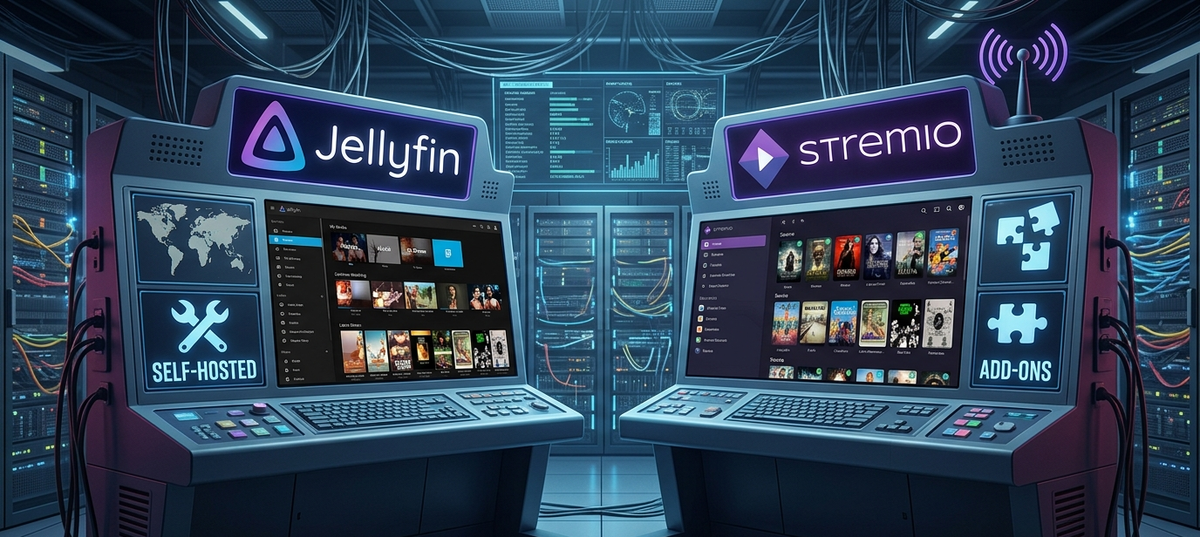
Jellyfin vs Stremio in 2026: Self-Hosted Server vs Addon Streaming
Jellyfin and Stremio solve the same fundamental problem - watching content on your terms - but they approach it from completely different philosophies. Understanding this difference is key to choosing the right tool (or using both).
Jellyfin = You own the server, you own the files, you control everything. It is a self-hosted media server for your personal library.
Stremio = Install an app, add community addons, and stream content from online sources. No server, no files, no maintenance.
Philosophy Comparison
| Aspect | Jellyfin | Stremio |
|---|---|---|
| Core model | Self-hosted server + local files | App + online addons |
| You need | Hardware, storage, media files | Just the app + internet |
| Control | Total (you run everything) | Addon-dependent |
| Privacy | 100% (never leaves your network) | Addon-dependent (some track usage) |
| Ownership | Full (your files, your server) | None (streaming only) |
| Offline access | Yes (local network, or download) | No (requires internet) |
| Setup time | 1-4 hours (hardware + software) | 5 minutes (install + addons) |
| Ongoing cost | Hardware + electricity | Free (unless using paid addons) |
Feature Comparison
| Feature | Jellyfin | Stremio |
|---|---|---|
| Multi-user accounts | Yes (full user management) | No (single user per app) |
| Parental controls | Yes | No |
| Watch history sync | Yes (server-side, cross-device) | Yes (Trakt integration) |
| Subtitle support | Excellent (Bazarr, OpenSubtitles, embedded) | Good (built-in search) |
| 4K HDR quality | Full quality (your files, your bitrate) | Depends on source quality |
| Dolby Vision/Atmos | Supported (with proper files) | Rare in addon sources |
| Mobile apps | Multiple clients (official + community) | Official app (all platforms) |
| Live TV | Yes (IPTV, M3U, tuners) | Yes (via addons) |
| Music library | Yes (full music server) | Limited |
| Photo management | Yes | No |
| Request system | Yes (Jellyseerr) | No |
| Notifications | Yes (new content, sessions) | No |
Quality Comparison
This is where Jellyfin wins decisively for enthusiasts:
| Quality Aspect | Jellyfin | Stremio |
|---|---|---|
| Maximum bitrate | Unlimited (your files) | Source-dependent (often 5-15 Mbps) |
| 4K Remux (50+ Mbps) | Yes | Extremely rare |
| Lossless audio (TrueHD, DTS-HD) | Yes | Almost never |
| Dolby Vision Profile 7/8 | Yes | Very rare |
| Consistent quality | Always (your files) | Varies by addon and time |
| Buffering | Rare (local network) | Common (depends on source) |
If you care about reference-quality video and audio, Jellyfin with proper media files is the only answer. Stremio addons typically offer compressed encodes.
When to Choose Jellyfin
- You already have a media collection (or plan to build one)
- You want the best possible quality (4K Remux, lossless audio)
- You share your server with family and need user management
- Privacy matters to you (nothing leaves your network)
- You enjoy the homelab/self-hosting hobby
- You want offline access on your local network (internet outage = still works)
- You need music, audiobooks, or photo management too
When to Choose Stremio
- You do not want to maintain hardware or manage files
- You want instant access without downloading anything
- You watch casually and do not care about maximum quality
- Storage costs are a concern (no need for terabytes of drives)
- You are a solo user (no need for multi-user features)
- You are fine with internet-dependent streaming
Can You Use Both Together?
Yes, and many users do. Two common hybrid approaches:
Approach 1: Jellyfin Primary + Stremio for Discovery
Use Jellyfin for your owned library (quality content you keep). Use Stremio to quickly check out something before deciding to add it to your collection permanently.
Approach 2: Gelato Plugin (Stremio Inside Jellyfin)
The Gelato plugin for Jellyfin brings Stremio addon catalogs directly into your Jellyfin interface. You can browse Stremio content alongside your local library, and stream from addon sources without leaving Jellyfin. See our dedicated Gelato guide for setup instructions.
Approach 3: Stremio for Solo, Jellyfin for Family
Use Stremio personally for quick watching. Maintain Jellyfin with curated content for your family/kids with proper parental controls.
Legal Considerations
Jellyfin is fully legal software. It is an open-source media server. The legality depends on how you obtain your media files.
Stremio as an app is legal. The legality depends on which addons you install and what content they provide. Official addons (catalogs, trailers, free content) are fine. Community addons that stream copyrighted content exist in a legal gray area.
This guide covers the technical comparison. Make your own informed decisions about content sources.
Migration: Stremio to Jellyfin
If you are currently using Stremio and want to transition to Jellyfin:
- Start small: set up Jellyfin with content you watch repeatedly
- Use Trakt to sync watch history from Stremio
- Gradually build your library with high-quality files
- Keep Stremio installed for edge cases while your library grows
The migration is not instant - building a quality library takes time - but the end result is a superior viewing experience.
FAQ
Is Stremio a replacement for Jellyfin? No. They serve different use cases. Stremio does not replace a local media server, and Jellyfin does not replace instant streaming without files.
Can my Jellyfin server serve content to Stremio? Yes, via the "Jellyfin for Stremio" community addon. This makes your Jellyfin library appear as a source inside Stremio.
Which uses less bandwidth? Jellyfin on a local network uses zero internet bandwidth. Stremio always requires internet. For remote Jellyfin streaming, bandwidth depends on your upload speed and transcode settings.
Which is better for a family? Jellyfin, decisively. Multi-user accounts, parental controls, watch history per user, content requests - none of this exists in Stremio.
Can I run Jellyfin on a VPS and stream like Stremio? Technically yes (cloud Jellyfin), but you still need to manage files and storage. It becomes a hosted Jellyfin, not Stremio-like.
Chose Jellyfin? Monitor your server effortlessly. Download JellyWatch on Google Play - active sessions, library stats, and push notifications for your Jellyfin ecosystem.





Comments
No comments yet. Be the first to share your thoughts.
Leave a comment