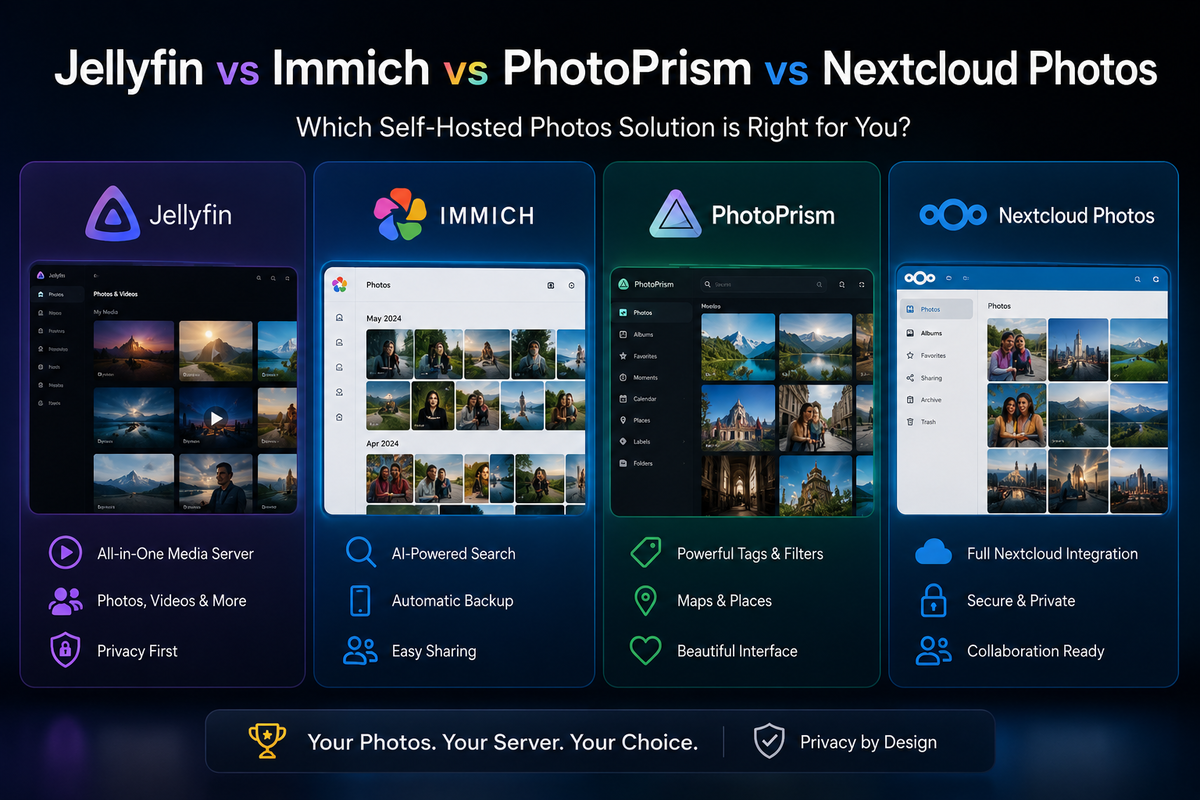
Jellyfin vs Immich vs Photoprism vs Nextcloud Photos 2026: Complete Self-Hosted Photo Comparison
Google Photos changed its unlimited storage policy in 2021. Since then, the self-hosted photo management space has exploded. In 2026, four platforms dominate the conversation: Jellyfin (media server with photo support), Immich (the Google Photos clone), Photoprism (the privacy-first option), and Nextcloud Photos (the all-in-one cloud).
Each solves a different problem. This guide helps you pick the right one, or the right combination.
The Fundamental Difference
| Platform | Primary purpose | Photo handling |
|---|---|---|
| Jellyfin | Media server (video first) | Photos as a secondary library type |
| Immich | Photo management (Google Photos replacement) | Purpose-built for photos and videos |
| Photoprism | Photo organization and browsing | AI-powered, privacy-focused |
| Nextcloud Photos | Cloud storage with photo features | Photos as part of a file sync ecosystem |
Feature Comparison Matrix
| Feature | Jellyfin | Immich | Photoprism | Nextcloud Photos |
|---|---|---|---|---|
| AI Face Detection | No | Yes (on-device ML) | Yes (TensorFlow) | Yes (Recognize app) |
| Object Recognition | No | Yes (CLIP) | Yes | Limited |
| Mobile Auto-Upload | No | Yes (Android + iOS) | No (use Syncthing) | Yes (native app) |
| Timeline View | No (folder-based) | Yes (date-based) | Yes (date-based) | Yes (date-based) |
| Map View (GPS) | No | Yes | Yes | Yes (Maps app) |
| Album Sharing | No | Yes (links + users) | Yes (links) | Yes (links + users) |
| RAW Support | No | Yes (with preview) | Yes (extensive) | Limited |
| Video Playback | Excellent (transcoding) | Basic | Basic | Basic |
| Video Transcoding | Yes (hardware accelerated) | Background (for previews) | No | No |
| Multi-User | Yes | Yes | Yes | Yes |
| Offline Access | Via clients | Yes (mobile app) | No | Yes (sync client) |
| Storage Deduplication | No | Yes | No | No |
| External Library | Yes | Yes (read-only) | Yes | Via external storage |
| Docker | Yes | Yes | Yes | Yes |
| RAM Usage | 500MB-2GB | 2-4GB (ML models) | 1-2GB | 512MB-1GB |
| GPU Acceleration | Yes (video transcode) | Yes (ML inference) | Yes (TensorFlow) | No |
Immich: The Google Photos Replacement
Immich is the closest thing to a self-hosted Google Photos in 2026. It was built from day one to replicate the Google Photos experience: timeline browsing, face detection, search by content, mobile auto-upload, and shared albums.
Strengths
- Mobile app quality - the Android and iOS apps are polished, fast, and support background upload
- AI features - CLIP-based search ("find photos of dogs at the beach"), face clustering, object detection
- Timeline - photos organized by date with smooth infinite scroll
- Map view - GPS-tagged photos displayed on a world map
- Sharing - create shared albums with links or specific users
- Deduplication - detects and handles duplicate uploads
- Partner sharing - share your entire library with a partner (like Google Photos family sharing)
- Memories - "On this day" feature showing photos from previous years
Weaknesses
- Video handling is basic - no transcoding, no HDR tone mapping, no multi-device streaming
- Resource hungry - ML models consume 2-4GB RAM minimum
- PostgreSQL required - adds complexity to the stack
- Still in active development - breaking changes between versions are possible (though rare now)
- No file sync - it is a photo manager, not a file storage system
Docker Compose
services:
  immich-server:
    image: ghcr.io/immich-app/immich-server:release
    volumes:
      - /mnt/photos/upload:/usr/src/app/upload
      - /mnt/photos/external:/usr/src/app/external:ro
    environment:
      - DB_HOSTNAME=immich-db
      - DB_USERNAME=postgres
      - DB_PASSWORD=your_password
      - DB_DATABASE_NAME=immich
      - REDIS_HOSTNAME=immich-redis
    ports:
      - 2283:2283
    depends_on:
      - immich-db
      - immich-redis
    restart: unless-stopped

  immich-machine-learning:
    image: ghcr.io/immich-app/immich-machine-learning:release
    volumes:
      - ./immich/ml-cache:/cache
    restart: unless-stopped

  immich-redis:
    image: redis:7-alpine
    restart: unless-stopped

  immich-db:
    image: tensorchord/pgvecto-rs:pg16-v0.2.1
    environment:
      - POSTGRES_PASSWORD=your_password
      - POSTGRES_USER=postgres
      - POSTGRES_DB=immich
    volumes:
      - ./immich/db:/var/lib/postgresql/data
    restart: unless-stopped
Best for
- Replacing Google Photos completely
- Families who want mobile auto-upload
- Users who search photos by content ("sunset", "birthday cake")
- Anyone who values the timeline + map experience
Photoprism: Privacy-First Photo Organization
Photoprism takes a different approach. It does not try to be Google Photos. Instead, it focuses on organizing and browsing an existing photo collection with AI assistance, without requiring a mobile app or cloud sync.
Strengths
- RAW file support - extensive support for camera RAW formats (CR2, NEF, ARW, DNG, etc.)
- AI classification - automatic labels, colors, and categories without sending data anywhere
- Privacy - all processing happens locally, no external API calls
- Existing library - point it at your existing photo folder structure, no import needed
- Lightweight mobile - works well in a mobile browser without a dedicated app
- Mature - stable, well-documented, fewer breaking changes
- Places - beautiful map integration with reverse geocoding
Weaknesses
- No mobile auto-upload - you need Syncthing or similar to get photos from your phone to the server
- No native mobile app - PWA only (works but not as smooth as Immich)
- Slower AI - TensorFlow-based classification is slower than Immich CLIP
- No partner sharing - sharing is link-based only
- Freemium model - some features require Photoprism+ (paid)
Docker Compose
services:
  photoprism:
    image: photoprism/photoprism:latest
    environment:
      PHOTOPRISM_ADMIN_USER: admin
      PHOTOPRISM_ADMIN_PASSWORD: your_password
      PHOTOPRISM_ORIGINALS_PATH: /photoprism/originals
      PHOTOPRISM_STORAGE_PATH: /photoprism/storage
      PHOTOPRISM_DATABASE_DRIVER: mysql
      PHOTOPRISM_DATABASE_SERVER: mariadb:3306
      PHOTOPRISM_DATABASE_NAME: photoprism
      PHOTOPRISM_DATABASE_USER: photoprism
      PHOTOPRISM_DATABASE_PASSWORD: your_db_password
    volumes:
      - /mnt/photos:/photoprism/originals:ro
      - ./photoprism/storage:/photoprism/storage
    ports:
      - 2342:2342
    depends_on:
      - mariadb
    restart: unless-stopped

  mariadb:
    image: mariadb:11
    environment:
      MARIADB_ROOT_PASSWORD: your_root_password
      MARIADB_DATABASE: photoprism
      MARIADB_USER: photoprism
      MARIADB_PASSWORD: your_db_password
    volumes:
      - ./photoprism/db:/var/lib/mysql
    restart: unless-stopped
Best for
- Photographers with large RAW collections
- Users who already have an organized photo folder structure
- Privacy purists who want zero external dependencies
- People who prefer browser-based access over mobile apps
Nextcloud Photos: The All-in-One Approach
Nextcloud is not a photo manager. It is a self-hosted cloud platform (file sync, calendar, contacts, office suite) that happens to include a Photos app. The photo features are good but not the primary focus.
Strengths
- File sync - full Dropbox-like sync client for desktop and mobile
- Mobile auto-upload - built into the Nextcloud mobile app
- Ecosystem - photos alongside documents, calendar, contacts, notes
- Recognize app - face detection and object recognition (community app)
- Memories app - timeline view with map, face clusters, and albums (community app by pulsejet)
- Sharing - granular sharing with links, users, groups, and federation
- Mature - 10+ years of development, massive community
Weaknesses
- Performance - Nextcloud is notoriously slow on large installations
- PHP-based - inherent performance limitations compared to Go/Rust alternatives
- Photo features are add-ons - not core functionality, quality varies
- Resource hungry - the full Nextcloud stack (PHP, Redis, PostgreSQL, Collabora) is heavy
- Complexity - many moving parts to maintain
- AI quality - Recognize app is less accurate than Immich or Photoprism
Best for
- Users who want ONE platform for everything (files + photos + calendar + office)
- Teams and families who need file sharing alongside photos
- Users already running Nextcloud for other purposes
Jellyfin: Photos as a Side Feature
Jellyfin handles photos as a library type alongside movies, TV shows, and music. It is not a photo manager. It is a media server that can display photos.
What Jellyfin does with photos
- Displays photos in a folder-based grid
- Slideshow playback
- Basic EXIF data display
- Multi-user access
- Remote streaming (photos accessible from anywhere)
What Jellyfin does NOT do with photos
- No AI face detection or object recognition
- No mobile auto-upload
- No timeline view (folder-based only)
- No map view
- No album sharing links
- No RAW file support
- No search by content
- No deduplication
Best for
- Displaying family photo slideshows on a TV
- Basic remote access to a photo folder
- Users who already run Jellyfin and want minimal photo browsing
The Winning Combinations
For most families: Immich + Jellyfin
- Immich handles phone photo backup, face detection, search, and sharing
- Jellyfin handles home video streaming to TVs with transcoding and HDR
- Both can point at the same storage (Immich for photos, Jellyfin for videos)
For photographers: Photoprism + Syncthing + Jellyfin
- Photoprism organizes your RAW collection with AI classification
- Syncthing auto-uploads from phone to server
- Jellyfin streams video content separately
For the all-in-one crowd: Nextcloud + Jellyfin
- Nextcloud handles files, photos, calendar, contacts, and office
- Jellyfin handles video streaming (Nextcloud video playback is terrible)
For maximum coverage: Immich + Jellyfin + Kavita
- Immich for photos
- Jellyfin for video, music, and audiobooks
- Kavita for comics and ebooks
- Three specialized tools, each best-in-class for their domain
Resource Requirements Comparison
| Platform | Minimum RAM | Recommended RAM | Storage overhead | GPU useful? |
|---|---|---|---|---|
| Jellyfin (photos only) | 1 GB | 2 GB | Minimal | No |
| Immich | 4 GB | 8 GB | ~20% (thumbnails + ML cache) | Yes (ML inference) |
| Photoprism | 2 GB | 4 GB | ~15% (thumbnails + sidecar) | Yes (TensorFlow) |
| Nextcloud + Memories | 2 GB | 4 GB | ~10% (previews) | No |
Migration Paths
From Google Photos to Immich
- Use Google Takeout to export your library
- Upload to Immich via the CLI tool or web interface
- Immich processes faces, locations, and metadata automatically
- Install the mobile app and enable auto-upload going forward
From Apple Photos to Immich
- Export from Photos app (File > Export > Export Unmodified Originals)
- Upload to Immich
- Face data does not transfer (Immich re-detects faces)
From any platform to Photoprism
- Copy your photo folder to the server
- Point Photoprism at the folder
- Run indexing (can take hours for large libraries)
- All organization happens non-destructively (original files untouched)
FAQ
Can I use Immich and Photoprism together? Yes, but there is little reason to. They solve the same problem differently. Pick one based on whether you value mobile apps (Immich) or RAW support and privacy (Photoprism).
Does Immich replace Jellyfin for videos? No. Immich video playback is basic. No transcoding, no HDR, no multi-device streaming. Use Jellyfin for video, Immich for photos.
Is Nextcloud Photos good enough on its own? For casual use, yes. For serious photo management (face detection, search, RAW), Immich or Photoprism is significantly better.
Which uses the least resources? Jellyfin (for basic photo display) uses the least. Photoprism is moderate. Immich is the heaviest due to ML models.
Can all four share the same photo files? Yes. Use read-only mounts. All four can read the same folder without conflicts.
The Verdict
| Your priority | Choose |
|---|---|
| Replace Google Photos completely | Immich |
| Organize a large existing collection | Photoprism |
| One platform for everything | Nextcloud |
| Just display photos on TV | Jellyfin |
| Best of all worlds | Immich + Jellyfin |
Running multiple self-hosted services? Monitor your Jellyfin server from your phone. Download JellyWatch on Google Play - session monitoring, server health, and your complete homelab in your pocket.
On Emby? Download EmbyWatch on Google Play



Comments
No comments yet. Be the first to share your thoughts.
Leave a comment