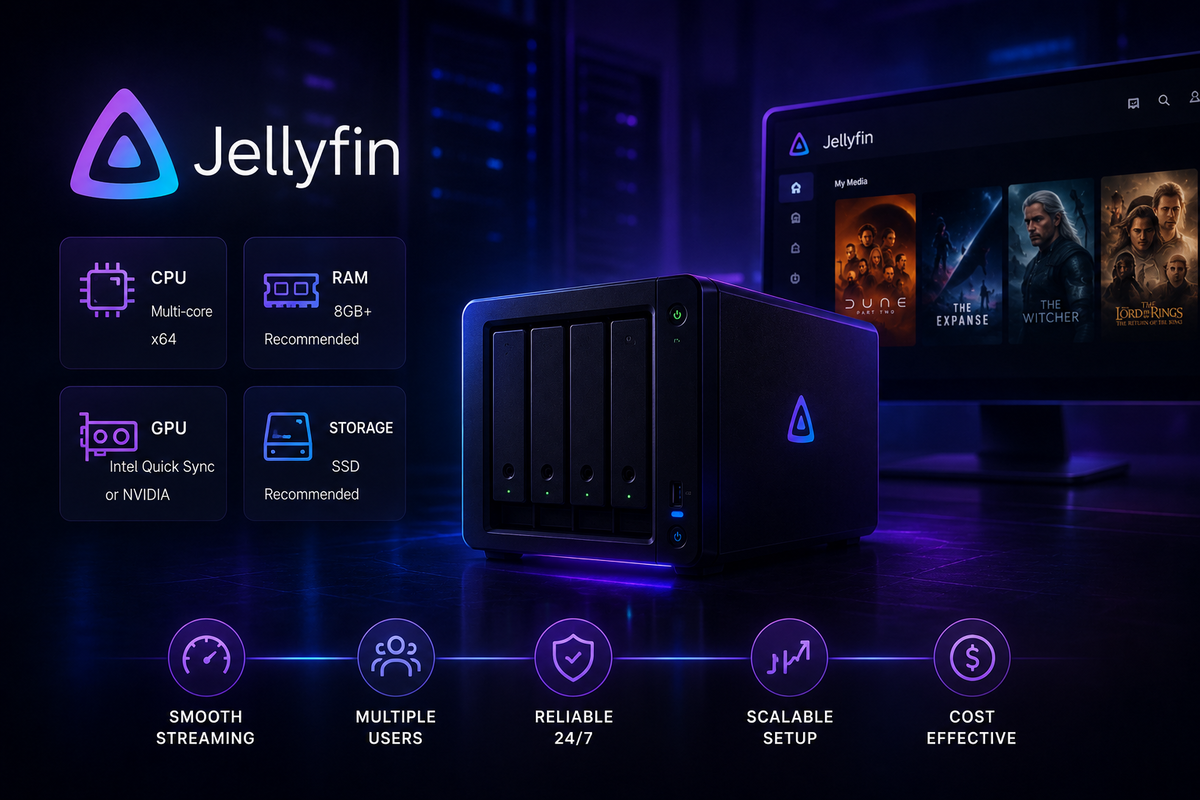
Jellyfin Server Hardware Requirements in 2026
Building a Jellyfin server starts with one question: how much hardware do you actually need? The answer depends almost entirely on how many users you serve and whether your clients can Direct Play.
This guide covers every hardware component with specific recommendations for each use case.
The Core Variable: Direct Play vs Transcoding
Before looking at specs, understand the fundamental rule:
| Playback Mode | Server CPU Usage |
|---|---|
| Direct Play | Near zero |
| Direct Stream (audio transcode only) | Minimal |
| Full Video Transcode (software) | Very high |
| Full Video Transcode (hardware/GPU) | Low |
If all your clients Direct Play, even a Raspberry Pi can serve dozens of users. If you expect transcoding, hardware selection matters significantly.
Minimum Requirements by Use Case
Single User, Direct Play Only
| Component | Minimum |
|---|---|
| CPU | Any 2-core 64-bit processor |
| RAM | 4 GB |
| Storage (OS + Config) | 20 GB SSD |
| Network | 100 Mbps |
A Raspberry Pi 4 or 5, an old laptop, or any low-power ARM device handles this comfortably.
Small Family (2-4 users), Mixed Direct Play
| Component | Recommended |
|---|---|
| CPU | Intel N100 or equivalent (4 cores) |
| RAM | 8 GB |
| Storage (OS + Config) | 60 GB SSD |
| Storage (Media) | NAS or USB HDD |
| Network | Gigabit Ethernet |
| GPU | Intel iGPU (built-in Quick Sync) |
The Intel N100 is the community favourite for this tier. It handles 3-4 simultaneous 4K HDR transcodes via Quick Sync at under 15W.
Multi-User Server (5-10 users), Regular Transcoding
| Component | Recommended |
|---|---|
| CPU | Intel N305, Core i5 12th gen+, or Ryzen 5 |
| RAM | 16 GB |
| Storage (OS + Config) | 120 GB NVMe SSD |
| Storage (Media) | 10 TB+ NAS or direct-attached HDD |
| Network | Gigabit Ethernet |
| GPU | Intel Arc A380 or NVIDIA GTX 1660+ |
At this tier, hardware acceleration is mandatory. Without it, a single 4K transcode saturates the CPU for all other users.
Large Server (10+ users, public or community)
| Component | Recommended |
|---|---|
| CPU | Intel Core i7/i9 or Xeon, 8+ cores |
| RAM | 32-64 GB |
| Storage (OS + Config) | 256 GB NVMe |
| Storage (Media) | RAID NAS or ZFS array |
| Network | 2.5 GbE or 10 GbE |
| GPU | NVIDIA RTX 3060+ or Intel Arc A770 |
RAM: How Much Does Jellyfin Actually Use?
Jellyfin itself is not RAM-hungry. The server process typically consumes 300-800 MB at idle.
RAM matters for:
- Metadata cache - large libraries (5,000+ items) benefit from more RAM
- Simultaneous transcodes - each software transcode uses ~500 MB-1 GB
- Operating system - Linux needs ~512 MB baseline; Docker adds ~200 MB overhead
| Setup | RAM Recommendation |
|---|---|
| Single user, small library | 4 GB |
| Small family, 1,000-5,000 items | 8 GB |
| Multi-user, large library | 16 GB |
| Community server, 10,000+ items | 32 GB |
GPU: Hardware Acceleration Deep Dive
Hardware acceleration is the single most impactful component for a Jellyfin server that serves more than one or two users.
Intel Quick Sync (iGPU)
The best bang-for-buck option in 2026. Available in all Intel desktop and laptop CPUs with integrated graphics.
| Intel CPU Generation | 4K H.265 Transcodes | AV1 Decode | AV1 Encode |
|---|---|---|---|
| 8th-10th Gen (UHD 620/630) | 2-3 | No | No |
| 11th Gen (Xe, 80 EU) | 3-4 | No | No |
| 12th Gen+ (Alder Lake+) | 4-6 | Yes | Limited |
| Intel Arc A380 | 6-8 | Yes | Yes |
| Intel Arc A770 | 10-12 | Yes | Yes |
NVIDIA NVENC
Best for servers that already have a discrete NVIDIA GPU.
| GPU | 4K H.265 Transcodes | AV1 Encode | Notes |
|---|---|---|---|
| GTX 1660 Super | 3 (limited) | No | NVENC session cap on consumer GPUs |
| RTX 3060 | 8+ | No | No NVENC cap on RTX |
| RTX 4060 | 10+ | Yes | AV1 NVENC, excellent efficiency |
Note: NVIDIA consumer GPUs (GTX/RTX) have a 3-session NVENC cap by default on Windows. On Linux with the unofficial patch or in Docker, this cap can be removed.
AMD AMF
AMD GPUs support hardware transcoding via AMF. Generally on par with Intel Quick Sync on modern RDNA2/RDNA3 hardware. Less community documentation than Intel or NVIDIA.
Storage: Where Most Admins Get It Wrong
Storage has two distinct requirements:
OS and Jellyfin Config (SSD - mandatory)
- Jellyfin stores all metadata, thumbnails, Trickplay images, and transcoding cache on the config drive
- Slow config storage = slow UI, slow metadata loading, slow library scans
- Minimum: 60 GB SSD. Recommended: 120-256 GB NVMe SSD
- For a library of 1,000 movies, expect 10-30 GB of Trickplay and metadata cache alone
Media Storage (HDD acceptable)
- Media files are read sequentially during playback
- A standard 7200 RPM HDD sustains 150-200 MB/s - enough for even the highest-bitrate 4K remux (80 Mbps = 10 MB/s)
- Use HDD for media, NVMe for config/cache - this is the standard recommendation across every Jellyfin community
Network Requirements
| Use Case | Minimum Bandwidth |
|---|---|
| 1080p Direct Play (H.264) | 10-40 Mbps |
| 4K Direct Play (HEVC remux) | 60-80 Mbps |
| 4K transcode to 1080p | 10-20 Mbps |
| Remote access (per user) | 10 Mbps upload per stream |
For local streaming, gigabit Ethernet is strongly recommended over Wi-Fi for high-bitrate 4K content. Wi-Fi 6 is acceptable for 1080p and lower-bitrate 4K encodes.
Recommended Hardware in 2026
| Budget | Recommended Build | Est. Cost |
|---|---|---|
| Budget (~$130) | Intel N100 mini PC, 16 GB RAM, 500 GB SSD | ~$130 |
| Mid-range (~$300) | Intel N305 mini PC, 16 GB RAM, 1 TB NVMe | ~$280 |
| Performance (~$600) | Intel Core i5-13500H NUC + Intel Arc A380 eGPU | ~$550 |
| Serious server | Used Xeon workstation + RTX 3060 | ~$400-700 |
All these builds can handle 4K hardware transcoding with Jellyfin. The N100 is the sweet spot for most home setups.
Running a Jellyfin server and want to monitor what your hardware is actually doing? Download JellyWatch on Google Play - see CPU load, active transcodes, and stream details in real time from your Android phone.
Prices and hardware recommendations as of March 2026. Performance figures are approximate and vary by workload, driver version, and configuration.


Comments 2
The RAM section is really helpful. Jellyfin itself uses under 1 GB, it's the transcodes and metadata cache that eat memory.
N100 mini PC at $130 for a full family server. This article convinced me. Ordered one yesterday.
Leave a comment