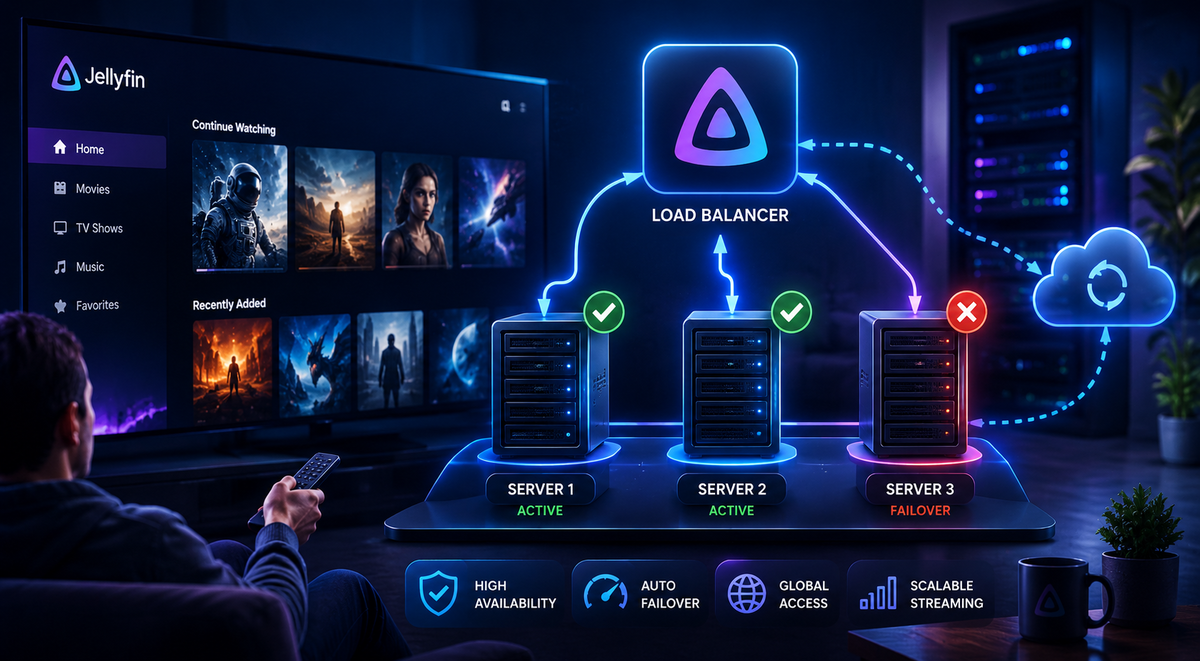
Jellyfin Multi-Server Architecture 2026: Load Balancing, Failover, and Geo-Distribution
A single Jellyfin server handles most home setups perfectly. An Intel N100 serves 3-4 simultaneous 4K transcodes. An i5 with a dedicated GPU handles 10+. But some scenarios push beyond what one server can deliver:
- 20+ concurrent users overwhelming a single GPU
- Geographic distribution where users in Europe and the US both need low-latency access
- Zero-downtime maintenance where you cannot take the server offline for updates
- Redundancy where a hardware failure must not mean days without service
This guide covers the architectures that solve these problems, and the honest limitations you will hit.
The Fundamental Limitation: SQLite
Before diving into architectures, understand the core constraint: Jellyfin uses SQLite as its database. SQLite does not support concurrent writes from multiple processes. This means:
- You cannot run two Jellyfin instances writing to the same database simultaneously
- You cannot have a true active-active cluster where both nodes serve requests
- You can have active-passive (one serves, one waits)
- You can have multiple independent servers synced via external tools
The EF Core migration in Jellyfin 10.11 laid the groundwork for PostgreSQL support (which would enable true multi-instance). But as of mid-2026, SQLite remains the only supported backend.
Architecture 1: Active-Passive Failover
The simplest multi-server setup. One server handles all traffic. If it fails, a standby takes over.
                    [Load Balancer / DNS Failover]
                         |              |
                    [Primary]      [Standby]
                         |              |
                    [Shared Storage (NFS/CIFS)]
How it works
- Primary server runs Jellyfin and serves all users
- Standby server has Jellyfin installed but stopped
- Shared storage (NFS/CIFS) holds media files accessible to both
- Config replication copies the Jellyfin database from primary to standby periodically
- Health check monitors the primary. If it fails, the standby starts Jellyfin
- DNS or load balancer switches traffic to the standby
Implementation with Keepalived
Keepalived provides a floating virtual IP that moves between servers:
# On primary (/etc/keepalived/keepalived.conf)
vrrp_script check_jellyfin {
    script "/usr/bin/curl -sf http://localhost:8096/health"
    interval 5
    weight -20
}

vrrp_instance JELLYFIN {
    state MASTER
    interface eth0
    virtual_router_id 51
    priority 100
    virtual_ipaddress {
        192.168.1.200
    }
    track_script {
        check_jellyfin
    }
}
# On standby
vrrp_instance JELLYFIN {
    state BACKUP
    interface eth0
    virtual_router_id 51
    priority 90
    virtual_ipaddress {
        192.168.1.200
    }
    notify_master "/usr/local/bin/start-jellyfin.sh"
    notify_backup "/usr/local/bin/stop-jellyfin.sh"
}
When the primary fails the health check, Keepalived promotes the standby. The notify_master script starts Jellyfin on the new primary.
Config Sync
Sync the Jellyfin database from primary to standby every hour:
# Cron on primary (every hour)
0 * * * * rsync -az /opt/jellyfin/config/ standby:/opt/jellyfin/config/
The standby is always at most 1 hour behind. Watch history from the last hour before a failure may be lost.
Limitations
- Not zero-downtime - failover takes 10-30 seconds
- Data loss window - up to 1 hour of watch history lost on failover
- Single point of failure - shared storage must be reliable
- Manual failback - returning to the primary requires stopping the standby
Architecture 2: Geo-Distributed Independent Servers
For users spread across continents, run independent Jellyfin servers in different regions with WatchState keeping them synchronized.
[User in Europe] --> [Jellyfin EU (Paris VPS)]
                         |
                    [WatchState] <-- syncs watch history
                         |
[User in US]     --> [Jellyfin US (NYC VPS)]
                         |
                    [Shared Media via Rclone/Syncthing]
How it works
- Two independent Jellyfin servers in different regions
- Same media library synced via Rclone, Syncthing, or shared cloud storage
- WatchState synchronizes watch history between both servers
- Users connect to their nearest server for lowest latency
- DNS-based routing (Cloudflare geo-steering) directs users to the closest server
Media Sync Options
| Method | Latency | Cost | Best for |
|---|---|---|---|
| Rclone to cloud (S3/B2) | Hours | Storage cost | Large libraries, async |
| Syncthing (peer-to-peer) | Minutes | Bandwidth only | Small-medium libraries |
| Shared NFS (same datacenter) | Instant | Network cost | Same-region servers |
Cloudflare Geo-Steering
Configure Cloudflare DNS to route users to the nearest server:
- Create a Cloudflare Load Balancer
- Add two origin pools: EU server and US server
- Enable geo-steering: European users go to EU pool, American users go to US pool
- Health checks ensure traffic routes away from a downed server
Limitations
- Media sync delay - new content takes time to propagate to all servers
- Independent databases - each server has its own users, settings, and plugins
- WatchState sync delay - watch history syncs periodically, not instantly
- Double storage cost - media exists on both servers
- Operational complexity - managing two servers instead of one
Architecture 3: Transcoding Offload
Keep one Jellyfin server but offload transcoding to dedicated workers.
[Jellyfin Main Server] -- serves UI, metadata, Direct Play
         |
         v (transcoding requests)
[Transcode Worker 1 (GPU)] -- handles HW transcoding
[Transcode Worker 2 (GPU)] -- handles HW transcoding
Current Reality (2026)
Jellyfin does not natively support distributed transcoding. The transcoding process is tightly coupled to the main server. However, workarounds exist:
Option A: Tdarr for pre-transcoding
Instead of real-time transcoding, pre-convert your library so everything Direct Plays:
- Tdarr workers (on separate machines with GPUs) process your library in the background
- Once converted, Jellyfin serves everything via Direct Play
- Zero real-time transcoding needed on the main server
Option B: Multiple Jellyfin instances with user routing
Run multiple Jellyfin instances, each with its own GPU:
- Users who trigger transcoding are assigned to a specific instance
- Users who Direct Play are assigned to the main instance
- Manual user management (not automatic)
Architecture 4: Read Replicas (Future - PostgreSQL)
When Jellyfin adds PostgreSQL support (roadmap for 12.0+), true read replicas become possible:
[Primary Jellyfin] -- writes to PostgreSQL primary
         |
[PostgreSQL Primary] --> [PostgreSQL Replica]
         |                       |
[Read-Only Jellyfin 1]    [Read-Only Jellyfin 2]
This would allow multiple Jellyfin instances to serve read requests (library browsing, metadata) while a single primary handles writes (watch state, user management). This is not available today but is the long-term direction.
Practical Recommendations
| Scenario | Recommended architecture |
|---|---|
| 1-10 users, single location | Single server (no multi-server needed) |
| 10-20 users, single location | Single server with powerful GPU |
| 20+ users, single location | Pre-transcode library (Tdarr) + powerful server |
| Users on multiple continents | Geo-distributed independent servers + WatchState |
| Zero-downtime requirement | Active-passive failover with Keepalived |
| Maximum redundancy | Geo-distributed + active-passive at each site |
The honest truth
For 95% of self-hosters, a single well-configured server is sufficient. Multi-server architectures add significant operational complexity. Before scaling horizontally, exhaust vertical scaling:
- Add a better GPU (Intel Arc A380 handles 6-8 simultaneous 4K transcodes)
- Pre-transcode your library with Tdarr (eliminates real-time transcoding)
- Optimize clients for Direct Play (set bitrate to Original)
- Upgrade to an N305 or i5 for more CPU headroom
Only pursue multi-server when a single machine genuinely cannot handle your load.
FAQ
Can I run two Jellyfin instances on the same database? No. SQLite does not support concurrent writes. Running two instances on the same database will corrupt it.
When will Jellyfin support PostgreSQL? The EF Core migration in 10.11 was the prerequisite. PostgreSQL is on the roadmap for 12.0 or later. No confirmed release date.
Is there a Jellyfin clustering plugin? No. Clustering requires database-level support that SQLite cannot provide.
How many users can one Jellyfin server handle? With Direct Play: effectively unlimited (limited by network bandwidth). With transcoding: depends on GPU. An Intel Arc A380 handles 6-8 simultaneous 4K transcodes.
Does JellyWatch work with multi-server setups? Yes. JellyWatch connects to a specific Jellyfin instance. For multi-server setups, you can add multiple servers in JellyWatch Premium and switch between them.
Scaling your Jellyfin setup? Monitor every instance from one app. Download JellyWatch on Google Play - multi-server support, real-time sessions, and push notifications.
On Emby? Download EmbyWatch on Google Play





Comments
No comments yet. Be the first to share your thoughts.
Leave a comment