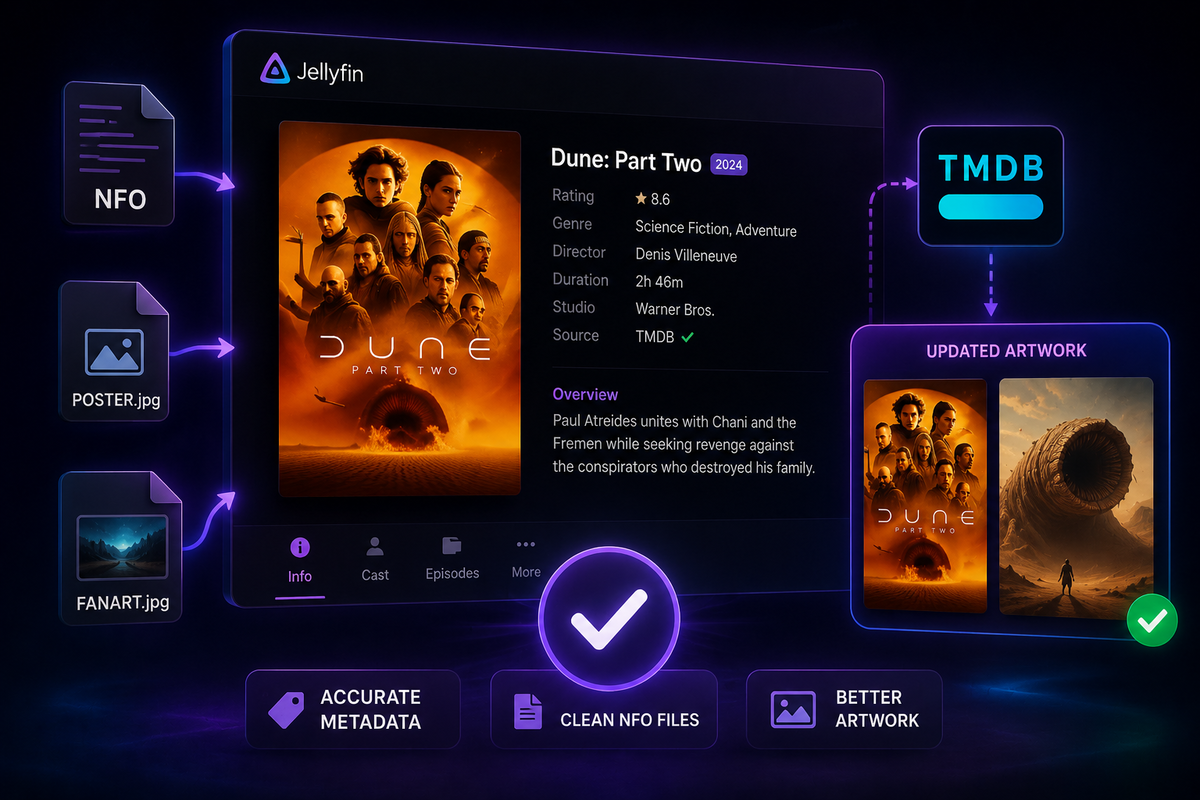
Jellyfin Metadata Guide: Fix Wrong Metadata, NFO Files & Artwork (2026)
Metadata is what transforms a folder of video files into a beautiful media library. When it goes wrong - wrong posters, misidentified movies, missing episode descriptions - it is frustrating. This guide covers every method to fix, customize, and automate metadata in Jellyfin.
How Jellyfin Fetches Metadata
When you add media to a library, Jellyfin:
- Reads the filename to identify the title and year
- Searches TMDB (movies) or TVDB/TMDB (TV shows) for a match
- Downloads title, description, cast, ratings, posters, and backdrops
- Stores everything in
/config/metadata/
The quality of this process depends entirely on your file naming.
File Naming: The Foundation
Jellyfin is strict about naming. Follow these formats exactly:
Movies
/movies/
  The Dark Knight (2008)/
    The Dark Knight (2008).mkv
  Dune Part Two (2024)/
    Dune Part Two (2024).mkv
- Always include the year in parentheses
- Put each movie in its own folder
- Avoid special characters in filenames
TV Shows
/tv/
  Breaking Bad/
    Season 01/
      Breaking Bad - S01E01 - Pilot.mkv
      Breaking Bad - S01E02 - Cat's in the Bag.mkv
    Season 02/
      Breaking Bad - S02E01 - Seven Thirty-Seven.mkv
- Use
S##E##format for episodes - Season folders are optional but recommended
Fixing Wrong Metadata: Identify Feature
When Jellyfin picks the wrong movie or show:
- Navigate to the item in Jellyfin
- Click the three-dot menu → Identify
- Search by title, year, or TMDB/TVDB ID
- Select the correct match
- Jellyfin re-fetches all metadata from the correct source
Using TMDB/TVDB IDs for exact matching
For ambiguous titles (remakes, foreign films), use the database ID directly:
The Fly (1986) {tmdb-4511}/
  The Fly (1986) {tmdb-4511}.mkv
Jellyfin reads the {tmdb-XXXX} tag in the folder name and matches exactly - no guessing.
NFO Files: Local Metadata Override
NFO files let you store metadata locally alongside your media files. Jellyfin reads them and uses them instead of (or in addition to) online sources.
Movie NFO example
Create Movie Name (2024).nfo in the movie folder:
<?xml version="1.0" encoding="UTF-8" standalone="yes"?>
<movie>
  <title>Movie Name</title>
  <year>2024</year>
  <plot>Your custom description here.</plot>
  <tmdbid>12345</tmdbid>
  <genre>Action</genre>
  <genre>Thriller</genre>
  <director>Director Name</director>
  <rating>8.5</rating>
</movie>
TV Show NFO
Create tvshow.nfo in the show root folder:
<?xml version="1.0" encoding="UTF-8" standalone="yes"?>
<tvshow>
  <title>Show Name</title>
  <tvdbid>12345</tvdbid>
  <plot>Show description.</plot>
</tvshow>
Enable NFO reading in Jellyfin
Dashboard → Libraries → [Library] → Edit → Metadata readers → Enable Nfo
Set NFO as the first reader to prioritize local metadata over online sources.
Custom Artwork
Jellyfin supports local artwork files placed alongside your media.
Supported artwork files
| File | Purpose |
|---|---|
poster.jpg | Movie/show poster |
backdrop.jpg | Background image |
banner.jpg | Wide banner |
thumb.jpg | Thumbnail |
logo.png | Transparent logo |
season01-poster.jpg | Season-specific poster |
Place these files in the same folder as your media. Jellyfin detects them automatically on the next scan.
Uploading artwork via the UI
- Navigate to any item
- Three-dot menu → Edit Images
- Upload a custom image or paste an image URL
- Set as primary poster
Bulk Metadata Management with Jellyfin
Refresh all metadata
For a full library refresh:
- Dashboard → Libraries → [Library] → three-dot menu → Refresh Metadata
- Choose: Replace all metadata / Replace missing only
- This re-fetches everything from TMDB/TVDB
Warning: "Replace all metadata" overwrites any manual edits. Use "Replace missing only" to preserve customizations.
Lock metadata to prevent overwrites
After manually fixing an item, lock it:
- Edit the item → scroll to bottom → Lock each field you want to preserve
- Locked fields are never overwritten by automatic refreshes
Metadata Providers: Configuration
Dashboard → Libraries → [Library] → Edit → Metadata providers
Recommended order for movies
- TMDB (primary - best coverage)
- OMDB (secondary - adds Rotten Tomatoes scores)
- Nfo (local override)
Recommended order for TV shows
- TVDB (primary - best episode data)
- TMDB (secondary - better artwork)
- Nfo (local override)
Automating Metadata with Kometa
Kometa (formerly Plex Meta Manager) works with Jellyfin to:
- Apply custom collections automatically (e.g., "Marvel Cinematic Universe", "Best of 2024")
- Set custom posters from MDBList or TMDB
- Add overlays (4K badge, HDR label, ratings)
- Sync ratings from Trakt, IMDb, and Letterboxd
# kometa config.yml snippet
libraries:
  Movies:
    metadata_path:
      - pmm: basic
      - pmm: imdb
    overlay_path:
      - pmm: resolution
      - pmm: ratings
Common Metadata Issues
| Issue | Cause | Fix |
|---|---|---|
| Wrong movie matched | Ambiguous title | Use {tmdb-ID} in folder name |
| Missing episode info | Wrong naming format | Rename to S##E## format |
| Poster not updating | Metadata locked | Unlock the image field |
| Foreign film wrong language | TMDB language setting | Set preferred metadata language in library settings |
| Anime wrong match | TVDB vs AniDB conflict | Use AniDB plugin for anime libraries |
| Artwork blurry | Low-res source | Upload custom high-res artwork manually |
FAQ
Where does Jellyfin store metadata? In /config/metadata/ (Docker) or /var/lib/jellyfin/metadata/ (native). This folder should be included in your backups.
Can I use both NFO files and TMDB? Yes. Configure the provider order - NFO first means local data takes priority, TMDB fills in missing fields.
How do I fix metadata for an entire season at once? Navigate to the season → three-dot menu → Refresh Metadata → applies to all episodes in that season.
Does refreshing metadata reset watch history? No. Watch history is stored separately from metadata.
Your library looks great - now monitor who's watching it. Download JellyWatch on Google Play - active sessions, user activity, and server health for Jellyfin on Android.
On Emby? Download EmbyWatch on Google Play - the same library monitoring experience for Emby servers.


Comments
No comments yet. Be the first to share your thoughts.
Leave a comment