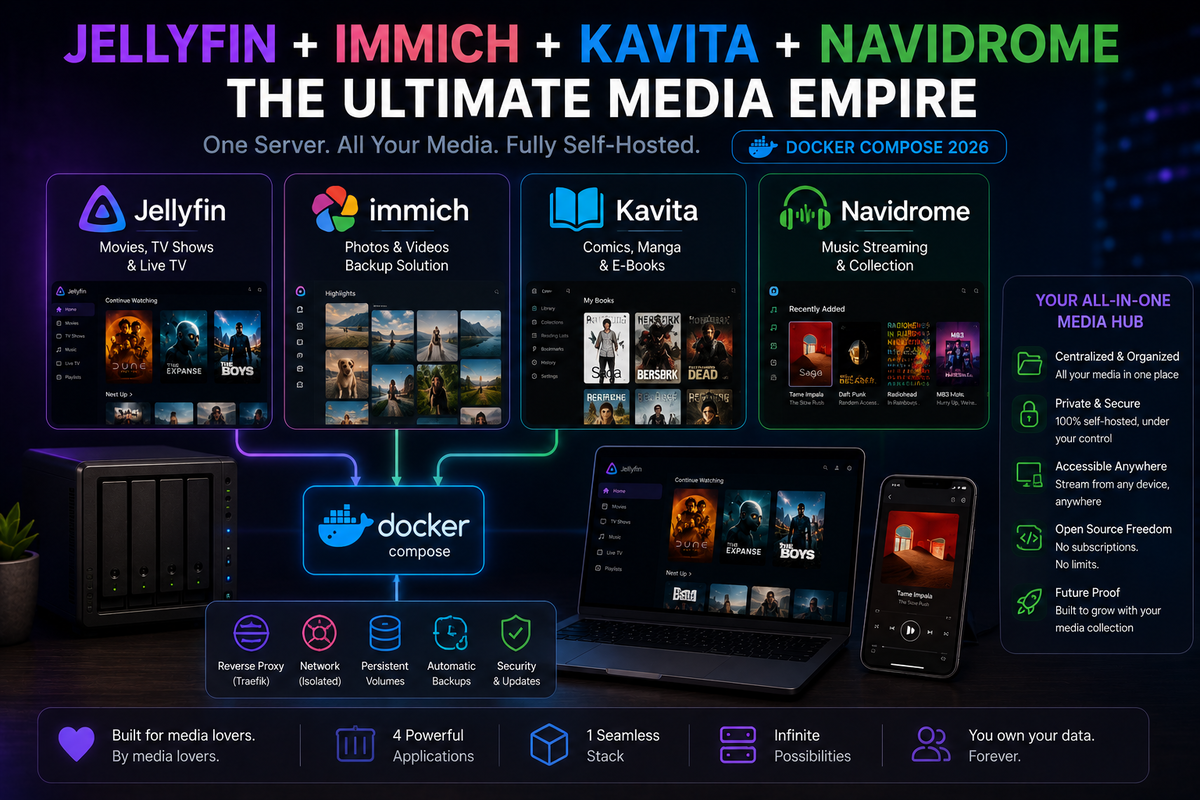
Jellyfin + Immich + Kavita + Navidrome: The Ultimate Self-Hosted Media Empire (2026)
One server. One Docker Compose file. Every type of media you consume, served by the best tool for each job:
- Jellyfin - Movies, TV shows, home videos, audiobooks
- Immich - Photos with AI face detection and mobile auto-upload
- Kavita - Comics, manga, ebooks, and light novels
- Navidrome - Music with Subsonic API and gapless playback
No compromises. Each tool is best-in-class for its domain. Together they replace Netflix, Google Photos, Kindle, and Spotify.
Why Four Servers Instead of One?
Jellyfin can technically handle photos, music, and books. But it handles them poorly compared to dedicated tools:
| Content type | Jellyfin | Dedicated tool | Winner |
|---|---|---|---|
| Movies/TV | Excellent | N/A | Jellyfin |
| Photos | Basic (folder grid) | Immich (AI, timeline, mobile upload) | Immich |
| Comics/Manga | Basic (no reader) | Kavita (panel navigation, webtoon mode) | Kavita |
| Music | Decent | Navidrome (Subsonic API, gapless, scrobbling) | Navidrome |
Using specialized tools means every content type gets the best possible experience. The trade-off is slightly more complexity, but Docker Compose makes it manageable.
Hardware Requirements
This entire stack runs comfortably on modest hardware:
| Component | Minimum | Recommended |
|---|---|---|
| CPU | Intel N100 (4 cores) | Intel N305 (8 cores) |
| RAM | 16 GB | 32 GB |
| Storage (OS + Apps) | 256 GB NVMe | 512 GB NVMe |
| Storage (Media) | 4 TB HDD | 8-20 TB |
| GPU | Intel iGPU (for Jellyfin) | Same |
The heaviest component is Immich (ML models use 2-4 GB RAM). Everything else is lightweight.
The Complete Docker Compose
services:
  # ============================================
  # REVERSE PROXY (handles HTTPS for everything)
  # ============================================
  caddy:
    image: caddy:2-alpine
    container_name: caddy
    ports:
      - "80:80"
      - "443:443"
    volumes:
      - ./Caddyfile:/etc/caddy/Caddyfile
      - caddy_data:/data
    restart: unless-stopped

  # ============================================
  # JELLYFIN - Movies, TV, Home Videos, Audiobooks
  # ============================================
  jellyfin:
    image: jellyfin/jellyfin:latest
    container_name: jellyfin
    volumes:
      - ./jellyfin/config:/config
      - ./jellyfin/cache:/cache
      - /mnt/media/movies:/media/movies:ro
      - /mnt/media/tv:/media/tv:ro
      - /mnt/media/audiobooks:/media/audiobooks:ro
      - /mnt/media/home-videos:/media/home-videos:ro
    devices:
      - /dev/dri:/dev/dri
    ports:
      - 8096:8096
    restart: unless-stopped

  # ============================================
  # IMMICH - Photos with AI
  # ============================================
  immich-server:
    image: ghcr.io/immich-app/immich-server:release
    container_name: immich-server
    volumes:
      - /mnt/media/photos/upload:/usr/src/app/upload
      - /mnt/media/photos/external:/usr/src/app/external:ro
    environment:
      - DB_HOSTNAME=immich-db
      - DB_USERNAME=postgres
      - DB_PASSWORD=immich_db_password_change_me
      - DB_DATABASE_NAME=immich
      - REDIS_HOSTNAME=immich-redis
    ports:
      - 2283:2283
    depends_on:
      - immich-db
      - immich-redis
    restart: unless-stopped

  immich-machine-learning:
    image: ghcr.io/immich-app/immich-machine-learning:release
    container_name: immich-ml
    volumes:
      - ./immich/ml-cache:/cache
    restart: unless-stopped

  immich-redis:
    image: redis:7-alpine
    container_name: immich-redis
    restart: unless-stopped

  immich-db:
    image: tensorchord/pgvecto-rs:pg16-v0.2.1
    container_name: immich-db
    environment:
      - POSTGRES_PASSWORD=immich_db_password_change_me
      - POSTGRES_USER=postgres
      - POSTGRES_DB=immich
    volumes:
      - ./immich/db:/var/lib/postgresql/data
    restart: unless-stopped

  # ============================================
  # KAVITA - Comics, Manga, Ebooks
  # ============================================
  kavita:
    image: jvmilazz0/kavita:latest
    container_name: kavita
    volumes:
      - ./kavita/config:/kavita/config
      - /mnt/media/comics:/comics:ro
      - /mnt/media/manga:/manga:ro
      - /mnt/media/books:/books:ro
    ports:
      - 5000:5000
    restart: unless-stopped

  # ============================================
  # NAVIDROME - Music
  # ============================================
  navidrome:
    image: deluan/navidrome:latest
    container_name: navidrome
    environment:
      - ND_SCANSCHEDULE=1h
      - ND_LOGLEVEL=info
      - ND_BASEURL=""
    volumes:
      - ./navidrome/data:/data
      - /mnt/media/music:/music:ro
    ports:
      - 4533:4533
    restart: unless-stopped

volumes:
  caddy_data:
The Caddyfile (Reverse Proxy)
jellyfin.yourdomain.com {
    reverse_proxy jellyfin:8096
}

photos.yourdomain.com {
    reverse_proxy immich-server:2283
}

read.yourdomain.com {
    reverse_proxy kavita:5000
}

music.yourdomain.com {
    reverse_proxy navidrome:4533
}
Four subdomains, four services, automatic HTTPS for all.
Storage Layout
/mnt/media/
  movies/           <- Jellyfin (via Radarr)
  tv/               <- Jellyfin (via Sonarr)
  audiobooks/       <- Jellyfin
  home-videos/      <- Jellyfin
  photos/
    upload/         <- Immich (phone uploads land here)
    external/       <- Immich (existing photo archive, read-only)
  comics/           <- Kavita
  manga/            <- Kavita
  books/            <- Kavita
  music/            <- Navidrome (via Lidarr or manual)
All media on one mount point. Each service reads only what it needs.
Post-Deployment Setup
Jellyfin
- Open
https://jellyfin.yourdomain.com - Create admin account
- Add libraries: Movies, TV Shows, Audiobooks, Home Videos
- Enable hardware transcoding (Intel QSV)
- Install plugins: Intro Skipper, Playback Reporting
Immich
- Open
https://photos.yourdomain.com - Create admin account
- Install mobile app (Android/iOS)
- Enable auto-upload in the app
- Configure external library for existing photos
Kavita
- Open
https://read.yourdomain.com - Create admin account
- Add libraries: Comics, Manga, Books
- Configure metadata providers (AniList for manga, ComicVine for comics)
Navidrome
- Open
https://music.yourdomain.com - Create admin account
- Wait for initial music scan
- Install Finamp (mobile) or Feishin (desktop) as your music client
- Configure Last.fm scrobbling in Navidrome settings
Client Recommendations by Platform
| Platform | Video (Jellyfin) | Photos (Immich) | Reading (Kavita) | Music (Navidrome) |
|---|---|---|---|---|
| Android | Findroid | Immich app | Kavita PWA | Symfonium |
| iOS | Swiftfin | Immich app | Kavita PWA | Finamp |
| Apple TV | Infuse/Swiftfin | N/A | N/A | N/A |
| Android TV | Jellyfin for Android TV | N/A | N/A | N/A |
| Desktop | Jellyfin Media Player | Immich web | Kavita web | Feishin |
| E-reader | N/A | N/A | OPDS (Kavita) | N/A |
Resource Usage (Real-World)
On an Intel N100 mini PC with 16 GB RAM, running all four services simultaneously:
| Service | RAM (idle) | RAM (active) | CPU (idle) | CPU (active) |
|---|---|---|---|---|
| Jellyfin | 400 MB | 1-2 GB (transcoding) | <1% | 5-15% (HW transcode) |
| Immich (all containers) | 2.5 GB | 3-4 GB (ML processing) | <1% | 30-50% (face detection) |
| Kavita | 100 MB | 200 MB | <1% | <1% |
| Navidrome | 80 MB | 150 MB | <1% | <1% |
| Total | ~3.1 GB | ~5-7 GB | <3% | Varies |
16 GB RAM handles this comfortably. 8 GB would be tight when Immich is processing faces.
Backup Strategy
Each service has different backup priorities:
| Service | What to backup | Size | Frequency |
|---|---|---|---|
| Jellyfin | ./jellyfin/config/ | 1-5 GB | Weekly |
| Immich | ./immich/db/ + upload folder | Large | Daily (DB), weekly (photos) |
| Kavita | ./kavita/config/ | <100 MB | Weekly |
| Navidrome | ./navidrome/data/ | <500 MB | Weekly |
Media files (movies, music, etc.) have their own backup strategy (RAID, external drives, cloud).
Adding Automation (Optional)
Extend the stack with content automation:
  # Add to docker-compose.yml:
  radarr:
    image: lscr.io/linuxserver/radarr:latest
    # ... (movies)

  sonarr:
    image: lscr.io/linuxserver/sonarr:latest
    # ... (TV shows)

  lidarr:
    image: lscr.io/linuxserver/lidarr:latest
    # ... (music)

  mylar3:
    image: lscr.io/linuxserver/mylar3:latest
    # ... (comics)
Now every content type has automated acquisition:
- Radarr > Jellyfin (movies)
- Sonarr > Jellyfin (TV)
- Lidarr > Navidrome (music)
- Mylar3 > Kavita (comics)
FAQ
Can one mini PC handle all four services? Yes. An Intel N100 with 16 GB RAM runs everything smoothly. Immich face detection is the heaviest task but runs in the background.
Do the services conflict with each other? No. Each service has its own port, its own config directory, and reads media in read-only mode. They coexist without issues.
Can I start with just Jellyfin and add others later? Absolutely. Start with Jellyfin alone. Add Navidrome when you want better music. Add Immich when you want photo backup. Add Kavita when you start reading digitally.
How much storage do I need? Depends on your library. A typical setup: 4 TB for movies/TV, 500 GB for photos, 200 GB for music, 100 GB for comics/books = ~5 TB total.
Is there a single app that monitors all four? JellyWatch monitors Jellyfin specifically (sessions, transcoding, arr stack). For the other services, Uptime Kuma provides availability monitoring.
Your media empire is running. Monitor the video server from your phone. Download JellyWatch on Google Play - Jellyfin sessions, Radarr/Sonarr queues, and server health.
On Emby? Download EmbyWatch on Google Play





Comments
No comments yet. Be the first to share your thoughts.
Leave a comment