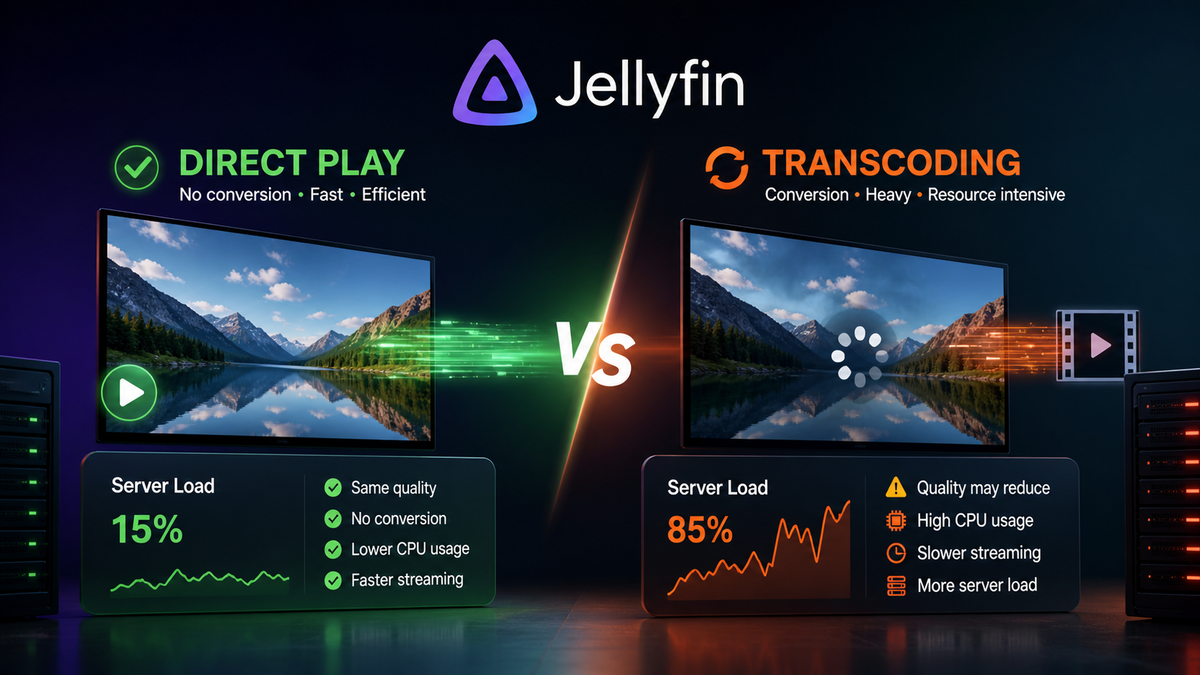
Jellyfin Direct Play vs Transcoding Explained: Why It Matters and How to Force Direct Play (2026)
Every Jellyfin admin eventually hits the same wall: one user starts watching a movie and the server CPU jumps to 90%. Another user watches the same file on a different device and the CPU stays at 1%. The difference is Direct Play vs Transcoding, and understanding it is the single most important concept for running a smooth Jellyfin server.
This guide explains every playback method, why transcoding triggers, how to diagnose it in real time, and how to configure your library and clients so everything Direct Plays.
The Four Playback Methods
When a client requests a file from Jellyfin, the server decides how to deliver it. There are four possible outcomes:
| Method | What happens | Server CPU | Quality |
|---|---|---|---|
| Direct Play | File sent as-is, no processing | ~0% | Original (best) |
| Remux | Container changed, streams untouched | ~1% | Original |
| Direct Stream | Audio transcoded, video untouched | Low | Video original, audio lossy |
| Full Transcode | Video re-encoded on the fly | High (40-100%) | Reduced |
Direct Play
The file is delivered exactly as it exists on disk. The client handles all decoding. Your server does nothing except read the file and send bytes over the network.
This is always the goal. Zero CPU cost, original quality, no artifacts, no delay.
Remux (Container Change)
The video and audio streams are identical to the source, but the container format changes. For example, an MKV file remuxed to an MP4 container for a client that does not support MKV. The actual video and audio data is untouched.
CPU cost is negligible. Quality is identical to the source.
Direct Stream (Audio Transcode Only)
The video plays natively, but the audio codec is not supported by the client. Jellyfin transcodes only the audio track. For example, converting TrueHD to AAC while leaving the H.265 video stream untouched.
CPU cost is low. Video quality is preserved. Audio becomes lossy.
Full Transcode
The video is re-encoded in real time. This happens when the client cannot decode the video codec, the resolution is too high for the client, or the user set a bitrate limit.
CPU cost is very high without hardware acceleration. Quality is always lower than the source. This is what causes buffering, fan noise, and server overload.
Why Does Jellyfin Transcode?
Jellyfin transcodes for exactly one reason: the client reported that it cannot play the file as-is. The specific triggers are:
1. Unsupported Video Codec
The client does not support the video codec in the file.
| Scenario | Result |
|---|---|
| H.265 file on a browser without HEVC support | Full video transcode |
| AV1 file on a pre-2022 device | Full video transcode |
| H.264 file on any modern device | Direct Play |
2. Unsupported Audio Codec
The client supports the video but not the audio.
| Scenario | Result |
|---|---|
| TrueHD audio on a Fire TV Stick | Audio transcode (Direct Stream) |
| DTS audio on Apple TV | Audio transcode |
| AAC audio on any device | Direct Play |
3. Bitrate Limit Set Too Low
The client or user profile has a maximum streaming bitrate configured. If the file bitrate exceeds this limit, Jellyfin transcodes to reduce it.
| Setting | File bitrate | Result |
|---|---|---|
| Max 20 Mbps | 60 Mbps (4K remux) | Full transcode to fit 20 Mbps |
| Max Original | 60 Mbps | Direct Play |
This is the number one accidental transcode trigger. Many clients default to a conservative bitrate limit instead of "Original" or "Maximum".
4. Subtitle Burn-In
Image-based subtitles (PGS, VobSub) cannot be overlaid by most clients. Jellyfin must burn them into the video stream, which triggers a full video transcode.
| Subtitle format | Result |
|---|---|
| SRT (text) | Direct Play (client renders) |
| ASS/SSA (text) | Direct Play on most clients |
| PGS (image, Blu-ray) | Full video transcode (burn-in) |
| VobSub (image, DVD) | Full video transcode (burn-in) |
5. Unsupported Container
Some clients do not support the MKV container. Jellyfin remuxes to MP4 or TS. This is lightweight and does not affect quality.
6. HDR to SDR Conversion
If the file is HDR and the client only supports SDR, Jellyfin must tone-map the video. This requires a full transcode with tone mapping enabled.
How to Identify What Is Happening
From the Jellyfin Dashboard
- Open Dashboard while a stream is active
- Look at the Active Sessions section
- Each session shows the playback method:
- Direct Play or a green badge
- Transcode with the reason
From JellyWatch (Android)
JellyWatch shows every active session with detailed technical badges:
- Playback method (Direct Play / Direct Stream / Transcode)
- Video codec and resolution
- Audio codec
- Transcode reason (if applicable)
- Client device and app name
This is the fastest way to diagnose transcoding issues from your phone without opening a browser.
From Server Logs
Dashboard, Logs, search for "TranscodingJob" or "DirectPlay". The logs show exactly why Jellyfin chose to transcode.
How to Force Direct Play on Every Client
Step 1: Set Client Quality to Maximum
This is the single most impactful change. On every Jellyfin client:
- Open the app settings
- Find Playback or Video Quality
- Set Max Streaming Bitrate to Original or Maximum
Do this on every device: phones, TVs, streaming sticks, browsers.
Step 2: Use Compatible Codecs in Your Library
The safest codec combination for maximum Direct Play compatibility:
| Component | Recommended | Why |
|---|---|---|
| Video codec | H.264 or H.265 | Supported by 95%+ of devices |
| Audio codec | AAC or EAC3 | Universal compatibility |
| Container | MKV or MP4 | Both widely supported |
| Subtitles | SRT (external) | Never triggers burn-in |
If you encode your own files (Handbrake, Tdarr), always include an AAC or EAC3 audio track alongside any lossless track.
Step 3: Replace PGS Subtitles with SRT
PGS subtitles are the silent killer of Direct Play. Replace them:
- Use Bazarr to automatically download SRT subtitles
- Or extract PGS to SRT using SubtitleEdit or PGS2SRT
Step 4: Disable Transcoding for Specific Users (Advanced)
If you want to enforce Direct Play and let playback fail rather than transcode:
Dashboard, Users, [User], uncheck Allow video playback that requires transcoding
This forces the client to either Direct Play or show an error. Useful for bandwidth-constrained servers where you prefer no playback over bad playback.
Step 5: Configure Hardware Acceleration as Fallback
Even with perfect Direct Play optimization, some clients will still trigger transcodes. Configure hardware acceleration so those transcodes are cheap:
Dashboard, Playback, Transcoding:
- Enable Intel QSV, NVIDIA NVENC, or AMD AMF
- Enable Hardware Tone Mapping
- Enable all supported codecs
With hardware acceleration, a transcode that would use 90% CPU drops to 5-10%.
Direct Play Compatibility by Client
| Client | H.264 | H.265 | AV1 | TrueHD | DTS |
|---|---|---|---|---|---|
| Jellyfin Web (Chrome) | Yes | Partial | Yes | No | No |
| Jellyfin Web (Firefox) | Yes | No | Yes | No | No |
| Jellyfin Android | Yes | Yes | Yes (Android 12+) | No | No |
| Findroid | Yes | Yes | Yes | No | No |
| Jellyfin Android TV | Yes | Yes | Device-dependent | Passthrough | Passthrough |
| Apple TV (Infuse) | Yes | Yes | Yes | No passthrough | No passthrough |
| Apple TV (Swiftfin) | Yes | Yes | Partial | No | No |
| Nvidia Shield | Yes | Yes | Yes | Passthrough | Passthrough |
| Fire TV Stick 4K Max | Yes | Yes | Yes | No | No |
| Jellyfin Media Player | Yes | Yes | Yes | Passthrough | Passthrough |
Key takeaway: H.264 Direct Plays everywhere. H.265 Direct Plays on most modern devices. TrueHD and DTS only passthrough on Shield and desktop players.
The Cost of Transcoding
| Scenario | CPU usage (no GPU) | CPU usage (with GPU) |
|---|---|---|
| Direct Play | ~0% | ~0% |
| Audio-only transcode | 2-5% | 2-5% |
| 1080p video transcode | 40-60% | 3-5% |
| 4K HDR video transcode | 80-100% | 5-15% |
| 4K HDR tone mapping | 100%+ (unusable) | 8-15% |
A single unexpected 4K transcode without hardware acceleration can make your entire server unusable for every other user.
Common Transcode Triggers and Fixes
| Trigger | How to identify | Fix |
|---|---|---|
| Bitrate limit too low | JellyWatch shows "bandwidth" reason | Set client to Original/Maximum |
| PGS subtitles | Transcode reason shows "subtitle" | Switch to SRT subtitles |
| H.265 on Firefox | Browser does not support HEVC | Use Chrome or Jellyfin Media Player |
| TrueHD on Fire TV | Audio transcode triggered | Add EAC3 fallback audio track |
| 4K on mobile data | User set low quality | Educate user or set server-side limit |
| HDR on SDR display | Tone mapping required | Enable hardware tone mapping |
Monitoring Direct Play Ratio Over Time
Install the Playback Reporting plugin to track your Direct Play vs Transcode ratio:
- Dashboard, Plugins, Catalog, Playback Reporting, Install
- After a week of usage, check the reports
- A healthy server should show 80%+ Direct Play
JellyWatch also shows real-time playback method for every active session, so you can catch transcodes the moment they happen.
FAQ
Does Direct Play use any server resources? Almost none. The server reads the file from disk and sends it over the network. CPU usage is typically under 1%.
Can I force Direct Play for all users? Yes. Disable "Allow video playback that requires transcoding" per user. Playback will fail instead of transcoding.
Why does the same file Direct Play on one device but transcode on another? Different devices support different codecs. A Fire TV might Direct Play H.265 while a web browser transcodes it.
Does Direct Play affect quality? No. Direct Play delivers the original file with zero modification. It is always the highest quality option.
Is Direct Stream the same as Direct Play? No. Direct Stream means the video is untouched but the audio is being transcoded. Video quality is preserved, but audio becomes lossy.
How do I know if my GPU is handling the transcode? Check the Jellyfin dashboard or JellyWatch. Hardware transcodes show an "HW" badge. On the host, run intel_gpu_top (Intel) or nvidia-smi (NVIDIA) to verify GPU activity.
What is the best codec for maximum Direct Play? H.264 with AAC audio in an MKV or MP4 container. This combination Direct Plays on every device made in the last decade.
Not sure if your streams are Direct Playing? Check in real time. Download JellyWatch on Google Play - see the exact playback method, codec, and transcode reason for every active session on your Jellyfin server.
On Emby? Download EmbyWatch on Google Play - the same real-time session diagnostics for Emby servers.


Comments 2
Set all my family members clients to "Original" quality and my server CPU went from averaging 40% to under 5%. This single setting change transformed my Jellyfin experience.
Was wondering why my browser always transcoded H.265 content. This article explained it: Firefox does not support HEVC. Switched to Jellyfin Media Player and everything Direct Plays now.
Leave a comment