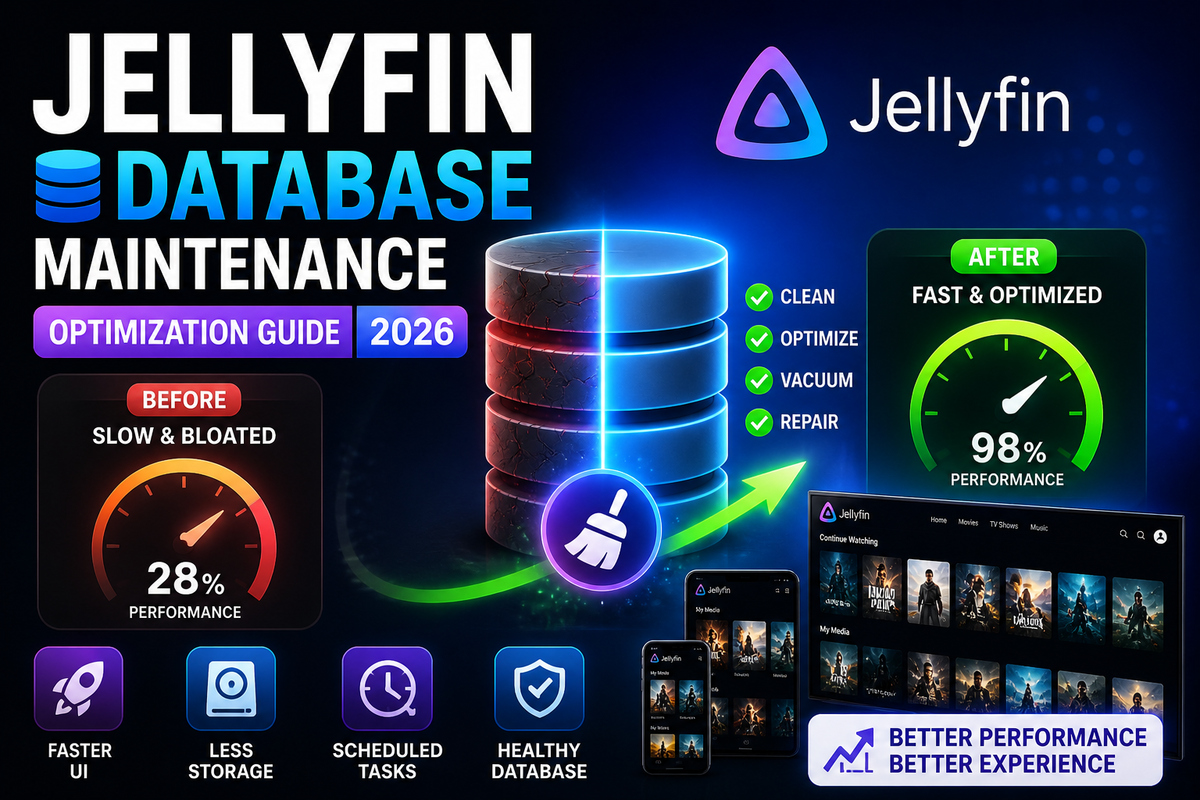
Jellyfin Database Maintenance Guide (2026): VACUUM, Repair, and Optimization After the EF Core Migration
Jellyfin 10.11 consolidated everything into a single jellyfin.db file managed by Entity Framework Core. This was the right architectural move, but it means your entire server state lives in one SQLite database: users, watch history, metadata references, plugin data, activity logs, and scheduled task history.
Over months of use, this database grows, fragments, and accumulates dead rows. The result: slower library browsing, longer startup times, and increased disk usage. Regular maintenance fixes all of this.
Where Is the Database?
| Installation | Database path |
|---|---|
| Docker (default) | /config/data/jellyfin.db |
| Native Linux | /var/lib/jellyfin/data/jellyfin.db |
| Windows | C:\ProgramData\Jellyfin\Server\data\jellyfin.db |
The database is accompanied by two WAL (Write-Ahead Log) files:
jellyfin.db-wal- pending writes not yet committed to the main databasejellyfin.db-shm- shared memory file for WAL coordination
Why Maintenance Matters
SQLite databases do not automatically reclaim space when data is deleted. When Jellyfin removes old activity logs, cleans up metadata, or you delete a user, the space is marked as free internally but the file size does not shrink. Over time:
- Database file grows beyond what the actual data requires
- Fragmentation increases as free pages scatter throughout the file
- Query performance degrades as SQLite reads through more pages to find data
- Startup time increases as EF Core loads cached data from a bloated database
A 500 MB database that should be 200 MB after cleanup is common on servers running for 6+ months without maintenance.
Maintenance Task 1: VACUUM
VACUUM rebuilds the entire database file from scratch, reclaiming unused space and defragmenting the data.
How to run VACUUM
Step 1: Stop Jellyfin
# Docker
docker stop jellyfin

# Native Linux
sudo systemctl stop jellyfin

# Windows
Stop-Service JellyfinServer
Stopping Jellyfin is mandatory. Running VACUUM on an active database can cause corruption.
Step 2: Run VACUUM
sqlite3 /path/to/config/data/jellyfin.db "VACUUM;"
For Docker:
docker run --rm -v ./jellyfin/config:/config alpine \
  sh -c "apk add sqlite && sqlite3 /config/data/jellyfin.db 'VACUUM;'"
Step 3: Restart Jellyfin
docker start jellyfin
What VACUUM does
- Rebuilds the database into a new file with zero fragmentation
- Reclaims all unused space from deleted rows
- Resets the free page list
- Can reduce database size by 20-60% on unmaintained servers
How often to VACUUM
Once per month is sufficient for most servers. Servers with heavy activity (many users, frequent library changes) benefit from bi-weekly VACUUM.
Maintenance Task 2: Integrity Check
Before any maintenance, verify your database is not corrupted:
sqlite3 /path/to/config/data/jellyfin.db "PRAGMA integrity_check;"
Expected output: ok
If the output shows errors, your database has corruption. See the Repair section below.
Maintenance Task 3: WAL Checkpoint
The WAL (Write-Ahead Log) file accumulates pending writes. A checkpoint flushes these writes into the main database file.
Jellyfin performs automatic checkpoints, but after a crash or unexpected shutdown, the WAL file can grow large.
sqlite3 /path/to/config/data/jellyfin.db "PRAGMA wal_checkpoint(TRUNCATE);"
This flushes all pending writes and truncates the WAL file to zero bytes.
When to run: After any unexpected shutdown, before taking a backup, or if jellyfin.db-wal is larger than 100 MB.
Maintenance Task 4: Clean Activity Logs
Jellyfin logs every event: logins, playback starts, library scans, plugin actions. On active servers, the activity log table grows to millions of rows.
From the Dashboard
- Dashboard, Scheduled Tasks, Clean Activity Log
- Set retention to 30 days (default is often 365 days or unlimited)
- Run the task manually
From SQLite directly
For aggressive cleanup:
sqlite3 /path/to/config/data/jellyfin.db \
  "DELETE FROM ActivityLogs WHERE DateCreated < datetime('now', '-30 days');"
Follow with a VACUUM to reclaim the freed space.
Maintenance Task 5: Optimize Indexes
SQLite indexes can become fragmented over time. The REINDEX command rebuilds all indexes:
sqlite3 /path/to/config/data/jellyfin.db "REINDEX;"
This is lightweight and can be run without stopping Jellyfin, though stopping is recommended for consistency.
Maintenance Task 6: Analyze Query Performance
The ANALYZE command updates SQLite's internal statistics about table and index contents, helping the query planner make better decisions:
sqlite3 /path/to/config/data/jellyfin.db "ANALYZE;"
Run this after large library changes (adding or removing thousands of items).
Automated Maintenance Script
Combine all maintenance tasks into a single script and schedule it with cron:
#!/bin/bash
# /home/user/scripts/jellyfin-db-maintenance.sh
# Run monthly via cron

DB_PATH="/path/to/jellyfin/config/data/jellyfin.db"
CONTAINER="jellyfin"
LOG="/var/log/jellyfin-maintenance.log"
DATE=$(date +"%Y-%m-%d %H:%M")

echo "[$DATE] Starting database maintenance..." >> "$LOG"

# Check integrity before maintenance
RESULT=$(sqlite3 "$DB_PATH" "PRAGMA integrity_check;")
if [ "$RESULT" != "ok" ]; then
    echo "[$DATE] ERROR: Database integrity check failed!" >> "$LOG"
    exit 1
fi

# Stop Jellyfin
docker stop "$CONTAINER"

# Get size before
SIZE_BEFORE=$(du -sh "$DB_PATH" | cut -f1)

# WAL checkpoint
sqlite3 "$DB_PATH" "PRAGMA wal_checkpoint(TRUNCATE);"

# Clean old activity logs (keep 30 days)
sqlite3 "$DB_PATH" "DELETE FROM ActivityLogs WHERE DateCreated < datetime('now', '-30 days');"

# Rebuild indexes
sqlite3 "$DB_PATH" "REINDEX;"

# Update statistics
sqlite3 "$DB_PATH" "ANALYZE;"

# VACUUM (reclaim space and defragment)
sqlite3 "$DB_PATH" "VACUUM;"

# Get size after
SIZE_AFTER=$(du -sh "$DB_PATH" | cut -f1)

# Restart Jellyfin
docker start "$CONTAINER"

echo "[$DATE] Maintenance complete. Before: $SIZE_BEFORE, After: $SIZE_AFTER" >> "$LOG"
Schedule with cron
crontab -e
# Run on the 1st of every month at 4 AM
0 4 1 * * /home/user/scripts/jellyfin-db-maintenance.sh
Docker-Based Maintenance
The community has created a dedicated Docker container for Jellyfin database optimization:
services:
  jellyfin-db-optimize:
    image: waazaafr/jellyfin-db-optimize:latest
    volumes:
      - ./jellyfin/config/data:/data
    environment:
      - DB_PATH=/data/jellyfin.db
    restart: "no"
Run it as a one-shot container:
docker compose run --rm jellyfin-db-optimize
This container creates timestamped backups, runs integrity checks, cleans up, and applies optimizations automatically.
Repairing a Corrupted Database
If PRAGMA integrity_check returns errors, your database is corrupted. Common causes:
- Power loss during a write operation
- Disk full during a library scan
- Interrupted EF Core migration (10.11 upgrade)
- NFS/SMB storage with unreliable connectivity
Recovery method
# Stop Jellyfin
docker stop jellyfin

# Export the database to SQL
sqlite3 /path/to/jellyfin.db ".dump" > jellyfin-dump.sql

# Create a new database from the dump
sqlite3 /path/to/jellyfin-new.db < jellyfin-dump.sql

# Replace the old database
mv /path/to/jellyfin.db /path/to/jellyfin.db.corrupt
mv /path/to/jellyfin-new.db /path/to/jellyfin.db

# Restart Jellyfin
docker start jellyfin
The .dump and reimport process skips corrupted rows and rebuilds the database structure cleanly. You may lose some data from corrupted rows, but the server will be functional.
If .dump fails
Restore from your most recent backup. This is why automated backups are non-negotiable.
Database Size Expectations
| Library size | Healthy DB size | Bloated DB size |
|---|---|---|
| 500 items | 20-50 MB | 100-200 MB |
| 2,000 items | 50-150 MB | 300-500 MB |
| 10,000 items | 150-400 MB | 500 MB - 1 GB |
| 50,000+ items | 400 MB - 1 GB | 1-3 GB |
If your database is significantly larger than the "healthy" range, a VACUUM will likely reclaim substantial space.
EF Core Specific Considerations
Jellyfin 10.11's EF Core migration introduced several changes that affect maintenance:
Higher memory usage is normal
EF Core caches query results in memory. This is by design and improves performance. Do not be alarmed if Jellyfin uses 500 MB - 2 GB of RAM on large libraries.
The migration is irreversible
Once you upgrade to 10.11, the database format changes permanently. You cannot downgrade to 10.10 without restoring a pre-upgrade backup.
WAL mode is the default
EF Core uses WAL (Write-Ahead Logging) mode, which allows concurrent reads during writes. This is better for performance but means the WAL file can grow if checkpoints are delayed.
PostgreSQL is on the roadmap
The EF Core migration was the prerequisite for external database support. PostgreSQL support is planned for Jellyfin 12.0 or a subsequent release. When available, PostgreSQL will handle maintenance (VACUUM, ANALYZE) through its own built-in mechanisms.
Monitoring Database Health
Check your database size periodically:
# Database file size
du -sh /path/to/config/data/jellyfin.db

# WAL file size
du -sh /path/to/config/data/jellyfin.db-wal

# Row counts for major tables
sqlite3 /path/to/config/data/jellyfin.db \
  "SELECT 'ActivityLogs', COUNT(*) FROM ActivityLogs UNION ALL SELECT 'TypedBaseItems', COUNT(*) FROM TypedBaseItems;"
If ActivityLogs has millions of rows, it is time to clean up.
JellyWatch shows server health metrics including storage usage, which helps you spot when the config drive is filling up due to database bloat.
Maintenance Schedule Recommendation
| Task | Frequency | Downtime required |
|---|---|---|
| Clean activity logs | Weekly (via scheduled task) | No |
| WAL checkpoint | After crashes / before backups | No |
| ANALYZE | After large library changes | No (recommended to stop) |
| REINDEX | Monthly | No (recommended to stop) |
| VACUUM | Monthly | Yes (must stop Jellyfin) |
| Integrity check | Before every VACUUM | No |
| Full backup | Weekly | Yes (recommended to stop) |
FAQ
Can I run VACUUM while Jellyfin is running? Technically possible with WAL mode, but strongly discouraged. VACUUM rewrites the entire database file. Running it on an active server risks corruption. Always stop Jellyfin first.
How much space does VACUUM reclaim? Typically 20-60% on servers that have never been vacuumed. A 500 MB database might shrink to 200-300 MB.
Does VACUUM improve performance? Yes. Defragmentation means SQLite reads fewer disk pages per query. Library browsing and search become noticeably faster on large libraries.
Will maintenance delete my watch history? No. VACUUM, REINDEX, and ANALYZE do not delete any data. Only the activity log cleanup removes old log entries (not watch history).
How do I know if my database is corrupted? Run PRAGMA integrity_check. If it returns anything other than "ok", there is corruption.
Is there a Jellyfin plugin for database maintenance? The built-in "Optimize Database" scheduled task performs basic maintenance. For VACUUM and advanced operations, use the command-line methods described above.
Should I move my database to an SSD? Absolutely. This is the single biggest performance improvement for Jellyfin. SQLite performance is dominated by random I/O, which SSDs handle 100x better than HDDs.
Database optimized? Make sure your server stays healthy. Download JellyWatch on Google Play - monitor server health, storage usage, and active sessions to catch performance issues before they affect your users.
On Emby? Download EmbyWatch on Google Play - the same server health monitoring for Emby.



Comments
No comments yet. Be the first to share your thoughts.
Leave a comment