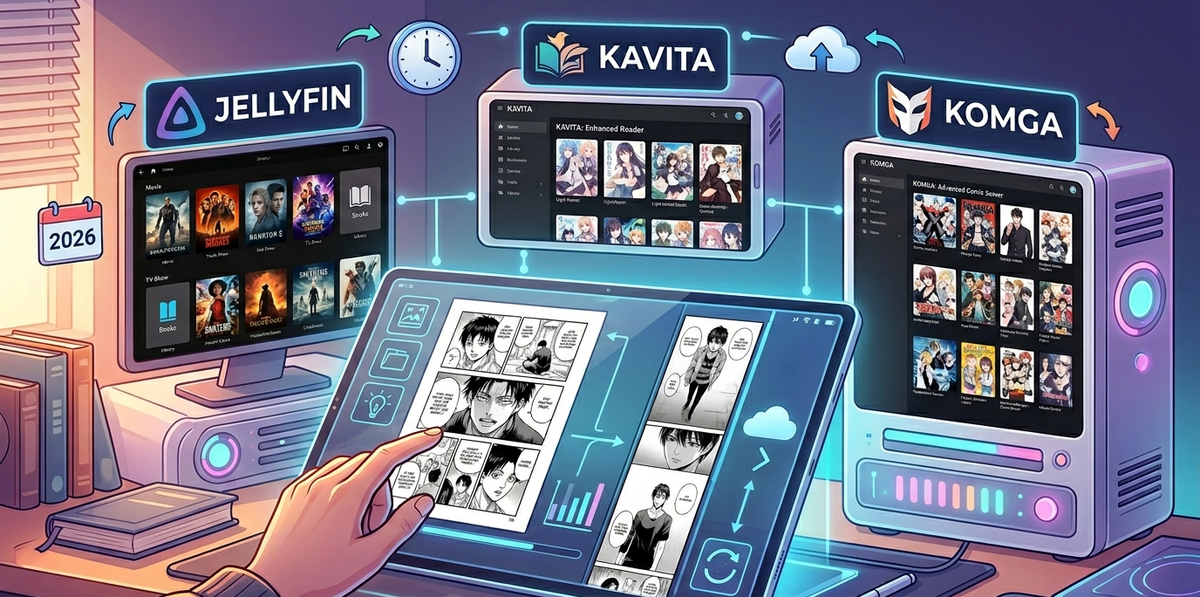
Self-Hosted Comics and Manga with Jellyfin, Kavita, and Komga in 2026
Jellyfin has a Books library type that can display comics and manga - but the reading experience is basic. No panel-by-panel navigation, no webtoon scroll mode, no reading progress sync across devices. For a serious comic or manga collection, you need a dedicated reader.
Kavita and Komga are the two best self-hosted comic/manga servers in 2026. Both run alongside Jellyfin, share the same media storage, and fill the gap that Jellyfin cannot.
Why Jellyfin Alone Is Not Enough for Comics
Jellyfin Books library supports:
- PDF display
- EPUB reading (basic)
- CBZ/CBR thumbnail generation
What it lacks:
- Panel-by-panel reading (essential for manga on phones)
- Webtoon vertical scroll mode
- Reading progress sync across devices
- OPDS feed for third-party reader apps
- Manga-specific metadata (MyAnimeList, AniList integration)
- Smart collections (reading lists, want-to-read, in-progress)
For video, Jellyfin is the answer. For comics and manga, Kavita or Komga is the answer.
Kavita vs Komga: Quick Comparison
| Feature | Kavita | Komga |
|---|---|---|
| Primary focus | Comics + Manga + Books | Comics + Manga |
| EPUB/PDF support | Yes (full reader) | No (comics only) |
| Webtoon mode | Yes | Yes |
| OPDS feed | Yes | Yes |
| Multi-user | Yes | Yes |
| Reading progress sync | Yes | Yes |
| Metadata sources | AniList, MAL, ComicVine | ComicVine |
| Smart collections | Yes (reading lists, want-to-read) | Yes (read lists) |
| UI polish | Very polished | Clean, functional |
| Mobile app | PWA (excellent) | PWA + Tachiyomi extension |
| Resource usage | Low (~100 MB RAM) | Very low (~80 MB RAM) |
| Docker image | Yes | Yes |
| Active development | Very active | Active |
Choose Kavita if:
- You read manga, comics, AND ebooks/light novels
- You want AniList/MAL metadata integration
- You prefer a polished, modern UI
- You want a single app for all reading content
Choose Komga if:
- You read comics and manga only (no ebooks)
- You use Tachiyomi/Mihon as your mobile reader
- You want the lightest possible server
- You prefer a more traditional library interface
Installing Kavita with Docker
services:
  kavita:
    image: jvmilazz0/kavita:latest
    container_name: kavita
    volumes:
      - ./kavita/config:/kavita/config
      - /mnt/media/comics:/comics
      - /mnt/media/manga:/manga
      - /mnt/media/books:/books
    ports:
      - 5000:5000
    restart: unless-stopped
Access Kavita at http://your-server:5000. Create an admin account on first launch.
Add libraries
- Settings → Libraries → Add Library
- Name: "Comics", Type: Comic, Folder:
/comics - Name: "Manga", Type: Manga, Folder:
/manga - Name: "Books", Type: Book, Folder:
/books - Kavita scans and organizes automatically
Installing Komga with Docker
services:
  komga:
    image: gotson/komga:latest
    container_name: komga
    volumes:
      - ./komga/config:/config
      - /mnt/media/comics:/comics
      - /mnt/media/manga:/manga
    ports:
      - 25600:25600
    environment:
      - JAVA_TOOL_OPTIONS=-Xmx512m
    restart: unless-stopped
Access Komga at http://your-server:25600.
Organizing Your Comic and Manga Library
Comics (Western)
/comics/
  Marvel/
    Spider-Man (2022)/
      Spider-Man 001 (2022).cbz
      Spider-Man 002 (2022).cbz
    X-Men (2021)/
      X-Men 001 (2021).cbz
  DC/
    Batman (2016)/
      Batman 001 (2016).cbz
Manga
/manga/
  One Piece/
    One Piece v01.cbz
    One Piece v02.cbz
    ...
  Chainsaw Man/
    Chainsaw Man v01.cbz
Supported formats
| Format | Description | Recommended |
|---|---|---|
| CBZ | ZIP archive of images | Yes - best compatibility |
| CBR | RAR archive of images | Yes |
| CB7 | 7z archive of images | Partial |
| Portable Document Format | Kavita only | |
| EPUB | Electronic publication | Kavita only |
CBZ is the gold standard for comics and manga - it is just a ZIP file containing ordered images. Every reader supports it.
Metadata and Artwork
Kavita metadata sources
Kavita fetches metadata from:
- AniList - best for manga (Japanese titles, genres, ratings)
- MyAnimeList - alternative manga metadata
- ComicVine - best for Western comics (Marvel, DC, Image)
Enable in Settings → Metadata → configure API keys.
Komga metadata
Komga reads metadata from:
- ComicInfo.xml embedded in CBZ files
- ComicVine via community plugins
Tagging your files
Use ComicTagger to embed metadata into CBZ/CBR files:
# Install ComicTagger
pip install comictagger

# Tag a file with ComicVine metadata
comictagger -s -t cr --cv-api-key YOUR_KEY "Spider-Man 001.cbz"
ComicTagger writes a ComicInfo.xml inside the archive that both Kavita and Komga read automatically.
Mobile Reading Experience
Kavita PWA (Progressive Web App)
Kavita web interface works as a PWA on mobile:
- Open Kavita in your phone browser
- Tap "Add to Home Screen"
- The PWA launches like a native app with offline caching
The reading experience is excellent - swipe navigation, pinch-to-zoom, webtoon scroll mode, and dark theme.
Komga + Tachiyomi/Mihon
Tachiyomi (and its successor Mihon) is the most popular manga reader on Android. Komga has a native Tachiyomi extension:
- Install Tachiyomi/Mihon on Android
- Add the Komga extension from the extension catalog
- Enter your Komga URL and credentials
- Your entire library appears in Tachiyomi with full reading progress sync
This is the best mobile manga reading experience available - Tachiyomi reader is superior to any web-based reader.
JellyBook (Jellyfin native reader)
JellyBook is a community Jellyfin client specifically for books and comics:
- Available on Android (IzzyOnDroid) and iOS (TestFlight)
- Connects to Jellyfin Books library
- Basic comic reading with page navigation
- Good for casual reading, not as feature-rich as Kavita/Komga
Running Kavita/Komga Alongside Jellyfin
All three servers can share the same media storage:
services:
  jellyfin:
    volumes:
      - /mnt/media:/media:ro

  kavita:
    volumes:
      - /mnt/media/comics:/comics:ro
      - /mnt/media/manga:/manga:ro
      - /mnt/media/books:/books:ro

  komga:
    volumes:
      - /mnt/media/comics:/comics:ro
      - /mnt/media/manga:/manga:ro
Read-only mounts (:ro) ensure no server modifies the other's files. All three coexist without conflict.
Reverse proxy configuration
Add your comic server to your existing Caddy/Nginx setup:
kavita.yourdomain.com {
    reverse_proxy kavita:5000
}
Automating Comic Downloads with Mylar3
Mylar3 is the Radarr/Sonarr equivalent for comics:
- Monitors comic series for new issues
- Downloads from Usenet or torrent indexers
- Renames and organizes files
- Triggers Kavita/Komga library scan on import
services:
  mylar3:
    image: lscr.io/linuxserver/mylar3:latest
    volumes:
      - ./mylar3/config:/config
      - /mnt/media/comics:/comics
      - /mnt/downloads:/downloads
    ports:
      - 8090:8090
    restart: unless-stopped
The full comic automation stack: Mylar3 → downloads → Kavita/Komga → reads.
FAQ
Can Jellyfin replace Kavita or Komga? For basic comic display, yes. For a proper reading experience with progress sync, webtoon mode, and manga metadata - no. Use a dedicated reader.
Kavita or Komga for manga? Kavita has better manga metadata (AniList integration). Komga has better Tachiyomi integration. Both are excellent.
Can I use both Kavita and Komga? Yes, but there is no reason to. Pick one based on your priorities.
How much storage do comics need? A typical comic issue (CBZ): 30-100 MB. A manga volume: 100-300 MB. A 500-volume manga collection needs roughly 50-150 GB.
Does Kavita support reading lists? Yes. Kavita has built-in reading lists, want-to-read shelves, and smart collections based on metadata.
Can multiple users read simultaneously? Yes. Both Kavita and Komga support multi-user with independent reading progress.
Your media stack now covers video, music, AND comics. Monitor it all from one app. Download JellyWatch on Google Play - session monitoring, server health, and your complete homelab in your pocket.
On Emby? Download EmbyWatch on Google Play - the same monitoring experience for Emby servers.





Comments 2
Kavita + Tachiyomi/Mihon is the ultimate manga setup. Reading progress syncs perfectly between my phone and tablet. The webtoon scroll mode is flawless for vertical comics.
ComicTagger for metadata is a game changer. Tagged my entire 2000-issue Marvel collection in a weekend. Kavita picks up the ComicInfo.xml perfectly and displays everything with proper covers and descriptions.
Leave a comment