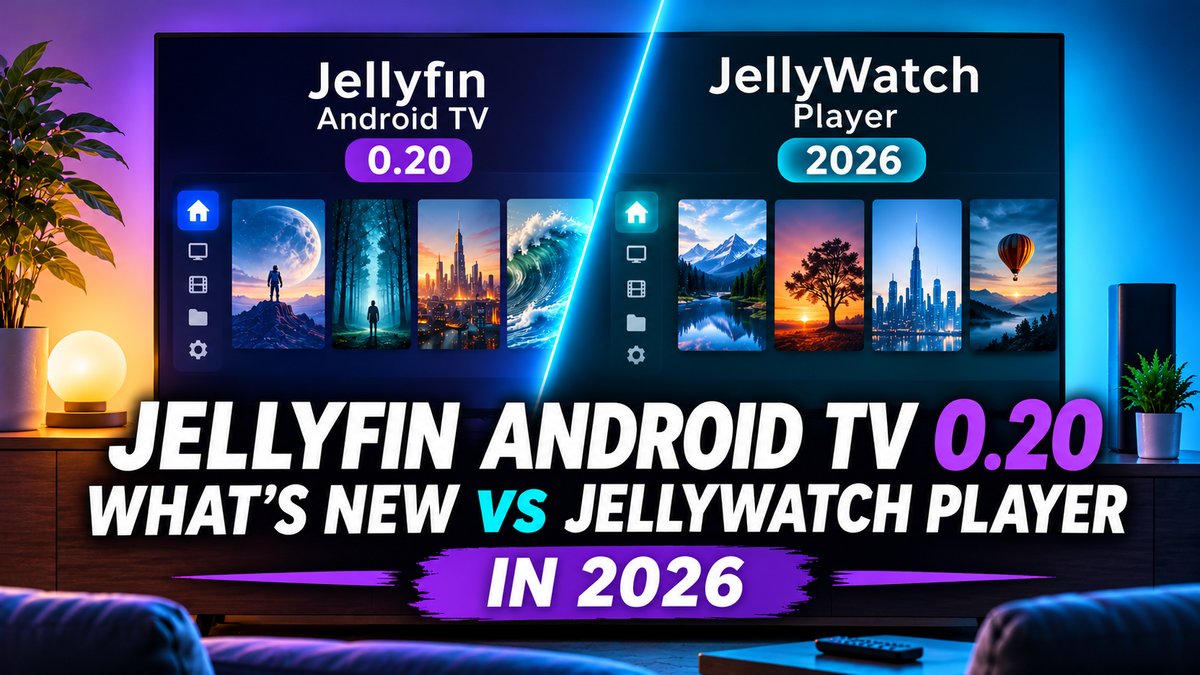
Jellyfin for Android TV 0.20 Is Out: What's New and How It Compares to JellyWatch Player
A full disclosure first: we build JellyWatch for Android TV, one of the apps in this comparison. We keep the facts separate from the opinions and tell you where the official app is the better pick.
The Jellyfin team has released version 0.20 of its official Android TV app. The settings screen has been rebuilt, ASS subtitles can now be played directly on the device, you can hand playback to an external video player, and you can override how the app detects HDR and audio support. There is also a long list of playback, browsing and stability fixes.
It comes with one hard requirement: Jellyfin server 10.11 or newer. If you still run 10.10, update the server before you update the app.
This guide covers what changed, who should be careful before updating, and how the official app now compares with JellyWatch Player.
Quick Summary
- Server: Jellyfin 10.11 or newer is required. The app works best with Jellyfin 12. Version 10.10 is no longer supported.
- Android: the minimum is now Android 6. Android 5 and 5.1 stay on the 0.19.x series. Android 7 will be required in a later release.
- Settings: fully redesigned, with more options and a few that used to hide in the developer settings.
- Playback: better device detection, manual overrides for HDR formats, audio passthrough and H.264/H.265 level limits, plus Trickplay thumbnails that are no longer experimental.
- Subtitles: direct playback of ASS and SSA subtitles (experimental, off by default), custom colors, a live preview and a burn-in option.
- External players: pick VLC, MPV, MX Player, Vimu or another compatible player.
- Fire TV: it keeps working on Fire OS. Amazon's new Vega OS cannot run Android apps.
Before You Update: Compatibility
Jellyfin server
Version 0.20 needs Jellyfin 10.11 or newer, and the team recommends Jellyfin 12 for the best experience. Jellyfin 10.10 has been dropped. If your server is older, the new app will not work with it, so upgrade the server first.
Moving to Jellyfin 12 has its own pitfalls. Our Jellyfin 12.0 overview lists what changed on the server side, and the 12.0 upgrade troubleshooting guide covers failed migrations, missing plugins and clients that cannot sign in.
Android version
The minimum is now Android 6. The 0.19.x series is the last one that runs on Android 5 and 5.1, so TVs and boxes stuck on those versions should stay on 0.19.x. The team also plans to require Android 7 or newer in an upcoming release, so very old devices have limited time left.
Fire TV
Some people noticed that the app is missing on the newest Fire TV devices. Those run Amazon's new Vega OS, which cannot run Android apps. A Jellyfin app for Vega OS is in development. The Android app keeps working on Fire TV devices that still run the Android-based Fire OS.
What's New in Jellyfin for Android TV 0.20
Redesigned settings
The settings were rebuilt with Jetpack Compose. Options are easier to find, there are more ways to customize the app, and the screens now have animations and automatically focus the selected option. Several settings that were only available in the developer menu moved into the regular playback settings.
Video playback and device detection
This is the part that matters most if you have a demanding home theater.
- Better capability detection. The app reads what your device can play more accurately, so more files play without transcoding.
- Manual overrides. If detection gets your setup wrong, you can force HDR formats on or off, override audio passthrough codecs, and set your own H.264 and H.265 level limits. There is also an option to stop the app from advertising software codecs as supported.
- Audio passthrough auto-detection. The app now detects passthrough support on its own, and you can still correct it by hand.
- NVIDIA Shield. Direct playback of Dolby Vision profile 7 is now allowed on the Shield.
- Badges. Browsing shows badges for HDR formats (including hybrid HDR and HDR with a fallback), surround audio, 3D content, and a difference between E-AC-3 and TrueHD Atmos.
- Trickplay. Thumbnail previews while seeking are no longer experimental, and a placeholder shows while a thumbnail loads.
- Player interface. The player shows progress and duration, seeking from the seek bar is relative to the current position, pressing Up closes the overlay, and a new playback info overlay shows the codec, bitrate and play method.
- Buffering and queueing. There is a configurable playback buffer size, and the next item in a queue can be preloaded.
- Transcoding. Fragmented MP4 is now supported for transcodes, and TrueHD is no longer declared in the fMP4 HLS profile.
Subtitles
- ASS and SSA direct play. The app renders Advanced SubStation Alpha subtitles on your device with libass, so you no longer need to transcode the video just to show styled subtitles. This is still experimental and off by default. You can turn it on in the advanced playback settings. The team plans to enable it for everyone in a future release.
- Customization. You can pick custom colors and more font weights, the maximum size goes up to 48, and a live preview shows your changes as you make them.
- Always burn in when transcoding. A new option burns subtitles into the video whenever a transcode is needed. It can fix subtitles that drift out of sync, but your styling choices no longer apply.
- Remembered language. If you change the subtitle language during playback, the app remembers it for the next episode when a matching track exists.
- Fix. A bug that selected the wrong embedded subtitle track when ASS tracks were present has been fixed.
External video players
You can now choose in the settings which player the app uses: the built-in one or a compatible app you installed. The app has special handling for VLC, MPV, MX Player and Vimu. For these it passes external subtitles along and reads your position when you return to Jellyfin. Other compatible players also work, but they do not report progress back to your server.
Browsing and home screen
- Next Up cutoff. You choose how many days a show stays in the Next Up row after you last watched it.
- Sorting. TV libraries can be sorted by the date the latest episode was added. Works on a person's page appear with the newest release first.
- Jellyfin 12 support. The app handles the new Recently Added behavior, shows the right titles and images, and displays proper season titles.
- Navigation. Season pages gain buttons that move between a series and its seasons. Episodes with several parts show the additional parts.
- Smaller changes. Backdrops can be unblurred, a server splash screen shows on launch, and the Previous episode button no longer appears on a series' first episode.
- TV home screen recommendations. Some Android versions no longer let you turn this integration off in system settings. A new in-app switch does it, and it only appears on supported devices.
Music and photos
- Music: a new "Shuffle all" button sits next to the existing random song button.
- Photos: left and right on the remote go to the previous or next photo without opening the controls, and you can set how long each photo stays on screen in a slideshow.
Stability fixes
The release also fixes several crashes: returning to the home screen while a video is playing, a Live TV guide failure when channels do not load, a missing HDR capability value on some devices, and a crash when browsing mirrored libraries with the remote.
How to Update
- Automatic updates. If they are enabled, your app store will update Jellyfin by itself.
- New installs. Install it from the app store of your platform.
- Manual download. Direct downloads are available from the Jellyfin repository and the GitHub release page.
- Beta program. You can join the Google Play beta to test versions before they reach everyone.
A few precautions before you update a shared family TV:
- Check your server version. You need 10.11 or newer.
- Keep your trouble titles handy. If some files with ASS subtitles, HDR or Dolby Vision gave you trouble before, use them as test cases.
- Keep a fallback app installed until you have confirmed that the new version works on your device.
- Remember ASS is opt-in. If you update and see no change in styled subtitles, enable it in the advanced playback settings.
New to Jellyfin on a TV? Our Android TV and Google TV setup guide walks through the server and app setup.
Official App vs JellyWatch Player
The table uses the 0.20 release notes for the official app and our own store listing and app for JellyWatch Player. A line such as "not in the 0.20 notes" means the release does not mention it, not that it can never exist.
| Official Jellyfin for Android TV 0.20 | JellyWatch for Android TV | |
|---|---|---|
| Price | Free and open source | Free, with some features in a paid tier |
| Maintained by | Jellyfin core team | JellyWatch team |
| Jellyfin server | 10.11 or newer | 10.8 or newer; Trickplay, theme songs and segment skip need 10.9+ |
| Android version | Android 6 minimum, Android 7 planned | Android 7 minimum |
| Interface | Existing interface, with the settings rebuilt in Compose | Jetpack Compose, built around the remote |
| Player | ExoPlayer (Media3) | ExoPlayer (Media3), with an MPV backend in the settings |
| ASS and SSA subtitles | libass direct play, experimental, off by default | libass rendering in the player, with a server burn-in fallback |
| Burn in subtitles | Option to always burn in when transcoding | "Burn in styled subtitles" setting |
| External player | Selectable, with special handling for VLC, MPV, MX Player and Vimu | Can open an external player from the detail screens |
| HDR and audio handling | Auto-detection with manual overrides for HDR, passthrough and codec levels | Passthrough, then local FFmpeg decode, then server transcode |
| Playback stats | New playback info overlay | Stats for Nerds |
| Trickplay | Yes | Yes |
| TV launcher integration | Home screen recommendations, can be turned off | Continue Watching and Recently Added channels |
| SyncPlay | Not in the 0.20 notes | Yes |
| Seerr or Jellyseerr requests from the TV | Not in the 0.20 notes | Yes |
| Kids profile with parental PIN | Not in the 0.20 notes | Yes |
| Linked profiles across servers on one home screen | Not in the 0.20 notes | Yes |
| Home Assistant cinema mode | Not in the 0.20 notes | Yes, requires the TV Premium (Watch Pass) |
| Fire TV | Fire OS supported; a Vega OS app is in development | Fire TV build available |
For details on our own features, see the posts on Kids Profile, Linked Profiles and Home Assistant cinema mode and our broader client comparison. For other alternatives, see JellyWatch Player vs Moonfin vs Wholphin vs Streamyfin.
Which One Should You Choose?
Pick the official app if:
- You want the project's own reference client, free and open source, with no paid tier.
- You want new server features to reach the client first.
- You like to tune playback by hand, with HDR, passthrough and codec level overrides.
- You rely on a specific external player such as VLC, MPV, MX Player or Vimu, and want progress reporting to work.
- You do not need requests, kids profiles or smart home integration.
Pick JellyWatch Player if:
- You request content with Seerr and want to do it from the couch.
- You have children and want a separate kids space with a PIN.
- You run more than one Jellyfin server and want one merged home screen.
- You want to watch together with SyncPlay.
- You want your lights to react to play and pause through Home Assistant.
- Your server is still on a version older than 10.11 and you are not ready to upgrade.
Try both. They are free to install, and you can switch per room. A shared family TV is a good place to keep the app that everyone finds easiest.
Frequently Asked Questions
Does Jellyfin for Android TV 0.20 work with Jellyfin 10.10?
No. Version 0.20 needs Jellyfin 10.11 or newer, and it works best with Jellyfin 12. Update your server first.
Can I run 0.20 on Android 5 or 5.1?
No. The minimum is Android 6. The 0.19.x series is the last one for Android 5 and 5.1, and Android 7 is planned as a future minimum.
How do I turn on ASS subtitle direct play?
Open the advanced playback settings and enable it. It is experimental and off by default. If a file looks wrong, you can still use the burn-in option so the server draws the subtitles during a transcode.
Can I use VLC or MX Player with 0.20?
Yes. Choose the external player in the app's settings. VLC, MPV, MX Player and Vimu get special handling for external subtitles and for syncing your playback position. Other compatible players work but do not report progress.
Does 0.20 run on Fire TV?
It runs on Fire TV devices with the Android-based Fire OS. Newer devices on Vega OS cannot run Android apps. A separate Jellyfin app for Vega OS is in development.
Does JellyWatch Player need Jellyfin 10.11?
No. Our store listing says Jellyfin 10.8 or newer, and some features such as Trickplay, theme songs and segment skip need 10.9 or newer.
What We Will Test Next
We plan to run 0.20 on the same devices as in our earlier comparison: a Chromecast with Google TV, an NVIDIA Shield, a Fire TV Stick 4K Max and an Onn 4K Pro. The test files are 4K HEVC, Dolby Vision, TrueHD and heavily styled ASS subtitles. We will update this article with the results and correct the table if our reading of the release notes turns out to be wrong.
Final Thoughts
Version 0.20 is a meaningful step for the official app. The new settings, the overrides for HDR and audio, direct playback of ASS subtitles and the external player option fix several long-standing complaints, and the Fire OS and Vega OS situation is clearer now. The one thing to plan for is the server requirement: if you are on 10.11 or newer you are ready, and if you are not, treat this as the reason to upgrade.
Install JellyWatch for Android TV. Get JellyWatch for Android TV on Google Play - request content, create a kids profile and link your servers from your TV.
Sources: Jellyfin for Android TV 0.20 announcement, Jellyfin for Android TV v0.20.0 release notes on GitHub, v0.20 release plan discussion, Jellyfin for Android TV 0.19, Jellyfin 12.0 announcement. Content was rephrased for compliance with licensing restrictions.


Comments
No comments yet. Be the first to share your thoughts.
Leave a comment