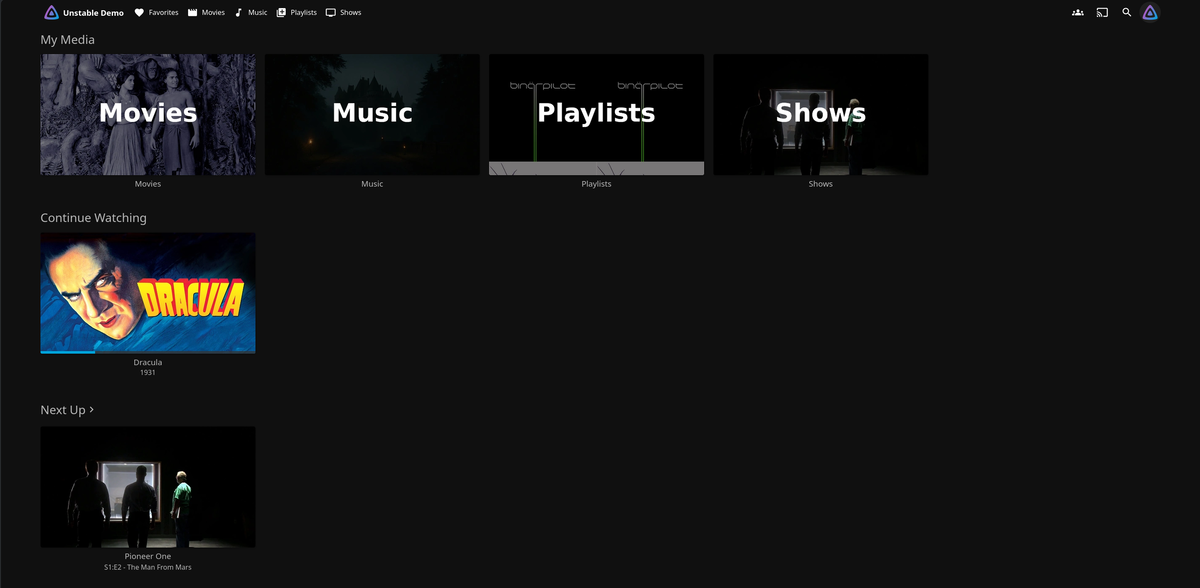
Jellyfin 12.0 Is Here: Everything You Need to Know
Jellyfin 12.0 dropped on September 8, 2026, and it is one of the most significant releases in the project's history. Not just because of what is inside, but because the version number itself tells a story: the team has officially retired the old 10.x.x scheme. What would have been 10.12.0 is simply 12.0.
This release continues the work started in 10.11, which rewrote the entire backend database layer. Version 12.0 polishes that foundation into real, measurable performance gains while adding native book support, rebuilt playlist storage, FFmpeg 8.1, important security patches, and dozens of quality-of-life improvements across the web interface.
Let us break it all down.
Why 12.0 and Not 10.12?
The 10. prefix never changed. Every release was 10.something, and users judged each update by the middle number, which always looked minor. That caused real confusion with 10.11.0, a release that rewrote the entire library database but read like a routine patch.
Starting now, the first digit is the major release number and the second digit is the minor/patch release. Major releases (12.0, 13.0, etc.) introduce significant changes and require a backup before upgrading. Minor releases (12.1, 12.2, etc.) are primarily bug and security fixes.
If you maintain anything that parses Jellyfin version strings (a client, a monitoring check, a deployment script, a container tag pin), update it: the server now reports 12.0.0.
Performance: The Core Theme
The 10.11 rewrite moved Jellyfin to a proper relational database backend, but it left rough edges. Version 12.0 smooths nearly all of them.
Playlists and Collections Rebuilt
Playlists and collections used to be stored as one long serialized list crammed inside the parent item. The database could not count items, render a single page, or remove a single track without loading and unpacking the entire list. Every edit meant writing the whole thing back out.
In 12.0, every playlist and collection entry is its own database row in a new LinkedChildren table. OwnerId and PrimaryVersionId are now real GUID foreign keys. The result:
- Pagination actually works
- Item counts are instant
- Adding or removing a track does not rewrite the entire list
- Large playlists (1000+ items) no longer freeze the interface
- Duplicate tracks are now allowed in playlists
Faster Queries Across the Board
- Resume, Next Up, and Continue Watching are significantly faster
- Latest Items for music uses optimized queries
- Artist lookups and item counts are leaner
- Item deletion is now batched, fixing "too many SQL variables" failures when deleting large libraries
- Heavy database tasks no longer run while a library scan is in progress, reducing I/O contention
- The optimize database task now runs ANALYZE and VACUUM at shutdown and when triggered manually
Note: this performance work targets how Jellyfin reads your library, not the library scanner. You may find scanning is a little quicker as a side effect, but speeding it up was not a goal this time.
Migration on First Boot
On first boot after the upgrade, Jellyfin runs several data migrations: merging duplicate music artists and people, removing orphaned extras, repairing owner relationships, and recomputing clean names and sort keys. If you would rather run this step deliberately, the server now accepts --mode MigrateSystem, which performs the upgrade and exits without starting the rest of Jellyfin.
Native Books and Comics Support
This is one of the headline features. For years, book and comic support relied entirely on the third-party Bookshelf plugin. In 12.0, most of that functionality moves directly into the server.
Server-Side
- OPF, ComicInfo, and ComicBookInfo metadata are parsed natively, no plugin required
- Cover generation works for EPUBs and all supported comic archive formats
- External covers are supported for audiobook files
- Name, index, year, and series are read from book filenames; volume and chapter numbers from comic filenames
- Page counts are extracted from comic archives and PDFs
- Chapters are extracted from audiobooks (available via the API; client support is coming)
- ISBN external IDs and links are supported
- The old Bookshelf plugin has been split into separate ComicVine and GoogleBooks metadata providers
- A brand-new OpenLibrary plugin provides additional metadata and images
Web Client
- Modern book library layout with view types, paging, and Authors, Collections, and Folders tabs
- Books display information about their authors, and authors show their books and audiobooks
- Redesigned reading interface, standardized across all book types with unified fullscreen behavior
- PDF swipe navigation and improved EPUB font size selection
- Progress indicators work again for supported eBooks
- Sorting by index number, release date, and more is available
- Background audiobook playback works on iOS devices
If you have a book or comic library, this is the upgrade you have been waiting for.
Better Recommendations and Extensible Search
Where "more like this" and suggestion rows get their data is no longer fixed. You now choose the similarity source per library in the same place you pick metadata providers. One source for movies, a different one for music.
ListenBrainz ships bundled with the server as one of those sources. Point your music library at it and similar-artist suggestions come from real listening data rather than from tags alone.
Search works the same way now: a plugin can add its own results alongside Jellyfin's built-in search. If you have ever wanted Jellyfin to search somewhere else at the same time, that is now a plugin rather than a fork.
FFmpeg 8.1 and Transcoder Improvements
Jellyfin 12.0 ships with FFmpeg 8.1, bringing codec and performance improvements:
- Optimized CUDA transposing filter performance
- Optimized OpenCL scaling filter performance
- Optimized OpenCL tonemapping on Mali GPUs
- BT.2446 Method B EOTF for HLG tonemapping (more accurate HDR-to-SDR conversion)
- Spec-compliant
dvh1HLS variant for Dolby Vision Profile 5 compatibility - SSA to ASS conversion now goes through SubtitleEdit, preserving styles that were previously lost
- External subtitles can be embedded into MKV when transcoding
- VobSub subtitle rendering via libbitsub (replacing libpgs)
- Fixed potential A/V desync in HLS when transcoding video while remuxing audio
- Configurable subtitle extraction timeout
- Fixed race conditions in concurrent subtitle conversion
- VideoRotation profile condition for Android TV boxes that cannot handle rotated video (phone footage shot sideways now plays correctly)
Trickplay Improvements
- Existing trickplay files are discovered during a scan instead of being regenerated
- Duplicates from interlaced video are fixed
- Invalid PTS values from containers are normalized
- The cache is cleaned up after a failed generation
Security Fixes
This release includes several important security patches on both the server and the web client:
| Issue | Fix |
|---|---|
| Path traversal via crafted requests | Blocks access to files outside designated directories (HLS segments, plugin images, username paths) |
| Setup wizard re-run | Prevents unauthenticated re-run on misconfigured servers |
| Unsafe plugin package names | Rejected during installation |
| Parental control bypass | Filtering enforced on additional endpoints; playlist visibility corrected |
| Cross-site scripting (XSS) | Fixed in person roles and web client auth parameters |
| Login disclaimer | Only allows common link protocol schemes |
This release contains security fixes, so the Jellyfin team recommends upgrading rather than staying on an older release once you are ready.
Web Interface: Modern Layout Is Now Default
The Modern layout is now the default experience on desktop and mobile. The previous layout has been renamed to Legacy and remains available. TV devices are unchanged: they continue to use the dedicated TV layout.
New Web Features
- Still Watching prompt for long binge sessions
- Frame-by-frame scrubbing with
,and.keys - Chapter names appear in the preview bubble as you drag along the seek bar
- Playback info overlay is more compact while showing more detail
- Photo slideshow with configurable delay; screensaver suppressed while viewing photos or reading
- Audio and subtitle language filters (Modern layout)
- Collections and playlist tab added to all libraries
- Collections shown on item details pages ("Included In" feature)
- Log viewer with a live watch/follow feature
- IndexedDB caching for TanStack Query, improving load performance
- Custom links can be added to the Modern layout
- Crew cards merged for actors with multiple roles; TV show creators shown on item details
- Play All and Shuffle buttons on series libraries
- Folders can be marked as played
- Studio search and an extended Studios tab
- Improved Upcoming view and a Reset Filters button
- Game controller navigation fixes and keyboard shortcuts that work on non-Latin layouts
- Artwork no longer looks blurry on high-DPI displays (card image sizes are rounded up)
Themes and Layout
All built-in themes (Dark, Light, WMC, Blue Radiance, Apple TV, Purple Haze) now derive from a shared base theme built on CSS variables. Custom themes may need minor adjustments. The library toolbar has been merged into the app bar with a sticky header and visual polish throughout.
Playback Improvements
- Dolby Vision in MKV on webOS 25 and newer
- AV1 fMP4 stream copy on TV clients
- Anamorphic video Direct Play on Tizen, with loosened restrictions for browser profiles
- iOS: background playback continues when the screen is off; audio normalization fix for pitch and speed issues
- Bitrate detection now runs directly in the web client
- Screensaver suppressed while viewing photos or reading
Episode Alternate Versions
A frequently requested feature: episodes now support multiple versions, just like movies already did. If you keep both a 1080p and a 4K copy of an episode, Jellyfin groups them together with version-specific resume data. Played state is shared across alternate versions.
This is also the feature behind the required post-upgrade scan: making versions work correctly for episodes meant fixing how version links are stored, so automatically resolved versions are rebuilt from the files on disk.
Live TV Improvements
- Live TV no longer returns unreachable "server-local" streaming URLs to clients
- XMLTV background images and episode thumbnails are now imported
- XMLTV guide imports skip programs whose data has not changed (using an ETag), making repeat refreshes considerably cheaper
- SchedulesDirect now honors API error codes, preventing lockouts; image limit recognition fixed
- HDHomeRun tuners can now Direct Play on supported clients
- M3U tuners default to remuxing instead of Direct Play
Metadata and Providers
- ListenBrainz bundled with the server for similar artist data
- TVDB provider IDs supported for movies (not just TV shows)
- AudioDb artist search is now available
- ReplayGain album gain is parsed from audio files
- TMDb missing episode provider helps identify gaps in your TV library
- TMDb series creators are now fetched and displayed
- WEB-DL release tags recognized in file names
- 3D format detection works when the tag is the last token in the path
- Provider IDs can be parsed from season and episode folder/file names
- Curly braces and parentheses supported alongside square brackets for provider identifier values;
tmdb,tvdb, andimdbwork as aliases - Hyphenated numbers in episode titles no longer incorrectly parsed as multi-episode files
- Triple-digit episode numbers (100+) now supported
- Person metadata refreshes are queued instead of blocking requests
- MusicBrainz lookups are more resilient
Breaking Changes You Should Know About
Legacy Routes Removed
The /emby/* and /mediabrowser/* route prefixes are gone. Old third-party clients that still use these endpoints will stop working. If you have reverse proxy rules pointing to these paths, update them.
Legacy Authentication Disabled
The deprecated authentication method is now disabled by default, including on existing installs via a migration. Very old, unmaintained clients may lose the ability to connect.
Plugin Compatibility
The server now targets .NET 10. All third-party plugins built for 10.11 must be recompiled. Remove third-party plugins before upgrading and only restore them once their authors release compatible builds. Official plugins have already been updated and are available through the stable plugin repository.
Case-Insensitive Usernames
Usernames are now stored in a normalized column with a unique index. If your server has two accounts whose names differ only by capitalization (e.g., "Admin" and "admin"), the database migration will fail. Correct this before upgrading.
Subtitle Configuration
The global subtitle configuration has been removed. Subtitle settings are now configured per library.
TLS/SSL Deprecation Postponed
In the 10.11.0 release notes, the team announced that built-in TLS/SSL support would be removed in this release. That removal has been postponed to a future version. The recommendation remains: run Jellyfin behind a reverse proxy. If you are running an internet-facing instance on built-in TLS, this is extra time to migrate.
Other Behavior Changes
.oggis no longer treated as a video extension (audio only);.aifcis recognized as audio;.aiffis no longer treated as an image- Image endpoints no longer upscale beyond source resolution (low-res artwork appears smaller but sharper)
- Sorting by name now uses
SortNameandCleanName, so library ordering may change compared to 10.11 - Symlinks are only resolved at playback time, not during library scan
Operations and Deployment
- New
--modestartup flag withMediaServer,MigrateSystem, andSeedSystemoptions. Run migrations without starting the server, ideal for containers and orchestrated deployments jellyfin.dbcan now be stored at a custom path- Disabled plugins no longer get re-enabled on restart
- Full system backups skip corrupt keyframe rows instead of failing; warnings shown before restoring or starting a backup during a scan
- The startup UI has been restyled and shows version and migration progress
- CACHEDIR.tag support: Jellyfin marks its cache directories so backup tools automatically skip them
- Accept-Language header support: clients can request responses in a specific language
- Debian Bullseye and Ubuntu Focal packages are no longer built
How to Upgrade Safely
This is not a routine update. Follow these steps carefully:
Step 1: Check Your Current Version
You must be on 10.10.7 or any 10.11.x release. If you are on anything older, upgrade to 10.10.7 first.
Step 2: Back Up Everything
Jellyfin 12.0 modifies the database schema and rewrites data on first boot. The only way to revert is from a backup. Stop the server and manually back up your data and configuration directories.
# Docker example
docker compose down
tar -czf jellyfin-backup-$(date +%Y%m%d).tar.gz ./jellyfin/config ./jellyfin/data
Step 3: Remove Third-Party Plugins
Third-party plugins built for 10.11 will not load on 12.0 (.NET 10 target change). Remove them before upgrading. Official plugins are already compatible via the stable repository.
If you previously switched to the unstable plugin repository, switch back:
Dashboard > Plugins > Manage Repositories and set the URL to: https://repo.jellyfin.org/files/plugin/manifest.json
Step 4: Check for Duplicate Usernames
Usernames are now case-insensitive. If two accounts differ only by case, rename one before upgrading or the migration will fail.
Step 5: Upgrade
# Docker
docker compose pull
docker compose up -d

# Debian/Ubuntu
sudo apt update && sudo apt install jellyfin

# Controlled migration (optional, good for containers)
jellyfin --mode MigrateSystem
Step 6: Wait for Migrations
The first boot runs several database migrations. This can take several minutes depending on library size. Do not interrupt the process. You can monitor progress via the redesigned startup UI in your browser.
Step 7: Full Library Scan
After migration completes, perform a full library scan. This is mandatory. The scan restores alternate versions, validates items against files on disk, and may take longer than usual. Some items might briefly appear as "newly added" due to type fixes applied during the scan.
Step 8: Hard Refresh Your Browser
After upgrading, do a hard refresh (Ctrl+Shift+R or equivalent) and/or clear your web cache. Bad cached assets are the number one cause of post-upgrade UX anomalies.
What This Means for JellyWatch Users
JellyWatch is fully compatible with Jellyfin 12.0. A few things to note:
- The version string reported by the server changes from
10.x.xto12.0.0. JellyWatch handles this seamlessly - The removed
/emby/routes do not affect JellyWatch, which uses the standard Jellyfin API - Improved playlist performance on the server side means faster sync in JellyWatch
- The new episode alternate versions feature is visible in JellyWatch session monitoring, so you can see which version a user is streaming
If you monitor your Jellyfin server with JellyWatch, the upgrade is transparent. Just update your server and everything continues working.
Summary
Jellyfin 12.0 is a substantial release that builds on the 10.11 database rewrite and turns it into a genuinely faster, more capable media server. The highlights:
| Feature | What Changed |
|---|---|
| Versioning | Dropped 10. prefix, now 12.0 |
| Performance | Rebuilt playlists, faster Resume/Next Up/Latest Items, DB optimization |
| Books & Comics | Native server support, redesigned web reader, OpenLibrary plugin |
| Recommendations | Configurable per library, ListenBrainz bundled, extensible search |
| Transcoder | FFmpeg 8.1, improved HDR tonemapping, SubtitleEdit, VobSub, trickplay fixes |
| Security | Path traversal, XSS, setup wizard, parental controls, plugin names |
| Web UI | Modern layout default, frame-by-frame scrub, still watching prompt, chapter preview |
| Playback | DV MKV on webOS 25+, AV1 on TV, anamorphic on Tizen, iOS background play |
| Episodes | Alternate version support with per-version resume and shared played state |
| Live TV | Faster XMLTV refresh, HDHomeRun Direct Play, SchedulesDirect fixes |
| Metadata | TVDB for movies, TMDb missing episodes, provider ID aliases, triple-digit episodes |
| Operations | --mode MigrateSystem, custom DB path, CACHEDIR.tag, Accept-Language |
| Breaking | Legacy routes gone, .NET 10, plugins need rebuild, TLS removal postponed |
Back up before you upgrade, remove third-party plugins, run a full library scan, and hard refresh your browser. That is the entire checklist.
Upgrading to Jellyfin 12.0? Monitor the migration from your phone. Download JellyWatch on Google Play and keep an eye on active sessions, server health, and transcoding activity while your library rescans.
Sources: Jellyfin Official Release Post, GitHub Release v12.0. Content was rephrased for compliance with licensing restrictions.


Comments
No comments yet. Be the first to share your thoughts.
Leave a comment