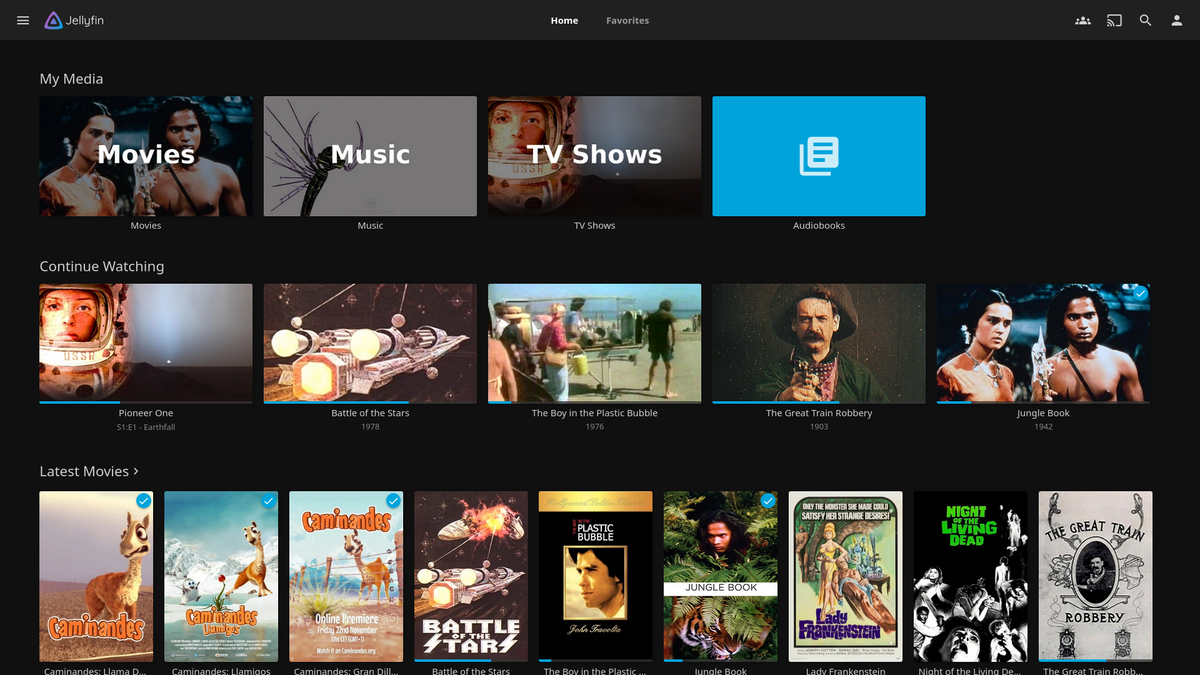
Jellyfin 12.1: What Was Fixed and Should You Upgrade?
Jellyfin 12.1 is the first point release after the big 12.0 jump, and it landed on September 15, 2026. It is a bug fix release with 47 changes, and most of them target things that 12.0 users actually hit: memory use, SyncPlay, Live TV guide data, alternate versions and the upgrade path itself.
If you want the background on 12.0, read our Jellyfin 12.0 breakdown. This article covers only what 12.1 changes.
The Short Answer
- Already on 12.0: upgrade. It is a minor release focused on fixes, and several of them address memory use and SyncPlay behavior.
- Still on 10.11.x and planning the move: go straight to 12.1 rather than stopping at 12.0, after you have done the usual preparation (backup, remove third-party plugins, check usernames). 12.1 includes data cleanup before migrations and a fix to the pre-migration backup, which is exactly the part that matters on an upgrade.
- Not ready for 12.x yet: nothing in 12.1 changes the advice. Stay on a supported 10.11 release until you can take a maintenance window.
As always with Jellyfin, take a full backup before you upgrade.
What Changed, Grouped by Topic
The official changelog is a flat list. Here it is sorted by what you would notice.
Upgrade safety and database
- Invalid data is cleaned up before migrations run.
- Database optimization no longer uses as much memory, and the backup taken before a migration has its integrity fixed.
- Cleanup of alternate versions of the wrong type no longer recurses.
- Deleting an item now removes its full set of owned records, and orphaned people are cleaned up when items are deleted.
- Dead item data is dropped, and a few query ordering and bound parameter issues were fixed.
- A failed library refresh is no longer recorded as a completed one.
Why it matters: 12.0 rewrites data on first boot, and at least one Docker user reported a migration from 10.11.11 failing on duplicate records. We cannot confirm from the release notes that 12.1 fixes that specific report, but the cleanup step is clearly aimed at that kind of problem.
Library scanning and folders
- Nested unnumbered season folders no longer collapse onto the first one.
- A folder's children are released once its subtree has been scanned, which helps memory during big scans.
- Active scans are preserved when a background library refresh is requested.
- Library items are preserved when directory enumeration fails. If a share drops mid-scan, Jellyfin should no longer treat the missing folder as deleted content.
- The library monitor no longer tries to refresh against a disposed host.
- Collection creation works again when the collections library was just added.
- Metadata provider order changes no longer need a restart to apply.
Alternate versions
- Versions of a video that still listed separately from their group are fixed, and manual merges are preserved.
- Episodes are only grouped as versions when the path is parsed with confidence.
- Decimal points in version names are handled correctly.
If you noticed odd grouping of episodes after the 12.0 scan, this is the group of fixes to look at.
SyncPlay
- Authentication errors in SyncPlay are handled correctly, and the time a group waits for members is limited.
- Sessions that report playback at a stale position are corrected.
If you watch together with friends, see our SyncPlay guide for how the feature works.
Users, devices and performance
- Revoking a device's access now logs out sessions that are already open. Before, the existing session could keep going.
- The
/UserViewsendpoint no longer exhausts memory or reports random child counts. - Live TV access is checked for a single user instead of enumerating every user.
- A torn-down WebSocket no longer takes down the request handler.
- A concurrency problem in similar-item lookups is fixed.
- Full people scans and writes are skipped when credits are unchanged, and unused credits are no longer requested when looking up a TMDb person.
Playback, subtitles and transcoding
- "Forced only" subtitle choices now override remembered subtitle selections.
- A color range problem after Vulkan tone mapping is fixed.
- Trickplay no longer uses the wrong video stream.
- Transcode throttling now enables on supported systems. It was affected by a race condition.
- Images are not resampled or sharpened when the image library is not actually resizing them.
Live TV, ratings and metadata
- EPG issues are fixed.
- Parental ratings match case-insensitively, and Norwegian, Italian and slashed ratings are handled correctly.
- Image resolutions are reported for TMDb images when no size is configured, and TMDb image previews use thumbnails.
- Playlist encoding recognition and a missing tags array in the filters response are fixed.
- Empty ZIP comments are skipped when reading ComicBookInfo, a small fix for the new native comics support.
- The series name regex is improved.
Should You Worry About Anything?
Nothing in the list is marked as a breaking change. A few practical notes:
- Backup first. It is a minor release, but it still touches the database. A copy of your config and data directories costs nothing.
- Scans. If you have just finished the long post-12.0 scan, 12.1 may trigger more cleanup work. Let it finish.
- Third-party plugins. 12.1 does not change the plugin story from 12.0. Plugins must be built for .NET 10, so keep checking that each plugin has a build for your version.
How to Upgrade
# Docker
docker compose pull
docker compose up -d
If you pin an image tag, change it to 12.1 and check the tag format on your registry first. On Debian or Ubuntu, use your package manager as usual:
sudo apt update && sudo apt install jellyfin
Then do a hard refresh in your browser (Ctrl+Shift+R) so you do not run stale web assets.
Verdict
12.1 is the version to be on if you are using 12.x. There are no new features to chase, but the fixes cover memory use, SyncPlay, Live TV guide data, alternate versions and upgrade safety. If you were waiting for a few weeks of bug reports to settle before moving from 10.11, this is a reasonable point to start.
Upgrading Jellyfin? Watch the server while it rescans. Download JellyWatch on Google Play and monitor active sessions and server health from your phone during the upgrade.
Sources: Jellyfin 12.1 release notes via Releasebot, Jellyfin 12.0 announcement, GitHub issue 17919. Content was rephrased for compliance with licensing restrictions.


Comments
No comments yet. Be the first to share your thoughts.
Leave a comment