
Emby Wrapped: A Spotify Wrapped-Style Year-in-Review for Your Emby Server (2026)
Every December, Spotify users share their Wrapped stats on social media. Total minutes listened, top artists, listening personality. It is fun, shareable, and makes you reflect on the year.
Now your Emby media server gets the same treatment. Emby Wrapped is a free, open-source web application that generates a beautiful, animated year-in-review experience from your Emby playback data. Total watch time, top shows, genre breakdowns, binge sessions, viewing personality types, and downloadable share cards.
It looks stunning. It runs in Docker. And it takes about 5 minutes to set up.
What Is Emby Wrapped?
Emby Wrapped is a self-hosted web app that connects to your Emby server API and generates personalized viewing statistics presented as an animated, swipeable card experience. Think Spotify Wrapped, but for your movies, TV shows, music, and live TV.
The project is an enhanced fork maintained by CtznSniiips, building on earlier work by davidtorcivia and tonghongte. The 2026 version adds music statistics, Tracearr integration, Seerr request stats, Emby authentication, and shareable image cards.
Features
Core Statistics
- Total Watch Time - days and hours spent watching across the year
- Top Shows and Movies - most-watched content with poster artwork
- Genre Breakdown - discover your viewing preferences visually
- Viewing Patterns - peak hours and favorite days of the week
- Viewing Personality - a fun personality type based on your habits (similar to Spotify archetypes)
- Binge Sessions - your longest viewing marathons identified
- Monthly Journey - track how your viewing changed across the year
- Device Breakdown - see which devices you watched on most
- Live TV - total Live TV time and your top 5 channels
Enhanced Music Statistics
This fork adds detailed music tracking that the original lacked:
- Top artists with full artwork
- Top tracks with album art
- Listening time breakdown
- High-quality artist images fetched automatically
Share Cards
Every stat screen can be downloaded as a shareable image card. Post your Emby Wrapped to Discord, Reddit, or social media the same way people share Spotify Wrapped.
Integrations
| Integration | What it adds |
|---|---|
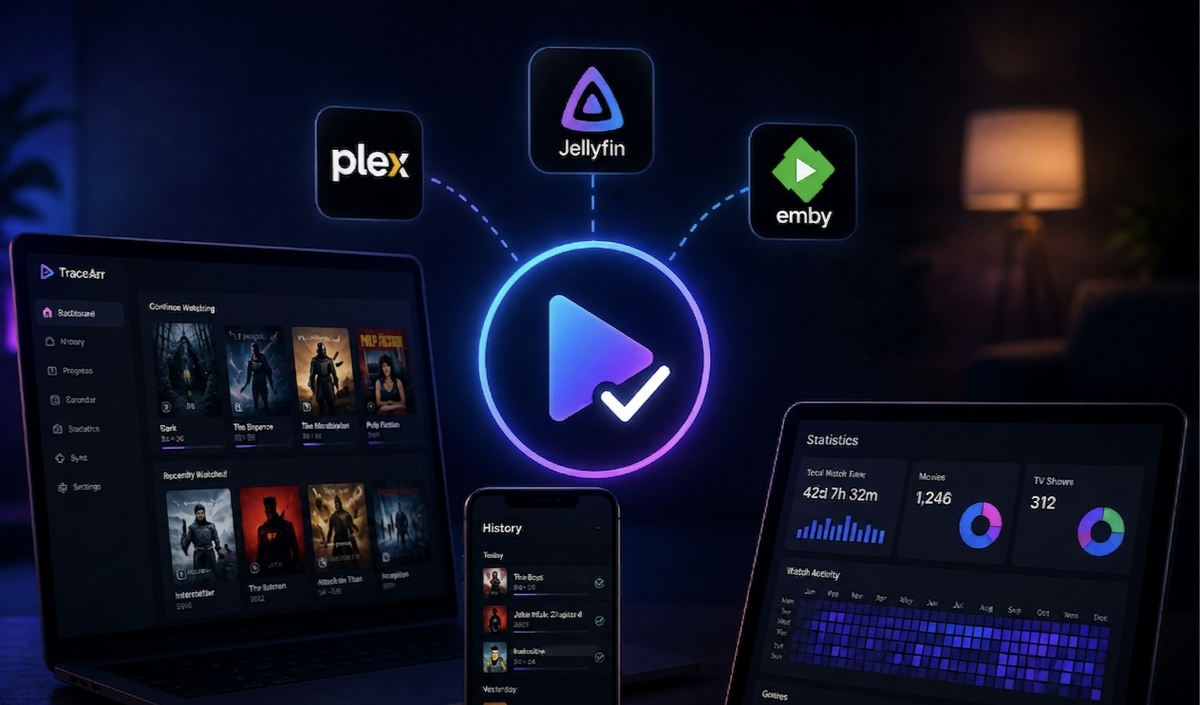
| Tracearr | Use Tracearr playback history instead of the Emby Playback Reporting plugin |
| Seerr/Overseerr/Jellyseerr | Shows total media requests broken down by movie, series, and user |
| TMDB | Enhanced poster images in higher resolution |
Security and Privacy
- Emby authentication required - users must log in with their Emby credentials to see stats
- API keys stored server-side only - never exposed to the browser
- All requests proxied through the server
- No user data stored - stats are fetched fresh on each visit
- CORS handled server-side via built-in image proxy
How It Works
Emby Wrapped reads playback history from either the Emby Playback Reporting Plugin or Tracearr. It processes this data into statistics and presents them as an animated card-by-card experience in the browser.
The flow:
- User opens Emby Wrapped in their browser
- User authenticates with their Emby username and password
- User selects a time period (year or month)
- The app fetches playback data from the Emby API (or Tracearr)
- Statistics are calculated and displayed as animated cards
- User swipes through their personalized Wrapped experience
- Individual cards can be downloaded as images for sharing
Requirements
- Emby Server 4.7+ with an API key
- Playback Reporting Plugin installed on Emby (unless using Tracearr)
- Docker (recommended) or Node.js 18+
Optional
- Tracearr - alternative playback history source
- TMDB API key - for enhanced poster images (free at themoviedb.org)
- Seerr/Overseerr/Jellyseerr - for request statistics
Docker Setup (5 Minutes)
Emby Wrapped provides a pre-built Docker image on GitHub Container Registry.
services:
  emby-wrapped:
    image: ghcr.io/ctznsniiips/emby-wrapped:latest
    container_name: emby-wrapped
    ports:
      - "3003:3003"
    environment:
      - EMBY_URL=http://your-emby-server:8096
      - EMBY_API_KEY=your-api-key-here
      - TMDB_API_KEY=           # Optional: enhanced poster images
      - SEERR_URL=              # Optional: request stats
      - SEERR_API_KEY=          # Optional: Seerr API key
      - TRACEARR_URL=           # Optional: use Tracearr instead of Playback Reporting
      - TRACEARR_API_KEY=       # Optional: Tracearr public API key (trr_pub_*)
      - TRACEARR_USERNAME_ALIASES=  # Optional: oldname1:newname1,oldname2:newname2
      - PUBLIC_URL=             # Optional: for share links
      - CACHE_TTL=86400         # Optional: cache duration in seconds
      - FILTER_USER_ID=         # Optional: filter by user library
    volumes:
      - ./music:/app/static/music:ro  # Optional: custom background music
    restart: unless-stopped
Get your Emby API key
- Open Emby Dashboard
- Navigate to API Keys
- Create a new key named "Emby Wrapped"
- Copy the key into your docker-compose.yml
Deploy
mkdir emby-wrapped && cd emby-wrapped
# Create docker-compose.yml with the content above
docker compose up -d
Access Emby Wrapped at http://your-server:3003.
Configuration Reference
| Variable | Required | Description |
|---|---|---|
EMBY_URL | Yes | Full URL to your Emby server |
EMBY_API_KEY | Yes | API key from Emby Dashboard |
TMDB_API_KEY | No | TMDB API key for higher-resolution posters |
SEERR_URL | No | Seerr/Overseerr/Jellyseerr URL for request stats |
SEERR_API_KEY | No | Seerr API key |
TRACEARR_URL | No | Tracearr URL (replaces Playback Reporting plugin) |
TRACEARR_API_KEY | No | Tracearr public API key (format: trr_pub_*) |
TRACEARR_USERNAME_ALIASES | No | Username mapping for Tracearr (oldname:newname,old2:new2) |
PUBLIC_URL | No | Public URL for share links (defaults to request origin) |
FILTER_USER_ID | No | Emby User ID for library filtering (hide NSFW content) |
CACHE_TTL | No | Cache duration in seconds (default: 86400 = 24 hours) |
PORT | No | Server port (default: 3003) |
ANALYTICS_SCRIPT | No | Analytics script tag to inject (Umami, Plausible) |
Tracearr Integration
If you run Tracearr for playback tracking, Emby Wrapped can pull history from it instead of the Emby Playback Reporting plugin. This is useful if:
- You already use Tracearr and do not want to install another Emby plugin
- Tracearr has longer historical data than the Playback Reporting plugin
- You want a single source of truth for playback history
Configure both TRACEARR_URL and TRACEARR_API_KEY. If both Tracearr and the Playback Reporting plugin are available, Tracearr data takes priority.
If usernames changed over time (e.g., a user renamed their Emby account), use TRACEARR_USERNAME_ALIASES to map old Tracearr usernames to current Emby usernames:
TRACEARR_USERNAME_ALIASES=oldusername:newusername,john_old:john
Seerr Integration
Connect Seerr (or Overseerr/Jellyseerr) to show request statistics in the Wrapped experience:
- Total number of media requests made during the period
- Breakdown by movies vs TV series
- Per-user request counts
This adds a fun "you requested X movies this year" card to the experience.
Custom Background Music
Emby Wrapped supports background music during the animated presentation. To add your own tracks:
- Create a
music/directory next to your docker-compose.yml - Add MP3 files to the directory
- Mount it as shown in the Docker Compose example:
./music:/app/static/music:ro - Music plays automatically during the Wrapped experience
URL Parameters for Pre-Selected Time Periods
You can share direct links to specific time periods:
http://yourserver:3003?2025- pre-selects the 2025 yearly reviewhttp://yourserver:3003?06-2025- pre-selects June 2025 monthly review
This is useful for sending links to your users at the end of the year.
Library Filtering
If your Emby server has libraries you do not want included in Wrapped statistics (adult content, test libraries), use the FILTER_USER_ID environment variable. Set it to the Emby User ID whose library access should define what content appears in stats.
For example, if you have a "Family" user that only sees clean libraries, use that user ID as the filter. Wrapped will only show statistics for content visible to that user.
Tech Stack
- Framework: SvelteKit
- Styling: Tailwind CSS
- Animations: CSS animations + Svelte transitions
- Image Capture: html2canvas (for share cards)
- Fonts: Space Grotesk, JetBrains Mono
- Container: Node.js 18+ in Docker
Updating
docker compose pull
docker compose up -d
The pre-built image on GHCR is updated with each release.
Troubleshooting
| Problem | Cause | Fix |
|---|---|---|
| "No users found" | Wrong EMBY_URL or API key | Verify URL is reachable and API key has permissions |
| Stats seem incomplete | Playback Reporting plugin not installed | Install the plugin from Emby Catalog and wait for data collection |
| Images not loading | Emby server not reachable from container | Check Docker networking and firewall rules |
| No music stats | Music playback not tracked | Ensure Playback Reporting tracks music or use Tracearr |
| Share cards blank | html2canvas CORS issue | The built-in image proxy should handle this; check server logs |
Emby Wrapped vs Jellystat vs JellyWatch Statistics
| Feature | Emby Wrapped | Jellystat | JellyWatch/EmbyWatch |
|---|---|---|---|
| Platform | Emby | Jellyfin | Both |
| Purpose | Annual review experience | Ongoing analytics dashboard | Real-time monitoring + stats |
| Presentation | Animated cards (Spotify-style) | Web dashboard with charts | Native Android app |
| Shareable | Yes (image cards) | No | Yes (share feature) |
| Real-time | No (historical) | Yes | Yes |
| Self-hosted | Yes | Yes | N/A (mobile app) |
| Data source | Playback Reporting / Tracearr | Jellyfin API | Emby/Jellyfin API |
Emby Wrapped is not a replacement for ongoing monitoring. It is a fun, annual (or monthly) experience that celebrates your viewing habits. Use it alongside EmbyWatch for day-to-day server management.
Who Is This For?
- Emby server admins who want to give their users a fun end-of-year experience
- Families who want to see their collective viewing habits
- Self-hosting enthusiasts who enjoy data visualization
- Anyone who loves Spotify Wrapped and wants the same thing for their media server
FAQ
Does Emby Wrapped work with Jellyfin? No. This project is Emby-specific. For Jellyfin, look at Jellystat or the Playback Reporting plugin dashboard.
Does it store my viewing data? No. Statistics are fetched fresh from your Emby server (or Tracearr) on each visit. Nothing is persisted by Emby Wrapped itself.
Can my users see each other stats? No. Each user authenticates with their own Emby credentials and only sees their own statistics.
How far back does the data go? As far back as the Playback Reporting plugin (or Tracearr) has been collecting data. The plugin only tracks plays after installation.
Can I run this once a year or keep it running? Either way. You can spin it up in December for the annual review and shut it down after, or keep it running year-round for monthly reviews.
Is there a mobile app? No. Emby Wrapped is a web application accessed via browser. It works well on mobile browsers.
Does it support multiple Emby servers? One instance of Emby Wrapped connects to one Emby server. Run multiple containers for multiple servers.
Contributing
Emby Wrapped is open source under the MIT license. Contributions are welcome via pull requests on the beta branch.
Links
- GitHub: github.com/CtznSniiips/emby-wrapped
- Unraid Support Thread: forums.unraid.net/topic/198106-support-embywrapped
- Docker Image:
ghcr.io/ctznsniiips/emby-wrapped:latest
Love your Emby stats? Monitor your server in real time too. Download EmbyWatch on Google Play - real-time session monitoring, transcoding diagnostics, and push notifications for your Emby server.
Also running Jellyfin? Download JellyWatch on Google Play - the same monitoring experience built for Jellyfin.


Comments
No comments yet. Be the first to share your thoughts.
Leave a comment