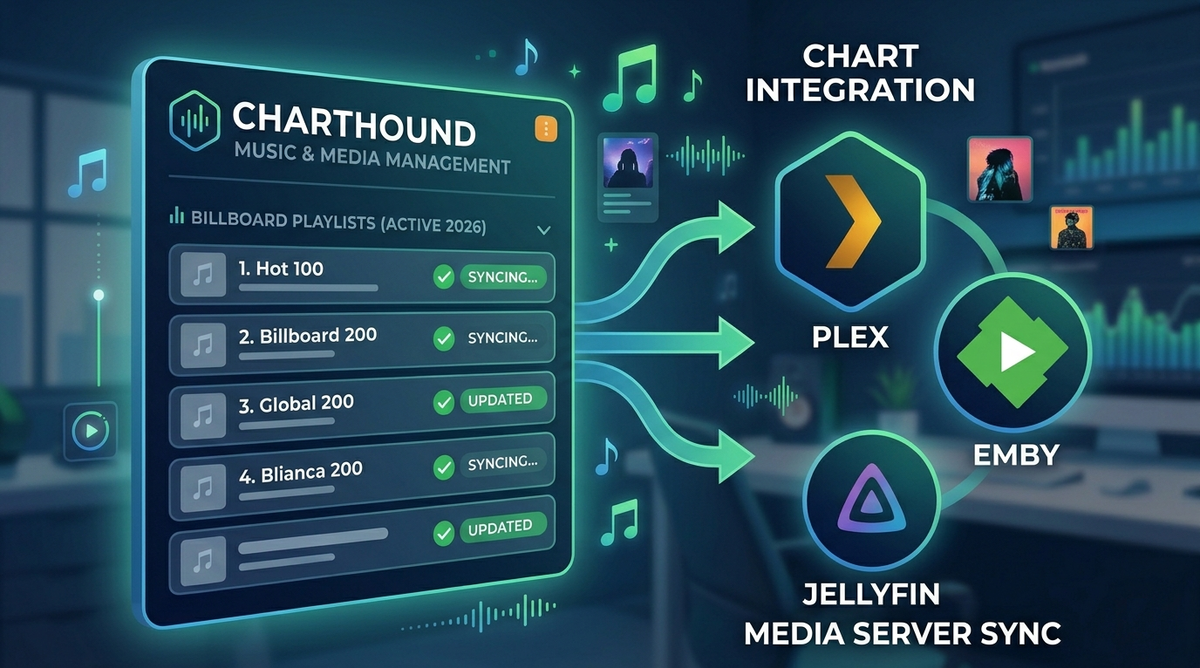
ChartHound: The Self-Hosted Music and Media Management Engine (2026)
Most music tools do one thing. A tagger. A playlist builder. A downloader. ChartHound does all of them, and ties them together with something no other self-hosted tool offers: a pre-loaded database of over 108,000 real Billboard chart entries that it uses to tag your files, build playlists, and discover what your library is missing.
It is a single Docker container that connects to your existing Plex, Emby, or Jellyfin server, your Prowlarr indexers, your download client, and your Radarr/Sonarr instances. It writes metadata directly to your physical audio files (not just a database), builds chart-based playlists and pushes them to your media server, hunts missing albums from any artist via MusicBrainz, and even tracks missing movies and TV episodes through Radarr and Sonarr.
Built by a solo developer who wanted his Plex music library to stop being a graveyard of mistagged albums and missing chart hits.
The Five Tabs
ChartHound is organized into five main tools (plus a connection vault and a database admin panel). You do not need to use all of them. Pick the ones that solve your problems.
The Retriever: Metadata Tagger
Scans your music library through your media server and writes genre, mood, and year tags directly to your physical audio files using Mutagen. It uses a multi-source waterfall to find the best metadata:
MusicBrainz > Last.fm > ListenBrainz > Deezer > Discogs > iTunes
The key principle: tags are written to the actual file on disk, not just your media server database. If you switch from Plex to Jellyfin tomorrow, your metadata goes with you because it lives in the files.
The Sniffer: Chart Hit Finder
Cross-references your music library against the master chart database and shows you what you own and what you are missing. Two modes:
- Chart Gap Fill - select genres, decades, and a notability tier (Essential/Notable/Deep Cuts). See every charting song you do not own. Narrowing to a single genre gives up to 1,000 of that genre biggest hits.
- Trending - browse top tracks by genre using Last.fm data.
For any missing track, click to search Prowlarr for album torrents. Results show seeders, size, and indexer. One-click grab sends the torrent to qBittorrent.
The Groomer: Playlist Builder
Scans your library, looks up each track against the chart reference database, and writes chart performance data into the COMMENT tag of your music files. A track that peaked at #4 on the Hot 100 for 12 weeks gets a comment like:
Hot 100: #4 (12 wks) | Adult Pop: #1 (18 wks)
It also generates star ratings (1-5) based on chart performance and builds smart playlists that you push directly to Plex, Emby, or Jellyfin. Recent updates added Navidrome playlist support as well.
The skip cache system means re-scans skip tracks that have already been checked, making 33,000+ track libraries manageable.
The Bloodhound: Album Hunter
Four search modes powered by MusicBrainz:
- Artist Search - find an artist, browse their complete discography filtered by release type (Albums, Compilations, Singles, All)
- Album Search - search for any album by name across all of MusicBrainz
- Compilation Search - 31 preset compilation series (Now That is What I Call Music, WOW Hits, Grammy Nominees, etc.) plus custom search
- Genre Browse - browse by primary genre with automatic sub-genre inclusion
Every result shows whether you already own it. Missing releases can be searched on Prowlarr and grabbed to qBittorrent directly from the results table.
The Tracker: Missing Media Hunter
Monitors your Radarr and Sonarr libraries for missing movies and TV episodes, then automatically tells them to search for downloads. ChartHound fires search commands through Radarr/Sonarr own API, so they handle indexer selection and download client handoff exactly as they normally would.
Key features:
- Default OFF (must be explicitly enabled)
- Smart TV ordering (searches earliest missing season first)
- Season search (fires a single SeasonSearch when an entire season is missing)
- Cooldown system (will not re-search unfindable items until cooldown expires)
- Daily cap (limits total searches per day)
- Request jitter (randomized delays so indexers see human-like patterns)
- Runs in background (continues hunting even when the browser is closed)
The Billboard Chart Database
This is what makes ChartHound unique. The application ships with a read-only SQLite database containing over 108,000 real Billboard chart entries. This is not scraped data or estimates. It is actual chart performance data: peak position, weeks on chart, chart name.
The Groomer uses this database to write chart performance directly into your file metadata. The Sniffer uses it to identify which chart hits your library is missing. The playlist builder uses it to create playlists ranked by chart performance.
For tracks not in the static database (independent releases, international hits, deep cuts), ChartHound falls back to Last.fm popularity scores for chart estimation.
Security Model
ChartHound takes security seriously for a self-hosted tool:
- Encrypted vault - every API key and token is Fernet-encrypted (AES-128-CBC with HMAC-SHA256) before storage. No "show password" button exists.
- Zero key transmission - API calls happen server-side inside the Docker container. Your browser never sees credentials.
- Auto-lockdown registration - first user becomes admin, then registration is permanently disabled.
- JWT session auth - every endpoint requires a valid token. No backdoor routes.
- Reverse proxy recommended - the app runs HTTP internally; your proxy handles HTTPS.
Requirements and Integrations
Required
- Docker and Docker Compose
- A music library on a local or network drive
For metadata tagging
- Plex, Emby, or Jellyfin (to scan your library)
- Last.fm API key (free, strongly recommended for popularity lookups)
For music discovery and downloading
- Prowlarr (indexer manager)
- qBittorrent, Deluge, or Transmission (download client)
For movie/TV hunting
- Radarr (movie management)
- Sonarr (TV management)
Optional
- Discogs personal access token (excellent genre data for classic rock, jazz, soul)
- Navidrome (playlist push support)
Docker Setup
git clone https://github.com/CurtisColby/ChartHound.git
cd ChartHound
cp docker-compose_example.yml docker-compose.yml
Generate your encryption key:
python3 -c "import secrets; print(secrets.token_hex(32))"
Edit docker-compose.yml with your settings:
services:
  charthound:
    build: .
    container_name: charthound
    ports:
      - "8585:8000"
    environment:
      - SECRET_KEY=your_generated_key_here
      - MEDIA_SERVER_MUSIC_PREFIX=/path/your/server/uses/for/music
    volumes:
      - /path/to/your/music:/music
      - /path/to/your/music:/path/to/your/music
      - ./charthound_static.db:/data/charthound_static.db:ro
      - charthound_data:/data
    restart: unless-stopped

volumes:
  charthound_data:
Build and start:
docker compose up --build -d
Access at http://your-server:8585. Create your admin account on first visit.
The Connection Vault (The Kennel)
After first login, head to The Kennel to connect your services. Each service gets a card with URL and API key fields. Save encrypts the credentials. Test verifies the connection works.
Supported services:
| Service | Purpose |
|---|---|
| Plex / Emby / Jellyfin | Library scanning, playlist push |
| Last.fm | Popularity lookups for non-chart tracks |
| Discogs | Genre and style metadata |
| Prowlarr | Indexer searches for missing music/media |
| qBittorrent / Deluge / Transmission | Download client |
| Radarr | Missing movie tracking |
| Sonarr | Missing TV episode tracking |
What Makes ChartHound Different
File-first metadata
Every tag write goes to the physical file via Mutagen before asking your media server to refresh. Your metadata survives server migrations. Switch from Plex to Jellyfin and your chart data, genres, and ratings come with you.
The metadata waterfall
ChartHound does not rely on a single source. It cascades through MusicBrainz, Last.fm, ListenBrainz, Deezer, Discogs, and iTunes to find the best available metadata for each track. If one source is sparse, the next one fills the gap.
Album batching
When scanning your library, ChartHound groups tracks by album folder and makes one API call per album instead of one per track. For a 33,000-track library, that is roughly 3,000 API calls instead of 33,000.
Aggressive caching
The static chart database ships with the project (read-only SQLite). Lookups check local data first, external APIs second. The dynamic database accumulates knowledge over time. Every scan teaches it something. The first scan is the slowest. Every subsequent scan gets faster.
No Spotify dependency
ChartHound deliberately avoids Spotify. Spotify changed their developer terms to require a Premium account for API access. ChartHound gets popularity, charting, and metadata signals from MusicBrainz, Last.fm, ListenBrainz, Deezer, Discogs, iTunes, and the static Billboard database. All free, all working without strings attached.
Navidrome Playlist Support
A recent addition: ChartHound can now push playlists to Navidrome in addition to Plex, Emby, and Jellyfin. If you run Navidrome as your dedicated music server alongside Jellyfin for video, ChartHound covers both.
Usenet Support
Another recent addition: ChartHound now supports Usenet downloads alongside torrents. If your Prowlarr setup includes Usenet indexers, ChartHound can grab releases through your Usenet download client.
The Veterinarian: Database Admin
The admin panel shows database health: track counts, artist counts, album counts, skip cache statistics, and database sizes. Includes maintenance tools (VACUUM, integrity checks) and a debug console for troubleshooting scans.
The "Clear Full Database" button is in a danger zone for good reason. ChartHound database accumulates valuable scan knowledge over time. Clearing it sends you back to first-scan speeds and discards weeks of learned data.
Updating
cd ~/ChartHound
git pull
docker compose up --build -d
Your dynamic database is stored in a Docker named volume and survives rebuilds. Connections, scan history, and user accounts are preserved.
Tech Stack
- Backend: Python (FastAPI)
- Database: SQLite (dynamic + static read-only chart DB)
- Frontend: Vanilla JavaScript
- File tagging: Mutagen
- Container: Docker
- Port: 8585 (external) / 8000 (internal)
FAQ
Does ChartHound work with Jellyfin? Yes. Full support for library scanning, metadata tagging, and playlist push to Jellyfin.
Does it modify or move my music files? ChartHound writes metadata tags to your files (genre, mood, year, chart data, ratings). It never moves, renames, or deletes files.
How big is the Billboard chart database? Over 108,000 entries covering decades of chart history across multiple Billboard charts.
Do I need all the integrations? No. Use only what you need. Just want playlists? Connect your media server and use The Groomer. Just want metadata tagging? Connect your server and use The Retriever. Just want to find missing albums? Use The Bloodhound with Prowlarr.
Is it free? Free for personal, non-commercial use. The source code is viewable but the license restricts redistribution and commercial use.
Does it work with Navidrome? Yes. Playlist push to Navidrome was added recently.
What about Spotify integration? Deliberately excluded. Spotify requires a Premium account for API access. ChartHound uses free alternatives (Last.fm, MusicBrainz, Deezer, etc.) that work without subscriptions.
Can multiple users access it? The first user becomes admin and registration auto-locks. Additional users can be added by temporarily enabling open registration.
Links
Managing your music library with ChartHound? Monitor your media server from your phone. Download EmbyWatch on Google Play - real-time session monitoring for Emby servers.
Download JellyWatch on Google Play - the same monitoring experience for Jellyfin.


Comments
No comments yet. Be the first to share your thoughts.
Leave a comment