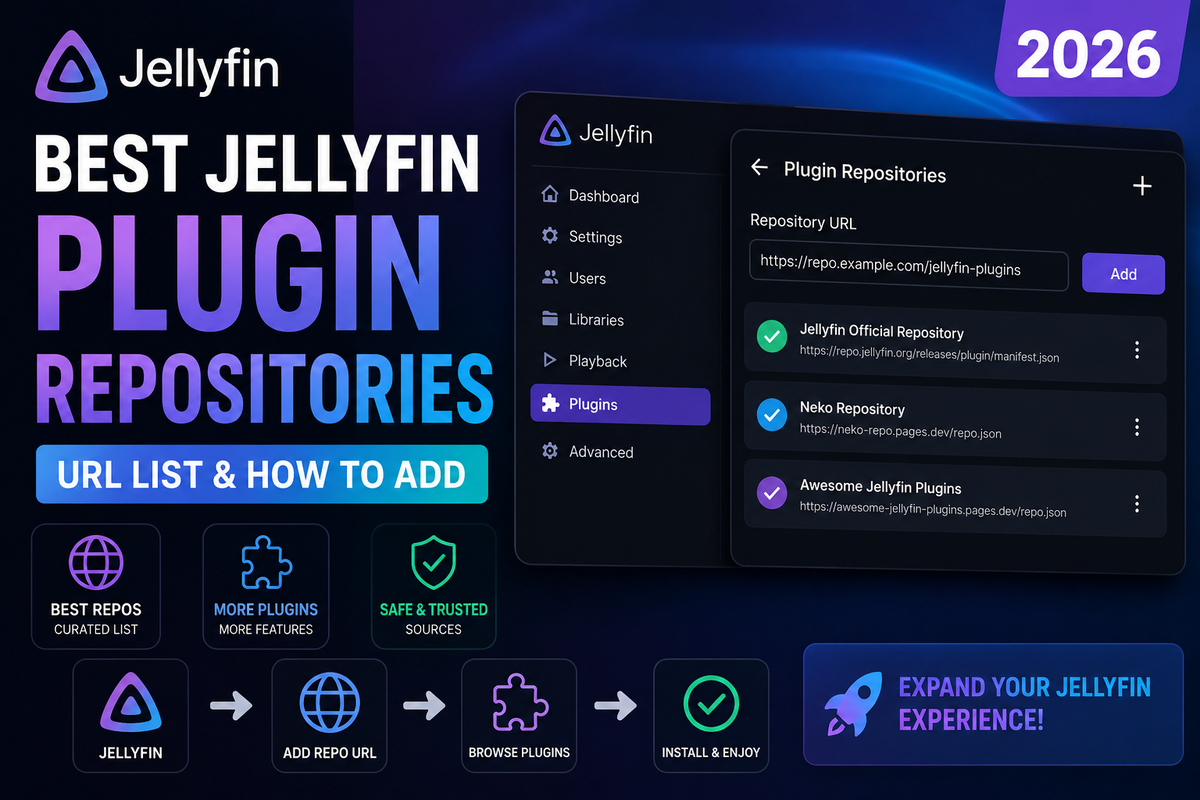
Best Jellyfin Plugin Repositories in 2026: The Complete URL List and How to Add Them Safely
Jellyfin's official catalog is good, but the best plugins live in third-party repositories you have to add yourself. The problem is finding the correct, current URLs, and knowing which repos are safe to trust. This guide is the list you have been searching for, plus the security context most posts skip.
You will get the manifest URLs, what each repository contains, how to add and manage them, and the safety considerations that actually matter when you are pasting a stranger's URL into your media server.
What a Jellyfin Repository Actually Is
A Jellyfin plugin repository is just a manifest URL - a JSON file hosted somewhere (usually GitHub) that lists plugins and where to download them. When you add a repository, its plugins appear in your Catalog alongside the official ones. Installing then pulls the plugin DLL from the location the manifest points to.
This is powerful and also the reason to be careful: a repository can serve any code it wants, and that code runs with full access to your Jellyfin server.
The one rule: only add repositories you can trace to a known project or maintainer. A manifest URL is code execution on your server. Treat it like one.
How to Add a Repository (Step by Step)
- Open Dashboard - Plugins - Repositories
- Click Add (the plus icon)
- Enter a name (anything you like, just for your reference)
- Paste the manifest URL in the Repository URL field
- Save
- Go to Dashboard - Plugins - Catalog - the new plugins now appear
- Install what you need, then restart Jellyfin
To remove a repository later, return to the Repositories page and delete it. Removing a repository does not uninstall plugins you already installed from it, but it does stop future updates from that source.
Version compatibility: A plugin only shows in the Catalog if the manifest lists a build compatible with your Jellyfin version. If you added a repo and see nothing new, your Jellyfin version is probably newer or older than anything the manifest offers.
The Official Repository (Already Built In)
You do not need to add this, but it is worth knowing the default:
https://repo.jellyfin.org/files/plugin/manifest.json
This is the catalog every Jellyfin install ships with. Everything below is in addition to it.
Trusted Third-Party Repositories
These are well-known repositories used widely across the Jellyfin community in 2026. Always cross-check a URL against the project's own GitHub page before adding it, because mirrors and forks change over time.
Intro Skipper
The most installed third-party plugin. Adds a Netflix-style Skip Intro button.
https://manifest.intro-skipper.org/manifest.json
Jellyfin Plugin Bay (community aggregator)
A large community-maintained collection that bundles many plugins into a single repository, so you add one URL and get access to dozens of plugins.
https://www.iamparadox.dev/jellyfin/repo/manifest.json
Aggregator repositories are convenient, but remember you are trusting whoever curates the bundle, not just the individual plugin authors. Convenient is not the same as safe.
Catppuccin / theme and skin repositories
Custom CSS themes and the Skin Manager ecosystem are often distributed through their own repositories. Check the specific theme's GitHub page for its current manifest URL, since these move frequently.
SSO / authentication plugins
Single sign-on plugins (OIDC, LDAP) typically ship their own manifest from the maintaining project's GitHub releases page. Always take the URL from the official release notes.
We deliberately do not hardcode every niche URL here, because dead and changed URLs are the number one frustration with repository lists. For anything beyond the staples above, get the manifest URL from the plugin's own GitHub releases page. That is always the current source of truth.
How to Find a Repository URL Yourself
When a plugin's documentation says "add our repository," here is how to find the real URL:
- Go to the plugin's GitHub repository
- Look in the README for a line containing
manifest.json - Or check the Releases page, where maintainers usually post the manifest URL
- The URL almost always ends in
manifest.json - Paste that into Jellyfin
If a project only gives you a .dll file and no manifest, you can side-load it by dropping the DLL into your Jellyfin plugins folder and restarting, but you lose automatic updates that way.
Safety: What You Are Actually Trusting
A plugin runs inside your Jellyfin server process. It can read your library, your configuration, and in some cases your credentials. This is not a reason to avoid plugins, it is a reason to be deliberate.
Before adding a repository, ask:
- Can I find the source code on GitHub?
- Is the project actively maintained (recent commits, releases)?
- Does the manifest URL belong to the same project, or a random mirror?
- Do other people in the community actually use it?
Reduce your risk:
- Add repositories one at a time so you know what introduced a change
- Back up your Jellyfin config before installing something new
- Keep plugins updated, since updates often include security fixes
- Remove repositories you no longer use
HTTPS only. Never add a repository served over plain HTTP. A plain-HTTP manifest can be tampered with in transit, which means someone could swap the plugin you wanted for something you did not.
When a Repository Stops Working
Repository URLs break. Projects move, get renamed, or shut down. If a repository suddenly shows no plugins or fails to load:
- Check the project's GitHub page for a new manifest URL
- Confirm the URL still returns JSON (open it in a browser)
- Confirm your Jellyfin version is still supported by that manifest
- Remove and re-add the repository with the current URL
The abandoned-fork problem is real. The classic example is Intro Skipper, where the original ConfusedPolarBear repository was replaced by the maintained intro-skipper organization. Using the old URL leaves you on a dead version.
Keeping Plugins Healthy
Plugins add background tasks, and some of them are heavy. Trickplay generation, intro detection, and metadata scanning can all spike CPU. After adding plugins from new repositories, it is worth watching how your server behaves.
JellyWatch lets you see CPU and active tasks in real time from your phone, so when you add a new plugin you can immediately tell whether it is quietly hammering your server in the background.
Bottom Line
The best Jellyfin plugins live outside the default catalog, and getting to them is just a matter of adding the right manifest URLs. Stick to repositories you can trace to a real, maintained project, add them over HTTPS one at a time, and always pull the URL from the project's own GitHub page rather than a random list. Do that and you unlock the full plugin ecosystem without handing your server to a stranger.
Server set up the way you want - now keep an eye on it from your phone. Download JellyWatch on Google Play - real-time CPU monitoring, session tracking, and server health for Jellyfin on Android.
On Emby? Download EmbyWatch on Google Play - the same monitoring experience for Emby servers.



Comments 1
Just go to https://www.reddit.com/r/JellyfinCommunity/ :)
Leave a comment