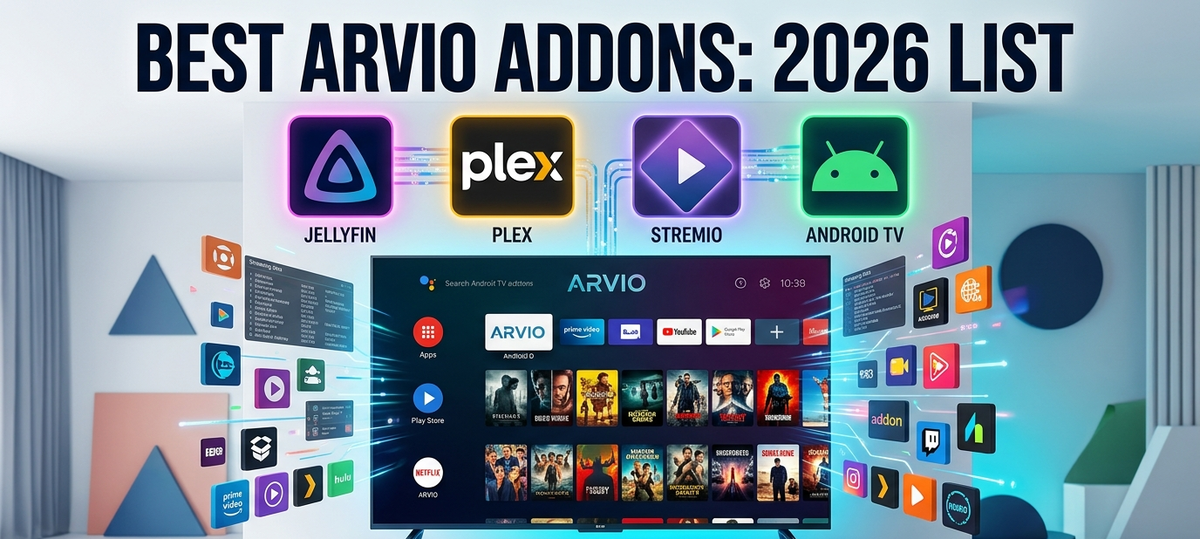
Best Arvio Addons in 2026: Complete List for Android TV
Arvio is an Android TV media hub that combines content from multiple sources into a single unified interface. Instead of switching between the Jellyfin app, Plex app, and Stremio app on your TV, Arvio presents everything in one leanback-friendly UI.
But Arvio's power comes from its addon system. Each addon connects a different service or adds functionality. This guide covers every addon worth installing in 2026.
How Arvio Addons Work
Arvio by itself is just a shell - a beautiful TV interface with no content. You add functionality through addons:
- Open Arvio on your Android TV
- Go to Settings - Addons
- Browse the addon catalog or enter a URL
- Install the addon
- Configure with your account/server details
- Content appears on your Arvio home screen
Addons can provide: media libraries, streaming catalogs, live TV, tracking services, or utility features.
Media Server Addons (Connect Your Libraries)
Jellyfin Addon
Connect your self-hosted Jellyfin server. Your entire library appears in Arvio with proper metadata, posters, and watch progress sync.
- Setup: Enter your Jellyfin server URL + credentials
- Features: Full library browsing, continue watching, next up, search
- Watch sync: Bidirectional (watch in Arvio, progress syncs to Jellyfin)
- Playback: Uses Arvio's built-in player or can launch external players
Plex Addon
Same concept for Plex servers. Sign in with your Plex account and access your libraries alongside Jellyfin content.
- Setup: Plex account sign-in (OAuth)
- Features: Library browsing, on-deck, watchlist
- Watch sync: Bidirectional
Emby Addon
Emby server integration with similar functionality to the Jellyfin addon.
- Setup: Server URL + API key or credentials
- Features: Full library access, resume playback
Streaming Addons (Online Content)
Stremio Addon
Brings Stremio's entire addon ecosystem into Arvio. Configure your Stremio addons once, and their catalogs appear in the Arvio interface.
- Setup: Configure Stremio addon URLs
- Features: Browse catalogs, search, stream directly
- Best for: Discovery, casual viewing, content not in your local library
IPTV Addon
Live TV via M3U playlists directly in Arvio.
- Setup: M3U playlist URL + optional XMLTV EPG
- Features: Channel list, EPG guide, channel logos
- Best for: Live news, sports, background TV
Tracking & Social Addons
Trakt Addon
Sync your watch history with Trakt. Also provides Trakt lists (trending, popular, recommendations) as browsable catalogs in Arvio.
- Setup: Trakt account OAuth
- Features: Watch history sync, Trakt lists as catalogs, recommendations
- Best for: Cross-platform watch tracking, discovery via community lists
Simkl Addon
Anime-focused tracking service. If you track anime separately from movies/TV, Simkl integrates cleanly.
- Setup: Simkl account OAuth
- Features: Anime progress tracking, plan-to-watch lists
Metadata & Utility Addons
OpenSubtitles Addon
Automatic subtitle search and download during playback.
- Setup: OpenSubtitles account (free)
- Features: Auto-search subtitles by file hash, manual search by name
Fanart.tv Addon
Enhanced artwork: HD clearlogos, landscape art, and disc art for your libraries.
- Setup: Fanart.tv personal API key (free)
- Features: Replaces default posters with high-quality fan art
TMDB Addon
The Movie Database integration for enhanced metadata and trending content catalogs.
- Setup: TMDB API key (free)
- Features: Trending lists, enhanced descriptions, cast info
Top 10 Must-Have Arvio Addons (Ranked)
| Rank | Addon | Why |
|---|---|---|
| 1 | Jellyfin | Core functionality if you self-host |
| 2 | Trakt | Universal watch tracking and recommendations |
| 3 | Stremio | Discovery and content not in your library |
| 4 | IPTV | Live TV channels on your home screen |
| 5 | OpenSubtitles | Never hunt for subtitles manually |
| 6 | Plex | If you also run Plex (or use Plexamp) |
| 7 | Fanart.tv | Better artwork throughout the UI |
| 8 | TMDB | Trending catalogs and enhanced metadata |
| 9 | Simkl | Essential for anime watchers |
| 10 | Emby | If you run Emby alongside other servers |
Arvio vs Individual Apps: Is It Worth It?
| Approach | Pros | Cons |
|---|---|---|
| Arvio with addons | Unified home screen, one remote, consistent UI, combined search | Some features simplified vs native apps |
| Individual apps (Jellyfin + Plex + Stremio) | Full feature set per app | App switching, different UIs, harder to navigate |
Arvio shines on Android TV devices where switching between apps is slow (Fire TV Stick, budget boxes). On powerful devices (Shield, Google TV Streamer), the app-switching overhead is less noticeable.
Installation and Setup
Install Arvio
- On your Android TV: Google Play Store - search "Arvio"
- Install
- Open and complete the initial setup wizard
Recommended First-Time Setup Order
- Install Jellyfin/Plex addon (your primary library)
- Install Trakt addon (tracking)
- Customize home screen sections (reorder to your preference)
- Add IPTV if you have M3U sources
- Add Stremio for discovery
Troubleshooting
| Problem | Solution |
|---|---|
| Jellyfin addon cannot connect | Check server URL includes port, verify API key or credentials |
| Watch progress not syncing | Ensure bidirectional sync is enabled in addon settings |
| Stremio addons not loading | Verify addon URLs are correct and accessible from your TV's network |
| IPTV channels buffering | Check your internet speed; try a different M3U source |
| Arvio crashing on Fire TV Stick | Clear cache, reduce number of home screen sections |
| Addon not appearing | Restart Arvio after installing a new addon |
FAQ
Is Arvio free? Arvio has a free tier with limited addons and a premium tier that unlocks all addons and features.
Does Arvio replace the Jellyfin app on my TV? It can, but you can keep both installed. Some users prefer the native Jellyfin app for playback and Arvio for browsing/discovery.
Does watching through Arvio affect my Jellyfin watch history? Yes. The Jellyfin addon communicates directly with your server, so all watch progress syncs normally.
Can I use Arvio on a phone or tablet? Arvio is designed for Android TV. On phones/tablets, you are better off using individual apps (Jellyfin, Stremio, etc.).
What Android TV devices work best with Arvio? Nvidia Shield and Google TV Streamer offer the best performance. Fire TV Stick 4K Max works well. Older or budget devices may feel slow with many addons loaded.
Manage the Jellyfin server that powers your Arvio experience. Download JellyWatch on Google Play - monitor streams, approve content requests, and manage your library from your phone.




Comments
No comments yet. Be the first to share your thoughts.
Leave a comment