The Awesome Jellyfin Plugin Ecosystem in 2026: Every Plugin Worth Installing
Jellyfin ships as a solid media server out of the box. But its real power comes from what the community has built on top of it. In 2026, there are dozens of plugins covering everything from anime metadata to sleep timers, from Discord rich presence to automated library cleanup.
This guide covers the full plugin ecosystem - what each plugin does, who it is for, and how to think about building your ideal Jellyfin setup.
How Jellyfin Plugins Work
Plugins are installed directly from the Jellyfin dashboard under Dashboard > Plugins > Catalog. If you want to skip the manual research, browse the full plugin directory on the JellyWatch Hub — every plugin in this article has a dedicated page with install instructions and live GitHub releases. Most official and community plugins are available through the built-in repository. Some require adding a custom repository URL.
| Label | Meaning |
|---|---|
| Official | Maintained by the Jellyfin project |
| Beta | Active development, may have rough edges |
| Stale | No recent commits, may not work on latest Jellyfin |
Always check compatibility with your Jellyfin version before installing.
UI and Interface Enhancements
These plugins reshape how Jellyfin looks and feels. You can also see all UI and theme plugins on the Hub for one-click access to install instructions.
Jellyfin-Enhanced
A Swiss Army knife for the Jellyfin web UI. Adds keyboard shortcuts, subtitle styling, TMDB reviews, Jellyseerr search and request integration, and a collection of other quality-of-life improvements - all without touching index.html.
- Hub page: Jellyfin-Enhanced on the JellyWatch Hub
Jellyfin-MonWUI-Plugin
A full UI enhancement toolkit: customizable sliders, hover trailers, a built-in music player, notification system, and additional interface modules.
jellyfin-editors-choice-plugin
Adds a Netflix-style full-width content slider to the Jellyfin home page. Curate featured content manually and display it prominently.
jellyfin-plugin-media-bar
A featured content bar for the home screen. Pairs well with the editors choice plugin for a polished, curated front page.
- Hub page: Media Bar Plugin on the JellyWatch Hub
jellyfin-plugin-home-sections
Lets users customize the Jellyfin home screen with dynamic sections like "Because You Watched" and "Latest Movies". Extensible by other plugins.
jellyfin-plugin-collection-sections
Adds collection and playlist sections to the home screen via the home-sections plugin.
jellyfin-plugin-custom-tabs
Add personalized tabs in the Jellyfin web UI for quick access to custom content.
- Hub page: Custom Tabs on the JellyWatch Hub
jellyfin-plugin-pages
Enables other plugins to create custom Jellyfin pages that match the native UI style.
- Hub page: Pages Plugin on the JellyWatch Hub
HoverTrailer
Displays movie trailers on hover in the library grid. Simple, effective, and popular.
- Hub page: HoverTrailer on the JellyWatch Hub
InPlayerEpisodePreview
Adds an episode list panel directly inside the video player. No more leaving playback to navigate episodes.
JellyfinTweaks
Override Jellyfin settings like "Enable Backdrops" and "Enable Theme Music" across all devices from a single admin toggle.
- Hub page: JellyfinTweaks on the JellyWatch Hub
KefinTweaks
A collection of additional enhancements and customizations for the Jellyfin interface.
- Hub page: KefinTweaks on the JellyWatch Hub
Jellyfin-JavaScript-Injector
Inject custom JavaScript into the Jellyfin UI without modifying index.html. Useful for advanced customizations that survive updates.
Static Assets
Upload and serve static assets (CSS, JavaScript, images) directly from Jellyfin. Enables persistent custom styling.
- Hub page: Static Assets on the JellyWatch Hub
Library and Collection Management
jellyfin-plugin-auto-collections
Automatically creates and maintains dynamic collections based on flexible criteria. Define rules once, let the plugin keep collections current as your library grows.
- Hub page: Auto Collections on the JellyWatch Hub
jellyfin-plugin-collection-import
Create and sort collections by importing from external sources like MDBList. Great for building curated lists from community-maintained databases.
- Hub page: Collection Import on the JellyWatch Hub
TheDwarfsHammer
Enhanced collection management and content discovery. Adds tools for organizing and browsing collections beyond what the default UI offers.
- Hub page: TheDwarfsHammer on the JellyWatch Hub
jellyfin-plugin-provider-stuff
Automates tagging library items with streaming provider tags and creates per-provider collections.
- Hub page: Provider Stuff on the JellyWatch Hub
jellyfin-plugin-localrecs
Generates personalized movie and TV recommendations based on local watch history - no external services required. Privacy-first recommendation engine.
jellynext
Creates per-user virtual libraries for personalized Trakt recommendations and new seasons. Each user gets a tailored "what to watch next" library.
- Hub page: JellyNext on the JellyWatch Hub
jellyfin-smartlists-plugin
Creates dynamic collections and playlists that automatically update based on customizable rules as the library changes.
- Hub page: Smartlists on the JellyWatch Hub
Plexyfin
Synchronizes artwork and collections from a Plex Media Server to Jellyfin. Particularly useful for users of Kometa.
- Hub page: Plexyfin on the JellyWatch Hub
jellyfin-local-posters
Automatically matches and imports local posters using TPDb and MediUX filename formats. Also supports syncing posters from Google Drive.
- Hub page: Local Posters on the JellyWatch Hub
Metadata Providers
Metadata providers extend Jellyfin's ability to fetch artwork, descriptions, ratings, and other information for your media. Browse all metadata plugins on the Hub to compare options side by side.
jellyfin-plugin-AnimeMultiSource
The most comprehensive anime metadata plugin available. Aggregates metadata, tags, artwork, and people from AniList, AniDB, MAL/Jikan, TVDB, and Fanart.tv - with rate limiting and persistent caching for large libraries.
- Hub page: AnimeMultiSource on the JellyWatch Hub
jellyfin-plugin-animethemes
Fetches anime opening and ending themes from AnimeThemes.moe, supporting both audio and video formats.
- Hub page: Anime Themes on the JellyWatch Hub
Shokofin
Integrates Jellyfin with Shoko Server for deep anime library management. If you use Shoko, this is the essential plugin.
- Hub page: Shokofin on the JellyWatch Hub
jellyfin-plugin-myanimelist
Provides MyAnimeList metadata for anime series.
jellyfin-plugin-hikka
Metadata and images for anime and manga from the Hikka website.
- Hub page: Hikka Metadata on the JellyWatch Hub
jellyfin-plugin-shikimori
Metadata provider for shikimori.one, a Russian-language anime and manga database.
- Hub page: Shikimori Metadata on the JellyWatch Hub
jellyfin-plugin-kinopoisk
Metadata provider for Kinopoisk, the largest Russian-language film database.
- Hub page: Kinopoisk Metadata on the JellyWatch Hub
jellyfin-plugin-itunes
Fetches album and artist metadata from Apple Music. Useful for music libraries where standard providers fall short.
jellyfin-youtube-metadata-plugin
Fetches metadata for YouTube content imported into Jellyfin.
- Hub page: YouTube Metadata on the JellyWatch Hub
jellyfin-icon-metadata
Adds metadata provider icons to Jellyfin item pages, making it easy to see where each piece of metadata came from.
- Hub page: Icon Metadata on the JellyWatch Hub
Jellyfin.Plugin.MDBList_Ratings
Retrieves ratings from MDBList using TMDb IDs and integrates them into Jellyfin's rating fields. Optional UI enhancements display ratings from multiple sources simultaneously.
- Hub page: MDBList Ratings on the JellyWatch Hub
Notifications and Integrations
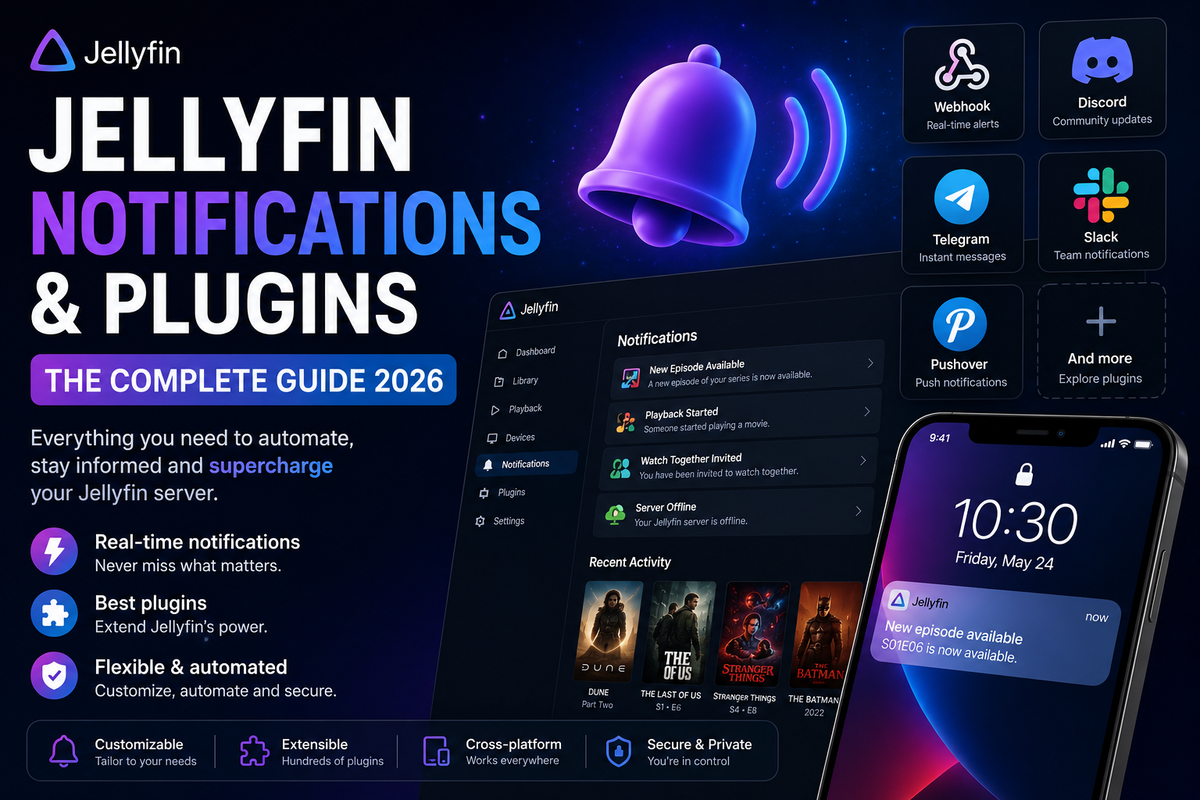
Notification plugins push server events to Discord, Telegram, email, and more. See every notification plugin on the Hub when you are ready to install.
jellyfin-plugin-DiscordNotifier
Send notifications of Jellyfin server events to a Discord channel. New media, user activity, server alerts - all piped to Discord.
- Hub page: Discord Notifier on the JellyWatch Hub
jellyfin-plugin-TelegramNotifier
Receive Jellyfin server event notifications via Telegram.
- Hub page: Telegram Notifier on the JellyWatch Hub
Jellyfin-Newsletter
Sends newsletters and notifications about library changes (additions, updates, deletions) via email, Discord, or Telegram.
jellyfin-rpc
Two separate implementations of Discord Rich Presence for Jellyfin. Both display your current Jellyfin activity directly on your Discord profile.
- by kennethsible: Jellyfin RPC (kennethsible) on the JellyWatch Hub
- by Radiicall: Jellyfin RPC (Radiicall) on the JellyWatch Hub
jellyfin-plugin-streamyfin
Companion plugin for the Streamyfin client. Enables centralized configuration of the Streamyfin app from the server side.
- Hub page: Streamyfin Plugin on the JellyWatch Hub
Playback and Search
intro-skipper
One of the most popular Jellyfin plugins. Fingerprints audio to automatically detect intro and outro segments, then adds skip buttons during playback. Works across your entire library without manual configuration.
- Hub page: Intro Skipper on the JellyWatch Hub
Gelato
Replaces Jellyfin's default search with Stremio-powered results and can automatically import entire catalogs into your library through scheduled tasks.
- Hub page: Gelato on the JellyWatch Hub
jellyfin-plugin-meilisearch
Offloads Jellyfin search queries to a Meilisearch instance for significantly faster and more accurate results on large libraries.
- Hub page: Meilisearch Plugin on the JellyWatch Hub
jellyfin-plugin-cinemamode
Enables Jellyfin's Cinema Mode with local trailers and pre-rolls. Play trailers before your main feature for a proper cinema experience.
- Hub page: Cinema Mode on the JellyWatch Hub
Anime and Tracking
jellyfin-ani-sync
Automatically tracks and synchronizes anime watching progress between Jellyfin and AniList, MyAnimeList, and other services.
- Hub page: Ani-Sync on the JellyWatch Hub
MyAnimeSync
Automatically synchronizes anime watching progress between Jellyfin and MyAnimeList.
- Hub page: MyAnimeSync on the JellyWatch Hub
jellyfin-plugin-onepace
Plugin for the One Pace project - the fan-edited version of One Piece that removes filler. Handles the non-standard episode structure correctly.
- Hub page: One Pace Plugin on the JellyWatch Hub
Scrobbling and External Sync
jellyfin-plugin-listenbrainz
Automatically syncs your music listening activity with ListenBrainz, the open-source alternative to Last.fm.
- Hub page: ListenBrainz Sync on the JellyWatch Hub
jellyfin-plugin-letterboxd-sync
Automatically syncs your watched movie history with Letterboxd.
- Hub page: Letterboxd Sync on the JellyWatch Hub
Jellyfin.Plugin.JF_To_Stash_Sync
Synchronizes viewing activity with Stash, the self-hosted content manager.
- Hub page: JF to Stash Sync on the JellyWatch Hub
Authentication and Access Control
jellyfin-plugin-ldapauth (Official)
Allows using LDAP as an authentication provider. Essential for organizations or home labs with centralized user management.
jellyfin-plugin-sso (Beta)
Allows users to sign in through an SSO provider (OAuth2/OIDC). Supports Google, Authelia, Authentik, and others.
- Hub page: SSO Plugin on the JellyWatch Hub
TeleJelly
Allows users to sign in through the Telegram Login Widget.
- Hub page: TeleJelly on the JellyWatch Hub
Jellyfin.Plugin.StreamLimit
Limits the number of simultaneous streams per user. Essential for shared servers where you need to control bandwidth usage.
- Hub page: Stream Limit on the JellyWatch Hub
Library Maintenance and Cleanup
jellyfin-plugin-media-cleaner
Automatically removes played media after a specified time period. Useful for keeping storage under control on servers with limited space.
- Hub page: Media Cleaner on the JellyWatch Hub
jellyfin-plugin-discontinue-watching
Lets you remove items from the Continue Watching list without resetting watch progress. Also supports auto-hiding items after inactivity.
jellyfin-plugin-jellysleep
Adds sleep timer functionality to Jellyfin. Set a timer and playback stops automatically.
- Hub page: JellySleep on the JellyWatch Hub
jellyfin-transcode-nag
Nags users when they are transcoding due to unsupported formats or codecs. Helps educate users about direct play and reduces server load.
- Hub page: Transcode Nag on the JellyWatch Hub
jellyfin-plugin-air-times
Provides localized series air times based on server location.
- Hub page: Air Times on the JellyWatch Hub
jellyfin-musictags-plugin
Automatically extracts audio file metadata and converts it into standard Jellyfin tags.
- Hub page: Music Tags on the JellyWatch Hub
jellyfin-plugin-languageTags
Adds language tags to media based on audio tracks using FFmpeg.
- Hub page: Language Tags on the JellyWatch Hub
JellySTRMprobe
Probes STRM files to extract media information (codec, resolution, duration, audio) that Jellyfin skips during library scans.
- Hub page: JellySTRMprobe on the JellyWatch Hub
Jellyfin-Xtream-Library
Syncs Xtream VOD and Series content to native Jellyfin libraries via STRM files, with automatic metadata lookup and Live TV support.
Miscellaneous and Niche Plugins
Jellyfin-Roulette
Adds a roulette feature that plays a random entry from a playlist. Great for when you cannot decide what to watch.
- Hub page: Jellyfin Roulette on the JellyWatch Hub
Jellyfin-Seasonals
A plugin with collections of seasonal themes and animations. Adds holiday flair to your Jellyfin home screen.
- Hub page: Jellyfin Seasonals on the JellyWatch Hub
jellyfin-plugin-GetAvatar
Allows users to choose an avatar from a collection of images.
- Hub page: GetAvatar on the JellyWatch Hub
jellyfin-plugin-MediathekViewDL
Integrates MediathekViewDL into Jellyfin, allowing users to search, download, and manage content from German public broadcasters.
- Hub page: MediathekViewDL on the JellyWatch Hub
media-upload-plugin
A media manager that provides uploads, bulk downloads from URLs, and directory browsing within Jellyfin.
playlist-generator
Create personal playlists based on your listening history.
- Hub page: Playlist Generator on the JellyWatch Hub
jellyfin-powertoys
A collection of plugins to enhance Jellyfin with additional features and tools.
- Hub page: Jellyfin Powertoys on the JellyWatch Hub
jellyfin-plugin-ratings
Adds user ratings, card overlays, media requests, deletion workflows, chat, and new media notifications to Jellyfin.
- Hub page: Ratings Plugin on the JellyWatch Hub
Universal Plugin Repo
Consolidates many plugin repositories into a universal catalogue. Add one repository URL and get access to dozens of community plugins.
Building Your Plugin Stack
Not every plugin is for everyone. Here is how to think about it. If you prefer a data-driven shortcut, the most popular plugins ranked by community votes on the JellyWatch Hub are an excellent starting point — that list is curated by the same admins who use them in production.
Essential for Most Servers
| Plugin | Why |
|---|---|
| intro-skipper | Automatic intro/outro detection, universally useful |
| jellyfin-plugin-sso | Single sign-on for multi-user setups |
| Jellyfin.Plugin.StreamLimit | Control concurrent streams on shared servers |
| jellyfin-plugin-DiscordNotifier | Stay informed about server activity |
For Anime Libraries
| Plugin | Why |
|---|---|
| jellyfin-plugin-AnimeMultiSource | Best multi-source anime metadata |
| jellyfin-ani-sync | Keep AniList/MAL in sync automatically |
| Shokofin | Deep Shoko Server integration |
| jellyfin-plugin-animethemes | Opening and ending themes |
For Music Libraries
| Plugin | Why |
|---|---|
| jellyfin-musictags-plugin | Better tag extraction |
| jellyfin-plugin-listenbrainz | Scrobble to ListenBrainz |
| jellyfin-plugin-itunes | Apple Music metadata |
For Shared/Multi-User Servers
| Plugin | Why |
|---|---|
| jellyfin-plugin-ldapauth | Centralized authentication |
| Jellyfin.Plugin.StreamLimit | Limit concurrent streams |
| jellyfin-plugin-discontinue-watching | Clean up Continue Watching |
| jellyfin-transcode-nag | Educate users about direct play |
The Admin Layer: JellyWatch
Plugins extend what Jellyfin can do. But managing a Jellyfin server - watching active streams, diagnosing transcoding issues, monitoring CPU and storage - requires a dedicated tool.
JellyWatch is the Android admin companion for Jellyfin:
- Real-time session monitoring - see every active stream
- Transcoding diagnostics - know exactly why a stream is buffering
- Server health: CPU, RAM, GPU, storage
- Push notifications for new sessions and CPU spikes
- Radarr, Sonarr, and Jellyseerr integration
- Watch history and viewing statistics
- Android home screen widget
- Watch Pass: share premium access with your users
While your plugins handle the automation, you keep the server running smoothly from your pocket.
FAQ: Jellyfin Plugins
How do I install Jellyfin plugins? Go to Dashboard > Plugins > Catalog in the Jellyfin admin interface. For plugins not in the default catalog, add the custom repository URL under Repositories.
Are Jellyfin plugins safe to install? Most community plugins are open source - you can review the code. Stick to plugins with active repositories and recent commits. Avoid plugins marked Stale on critical functionality.
Will plugins break when Jellyfin updates? Sometimes. Plugins targeting a specific Jellyfin API version may stop working after a major update. Check the plugin's GitHub issues before updating Jellyfin on a production server.
What is the most popular Jellyfin plugin? intro-skipper is consistently the most widely used plugin. Automatic intro and outro detection is useful for virtually every library.
Can I run multiple metadata providers? Yes. Jellyfin lets you configure priority order for metadata providers. You can stack multiple providers and Jellyfin will fall back down the list if the primary source lacks data.
Is there a plugin for requesting media? Not directly - media requests are handled by Jellyseerr (a separate service). However, several plugins like jellyfin-plugin-ratings and Jellyfin-Enhanced add Jellyseerr integration to the Jellyfin UI.
Final Thoughts
The Jellyfin plugin ecosystem is one of the most active corners of the self-hosting community. From a single intro-skipper install to a fully customized multi-user server with SSO, Discord notifications, and automated collection management - the building blocks are all here.
Start with the essentials. Add plugins as you identify specific needs. And keep an eye on the community - new plugins appear regularly.
Your server, your rules.
Stay current: new plugins land in this ecosystem every month. Bookmark the newest plugins added in the last 30 days on the JellyWatch Hub to keep an eye on what is fresh — or browse the community-curated awesome list for the highest-engagement picks.
⚠ The Hidden Risk of Jellyfin Plugins
Most admins discover issues only after users complain.
Common problems:
- CPU spikes during intro scans
- Excessive RAM usage
- Background task stacking
- Docker auto-restarts
- Slow browsing performance
Plugins are powerful - but without monitoring, they are blind spots.
Professional plugins deserve professional monitoring. Download JellyWatch on Google Play - track CPU spikes, active sessions, and plugin impact on your Jellyfin server in real time.
JellyWatch helps you:
- Detect CPU spikes in real time
- Track plugin-related load
- Monitor active streams
- Identify background scan overload
- Prevent downtime before users notice
Strategic Plugin Installation Framework
- Install one plugin at a time
- Restart Jellyfin
- Monitor CPU and RAM for 24 hours
- Only then install the next plugin
Professional admins never install 10 plugins at once.
Comparison of Plugin Categories
| Category | Must-Have | Risk Level | Monitoring Needed |
|---|---|---|---|
| Automation | Intro Skipper | High | Yes |
| UI/UX | Jellyscrub | Medium | Recommended |
| Metadata | TMDB Box Sets | Low | Optional |
| Analytics | Playback Reporting | Medium | Yes |
| Artwork | Fanart.tv | Low | No |
FAQ - Jellyfin Plugins & Performance (2026)
1. Do Jellyfin plugins slow down the server? Yes, especially during initial scans or metadata refresh cycles.
2. Can Intro Skipper cause high CPU usage? Yes, fingerprint analysis can temporarily spike CPU to 80-100%.
3. Why does Jellyfin become slow after installing plugins? Background tasks may stack and overload system resources.
4. How many plugins are too many? Depends on hardware, but installing 10+ without monitoring is risky.
5. Do plugins increase RAM usage? Yes, especially reporting and analytics plugins.
6. Can plugins cause Docker restarts? Yes, under heavy load or memory pressure.
7. Is Jellyfin stable with many plugins? Yes, if properly monitored.
8. How do I know which plugin causes issues? By tracking CPU, RAM, and background tasks in real time.
9. Should I disable unused plugins? Yes, unused plugins still consume resources.
10. Does OpenSubtitles affect performance? Minimal, unless scanning very large libraries.
11. Can plugins corrupt metadata? Rarely, but misconfigured repositories increase risk.
12. What is the safest way to test new plugins? Install one at a time and monitor for 24 hours.
13. Why does intro detection take hours? It scans every episode to detect audio fingerprints.
14. Is monitoring necessary for home users? If you have multiple users or 4K streams, yes.
15. What is the best way to prevent Jellyfin crashes? Proactive monitoring and staged plugin installation.
Managing a Jellyfin server with all these plugins? Keep it under control. Download JellyWatch on Google Play - real-time session monitoring, transcoding diagnostics, and server health for Jellyfin admins on Android.
On Emby? Download EmbyWatch on Google Play - the same complete monitoring experience for Emby servers.


Comments 5
The Universal Plugin Repo is a game changer. One repository URL and access to dozens of community plugins. So convenient.
AnimeMultiSource plugin finally solved my anime metadata nightmare. AniList + AniDB + TVDB all in one. Perfect.
DiscordNotifier sends beautiful rich embeds with poster art when new content is added. My Discord server loves it.
My essential stack: Intro Skipper + Playback Reporting + Trakt + Skin Manager + TMDB Box Sets. Five plugins, zero issues, Netflix-level experience on a $130 mini PC.
The StreamLimit plugin saved my server. Had one user running 4 simultaneous streams from different devices. Now capped at 2 per user and everyone is happy.
Leave a comment