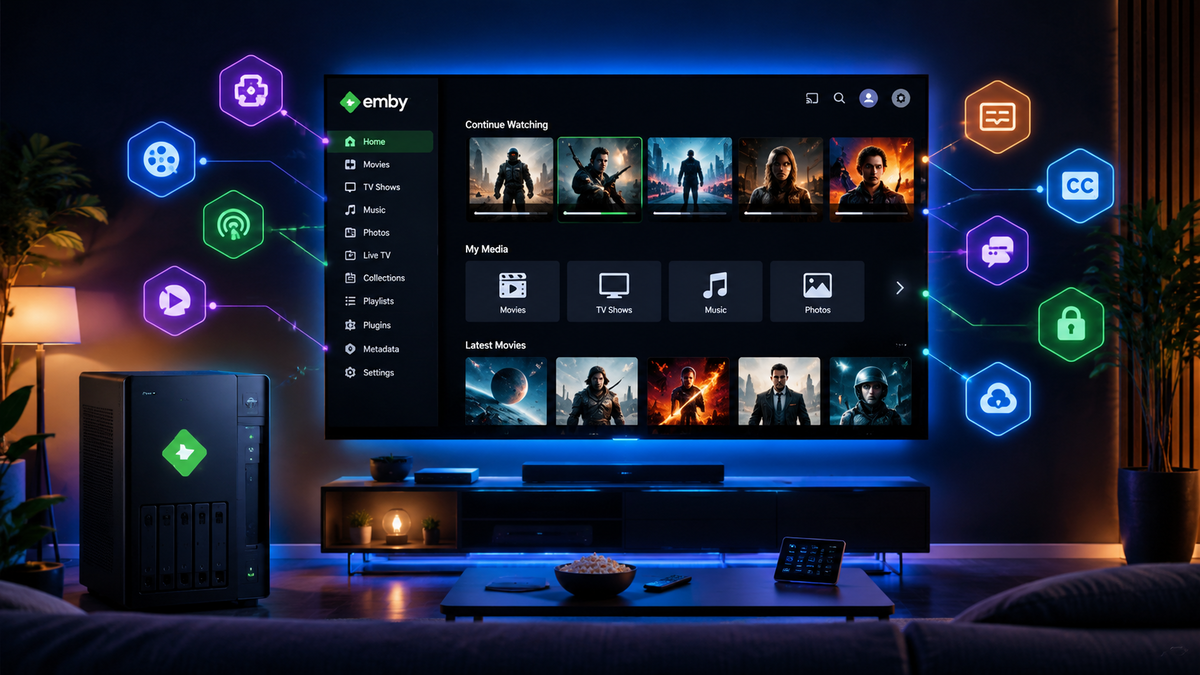
The Awesome Emby Plugin Ecosystem in 2026: Every Plugin, Client, and Integration Worth Knowing
Emby is often dismissed as "the paid Jellyfin" by the self-hosting community. That framing misses the point. Emby is a commercially supported media server with a dedicated development team, a polished client ecosystem spanning every major platform, and a plugin catalog that has grown significantly in 2025-2026.
This guide covers the full Emby ecosystem: official plugins, community plugins, supported clients, notification integrations, and the tools that transform a basic Emby installation into a professional-grade streaming platform. Every Emby plugin below that is indexed on the JellyWatch Hub links to a dedicated page with install instructions and live GitHub releases — browse all Emby plugins on the Hub to compare options side by side.
How Emby Plugins Work
Plugins are installed directly from the Emby dashboard under Dashboard > Plugins > Catalog. The catalog is curated by the Emby team, with both official and community-contributed plugins available.
| Category | Description |
|---|---|
| Channels | Internet channels for streaming audio or video |
| Content Providers | Adds new media types (books, games) or related content |
| Live TV | Provides access to live TV channels and tuners |
| Metadata | Adds new metadata scrapers or filters |
| Notifications | Adds notification targets (Discord, Telegram, email) |
| Social Integration | Access to social networking features |
To install: Dashboard > Plugins > Catalog > click a plugin > Install > Restart Emby Server.
Official and Popular Plugins
Metadata and Library Management
Auto Box Sets (Now Built-In)
Previously a standalone plugin, Auto Box Sets functionality has been merged directly into Emby Server. It automatically creates movie collections based on TMDB collection data.
How to enable: Dashboard > Libraries > [Library] > enable "Import Collections from internet metadata providers."
The old plugin can be safely uninstalled if still present.
Cover Art
Hub page: Cover Art on the JellyWatch Hub
Enhances your media images with format-specific cases, automatic overlays for resolution, audio format, 3D, and subtitle indicators. Creates automatic multi-image treatments for box sets and collections.
- Resolution badges (4K, 1080p, 720p)
- Audio format indicators (Atmos, DTS:X, TrueHD)
- 3D content markers
- Subtitle availability indicators
- Custom collection artwork generation
EmbyIcons (Community - by yocksers)
A more advanced alternative to Cover Art. EmbyIcons overlays informational icons directly onto media posters in Emby: audio/subtitle languages, codecs, resolution, HDR/Dolby Vision, ratings (IMDb, Rotten Tomatoes via MDBList), custom tags, and more.
Advantages over Cover Art:
- Multi-profile system: create distinct profiles and assign them to different libraries
- Smart series and collection aggregation (shows icons only when all episodes share the same property)
- Icon Manager to identify missing, unused, and found icons in your collection
- Series Troubleshooter to find episodes with inconsistent properties causing missing icons
- Live Preview: see layout changes in real-time before saving
- Profile Import/Export for backup and sharing configurations
- MDBList integration for Rotten Tomatoes audience scores (free API key)
- Flexible layout control: position icons in any corner with custom priority ordering and horizontal/vertical stacking
Installation: Place EmbyIcons.dll in your Emby Server's /plugins directory, restart, and configure via Dashboard → Plugins → EmbyIcons.
Hub page: EmbyIcons on the JellyWatch Hub
GameBrowser
Hub page: GameBrowser on the JellyWatch Hub
Adds game support to Emby. Fetches game art and metadata automatically, organizes your ROM collection with proper artwork, and can launch games using supported Emby clients.
Supports multiple platforms including NES, SNES, PlayStation, N64, and more.
Bookshelf
Hub page: Bookshelf on the JellyWatch Hub
Adds book and comic support to your Emby library. Supports EPUB, PDF, and CBZ/CBR formats with metadata fetching from online sources.
Playback Enhancement Plugins
EmbyCredits (Community - by yocker)
The Emby equivalent of Jellyfin Intro Skipper for end credits. EmbyCredits detects end credits in TV episodes and adds markers that Emby uses to enable automatic credit skipping.
Detection methods:
- Chroma fingerprinting - compares episodes to find repeated credit sequences
- OCR via Tesseract - extracts images from the video, sends them to a Tesseract Docker container for text recognition, identifies credit text patterns
Hub page: EmbyCredits on the JellyWatch Hub
Requirements: Emby Server 4.9+, optionally a Tesseract Docker container for OCR-based detection.
This plugin fills a gap that Emby users have requested for years. Combined with Emby native intro skip support (which uses chapter markers or segment data), you get a Netflix-like skip experience for both intros and credits.
Segment Reporting (Community)
Hub page: Segment Reporting on the JellyWatch Hub
A companion plugin for EmbyCredits that provides a dashboard view of your intro and credit marker coverage across your library.
Features:
- Dashboard showing which episodes have markers and which do not
- Filter by show for missing credits or intros
- Trigger EmbyCredits detection from the dashboard
- Bulk set markers for shows with no end credits
- Manual marker editing
This is the management layer that makes EmbyCredits practical for large libraries. Without it, you have no visibility into which episodes are covered.
Watch Party (Community)
Hub page: Watch Party on the JellyWatch Hub
Enables synchronized group watching directly within Emby. Choose a movie, invite users, and everyone watches in sync.
How it works:
- Admin creates a Watch Party and selects a movie
- Plugin creates a STRM file in a designated library
- Users who start that file are synced together
- Configurable sync behavior (strict or relaxed)
- External webpage available for users to create parties without admin access
Recommendation: Create a separate library specifically for Watch Party STRM files to avoid cluttering your main libraries.
Home Screen and UI Plugins
Home Screen Companion (Community - by soderlund)
Hub page: Home Screen Companion on the JellyWatch Hub
One of the most actively developed Emby community plugins in 2026. Automatically manages tags and collections for your movies and TV shows, and keeps home screen sections synchronized across multiple users.
Features:
- Automatic tag management based on configurable rules
- Collection creation and maintenance
- Home screen section synchronization across all users
- Scheduled task-based automation
- Manual sorting with drag-and-drop
- Filter options (show only collections, scheduled items, etc.)
- Improved collection handling with poster, description, and metadata management
Previously known as: AutoTag
This plugin solves a common Emby frustration: keeping the home screen curated and consistent for all users without manual intervention.
Streaming and Content Plugins
WebStreams (Official - Premiere Required)
Hub page: WebStreams on the JellyWatch Hub
A newer official plugin (requires Emby Server 4.9+) that allows importing both single streams and M3U lists directly into Emby Server.
Features:
- Import single streams or full M3U playlists
- TV episodes within M3U displayed with Series and Season hierarchies
- Rich metadata support using TMDB and TVDB
- Potential future RSS and podcast support
Use cases:
- IPTV integration beyond the standard Live TV system
- Web-based content libraries
- Podcast feeds (planned)
Podcasts
Hub page: Podcasts on the JellyWatch Hub
Adds podcast support to Emby. Subscribe to RSS feeds and listen to episodes directly through Emby clients.
IPTV / Xtream Codes Plugins
For users with Xtream-compatible IPTV services, two community plugins bring full integration directly into Emby — Live TV, VOD, series, and EPG without external tools.
Xtream Tuner (Community - by firestaerter3)
A comprehensive Emby plugin that turns any Xtream-compatible IPTV service into a full Live TV, Movies, and Series library with EPG, TMDB/TVDb metadata matching, and a built-in dashboard.
Live TV & EPG:
- Full Live TV integration with Emby's native TV guide
- M3U playlist generation with channel metadata, logos, and EPG channel IDs
- XMLTV electronic program guide with configurable fetch window (1-14 days)
- Category-based filtering and adult content toggle
- Stream format selection: MPEG-TS or HLS (M3U8)
VOD Movie Library:
- STRM file generation — one file per movie, Emby handles metadata and artwork
- Folder organization modes: single folder, multiple folders by category, or custom mapping
- TMDB metadata matching with fallback lookup via Emby's providers
TV Series Library:
- Full season/episode STRM structure (Show Name/Season 01/S01E01.strm)
- TVDb / TMDB ID folder naming for reliable metadata matching
- Manual ID overrides for shows that don't auto-match
Smart Sync Engine:
- Skips writing STRM files that already exist on disk
- Configurable parallelism (1-10 concurrent operations)
- Orphan cleanup and cross-listing deduplication
- Content name cleaning (strips provider prefix tags)
- Real-time progress with phase/total/completed/skipped/failed counters
Dispatcharr Integration (optional):
- Stream proxy routing for connection management
- Pre-populated media info from Dispatcharr's stream stats
- FFprobe bypass for faster channel switching
Hub page: Xtream Tuner for Emby on the JellyWatch Hub
XC2EMBY (Community - by sftech13)
Another Xtream Codes plugin for Emby, focused on performance and stability. Connects directly to any Xtream-compatible IPTV provider and manages Live TV, VOD movies, documentaries, TV shows, and docu-series from a single configuration page.
Live TV:
- Registers as a native Emby tuner host — channels appear in Live TV like any other tuner
- Supports MPEG-TS and HLS stream output formats
- Optional direct play — clients connect straight to the Xtream URL, bypassing Emby's transcoder
- Category filtering with optional adult content exclusion
Guide Data (EPG):
- Registered as a native Emby IListingsProvider
- Three guide modes: Xtream server XMLTV, custom XMLTV URL, or disabled
- Full XMLTV field passthrough: sub-title, categories, production year, content rating, icons, season/episode numbers
Codec Detection & OSD Display:
- Background ffprobe on first tune to detect video codec, resolution, and audio codec
- Results cached per stream (persisted across restarts, 30-day TTL)
- On subsequent tunes, codec and resolution appear in the player OSD immediately
Additional features:
- VOD movie and series sync with NFO metadata files
- Orphan cleanup for removed content
- Responsive mobile-friendly configuration interface
- Admin API endpoints secured with role-based authentication
- Auto-sync scheduling
Hub page: XC2EMBY on the JellyWatch Hub
Subtitle Plugins
Emby supports multiple subtitle providers through its plugin system:
| Plugin | Best for | Notes |
|---|---|---|
| OpenSubtitles | General use | Requires opensubtitles.com account (v2 API) |
| Addic7ed | TV shows | High-quality community subtitles |
| Podnapisi | European languages | Good coverage for non-English content |
| SubDb | Hash-based matching | Accurate but smaller database |
| NapiSub | Polish content | Specialized provider |
Important: OpenSubtitles migrated to opensubtitles.com (v2 API). You must create an account on the new platform and configure it in Emby settings. The old .org API no longer works.
Social and Tracking Plugins
Trakt
Synchronizes watch history between Emby and Trakt. Supports scrobbling (automatic tracking as you watch), history sync, and collection sync.
Features:
- Automatic scrobbling during playback
- Full history sync (Emby to Trakt and Trakt to Emby)
- Collection sync
- Per-user configuration
Hub page: Emby Trakt Plugin on the JellyWatch Hub
Known issue (2026): Some users report connection issues after Trakt API changes. Check the Emby community forums for the latest workarounds.
Trakt List to Collections (Community)
Hub page: Trakt List to Collections on the JellyWatch Hub
Automatically syncs your Trakt lists directly into Emby collections.
Features:
- Automatic collection creation from Trakt lists
- Scheduled syncing via a unified task
- User-friendly configuration within Emby
- Supports multiple Trakt lists simultaneously
This is particularly useful for maintaining curated collections (IMDb Top 250, Letterboxd lists, custom watchlists) without manual management.
Last.fm Scrobbler
Hub page: Last.fm Scrobbler on the JellyWatch Hub
Scrobbles your music listening activity to Last.fm. Tracks artist, album, and song plays automatically during Emby music playback.
Notification Plugins
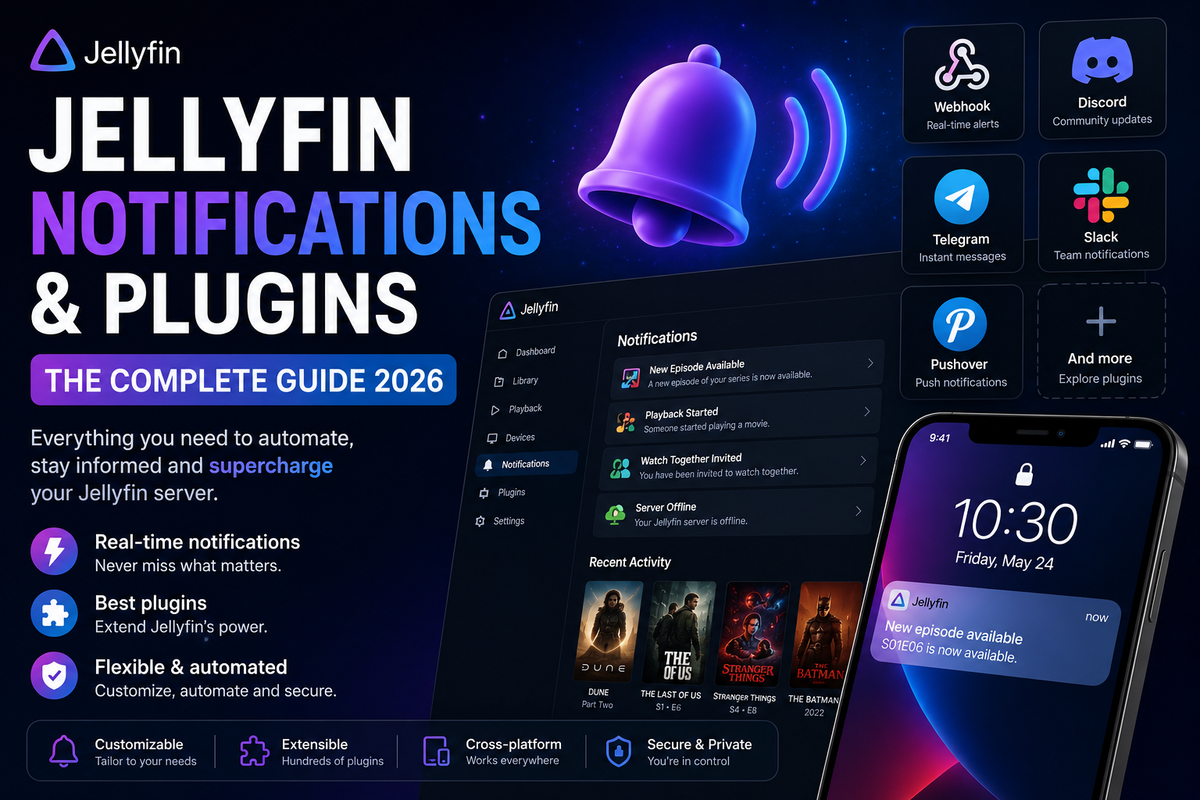
Emby supports extensive notification configuration through both built-in and plugin-based targets.
Built-In Notification Targets
- Email (SMTP)
- Push notifications (Emby mobile apps)
Plugin Notification Targets
| Target | Plugin | Notes |
|---|---|---|
| Discord | Webhook-based | Send events to Discord channels |
| Telegram | Bot-based | Requires Telegram bot token |
| Slack | Webhook-based | Enterprise messaging |
| Pushover | API-based | Mobile push notifications |
| Gotify | Self-hosted | Privacy-first push notifications |
Webhooks (Premiere Required)
Emby Premiere includes webhook support for custom integrations. Trigger external services when events occur:
- Playback started/stopped
- New media added
- User authenticated
- Library scan completed
- Server started/stopped
Use cases:
- Dim smart lights when a movie starts (Home Assistant)
- Send a tweet after finishing an episode
- Trigger a backup script after library changes
- Post to Discord when new content arrives
Live TV Plugins
Emby supports Live TV natively with Emby Premiere. The plugin catalog extends tuner support beyond the built-in options.
Built-In Tuner Support
- HDHomeRun (network tuners)
- M3U Tuner (IPTV playlists)
- SAT>IP
Plugin Tuners
Additional tuner plugins are available in the catalog for specialized hardware and IPTV providers. Check Dashboard > Plugins > Catalog > Live TV for the current list.
EPG Providers
- Schedules Direct - high-quality North American EPG ($25/year)
- XMLTV - import any XMLTV-format guide data
- Emby Guide Data - built-in guide for supported regions
Emby Client Ecosystem
Emby has one of the widest official client ecosystems of any media server. All clients are maintained by the Emby team (not community volunteers).
Mobile
| Platform | App | Premiere Required | Notes |
|---|---|---|---|
| Android | Emby for Android | Yes (full features) | Google Play |
| iOS | Emby for iOS | Yes (full features) | App Store |
TV and Streaming Devices
| Platform | App | Notes |
|---|---|---|
| Android TV | Emby for Android TV | Google Play, native D-pad |
| Amazon Fire TV | Emby for Fire TV | Amazon Appstore |
| Apple TV | Emby for Apple TV | tvOS App Store |
| Roku | Emby for Roku | Roku Channel Store |
| Samsung Tizen | Emby for Samsung | Samsung App Store (no sideload needed) |
| LG webOS | Emby for LG | LG Content Store |
| Xbox | Emby for Xbox | Microsoft Store |
| PlayStation | Web-based | Via PS browser |
| Chromecast | Cast support | From Android/iOS/Web |
Store availability on Samsung and LG
Emby has had official apps in the Samsung and LG app stores for years. Jellyfin has also reached both stores: the LG webOS app has been available since 2022, and the Samsung Tizen app rolled out officially in late 2025 — though the Tizen rollout is still limited to newer models (Tizen 6.0+). For older Samsung TVs, sideloading remains the only option for Jellyfin.
Desktop
| Platform | App | Notes |
|---|---|---|
| Windows | Emby Theater / Web | Microsoft Store or browser |
| macOS | Web interface | Browser-based |
| Linux | Web interface | Browser-based |
Kodi Integration
| Plugin | Description |
|---|---|
| Emby for Kodi (Next Gen) | Full library sync into Kodi database |
| EmbyCon | Lighter integration, stream directly |
The Emby for Kodi Next Gen plugin (version 11.x in 2026) provides deep integration with Kodi, syncing your entire library including watched status, metadata, and artwork.
Web Interface
The Emby web interface is accessible from any modern browser at http://your-server:8096. It supports:
- Full library browsing and playback
- Admin dashboard
- User management
- Plugin configuration
- Live TV guide
Emby Server 4.9 and 4.10 (2026)
Current Stable: 4.9.3
Released in January 2026, Emby Server 4.9.3 includes:
- Updated Intel drivers on Linux platforms
- User option to set auto remote quality
- Legacy folder scanning method option
- Music transcoding fixes
- Landing tab option for book libraries
- YouTube trailer player volume control
- Mixed content tabs combining Movies and Shows
- Maintenance mode improvements
- Embedded audio field rescanning fixes
Beta: 4.10
Emby 4.10 is currently in public beta with a native Linux build (Emby Linux). Key changes include:
- Native Linux runtime (no longer Mono-based)
- Performance improvements
- Updated media processing pipeline
Emby Premiere: What It Unlocks
Emby Premiere is required for many features that are free in Jellyfin. Here is the complete feature matrix:
Playback Features (Premiere Required)
- Hardware accelerated transcoding (Intel QSV, NVIDIA NVENC, AMD AMF)
- Offline media sync to mobile devices
- Cloud sync for backup and multi-resolution storage
- Cinema Mode (trailers before features)
Server Features (Premiere Required)
- Live TV and DVR
- Smart playlists
- Backup and restore
- Webhooks
- Cover Art plugin
- WebStreams plugin
Client Features (Premiere Required)
- Full mobile app functionality (Android/iOS)
- Offline downloads
- Premium themes
Pricing (2026)
| Plan | Price |
|---|---|
| Monthly | ~$4.99/month |
| Yearly | ~$54/year |
| Lifetime | ~$119 one-time |
The lifetime plan remains the best value for long-term self-hosters.
Integrations and Companion Tools
EmbyWatch (Android Admin App)
The dedicated Android monitoring companion for Emby servers:
- Real-time session monitoring
- Transcoding diagnostics
- CPU, RAM, and storage alerts
- Push notifications for new sessions and server events
- Radarr, Sonarr, and Seerr integration
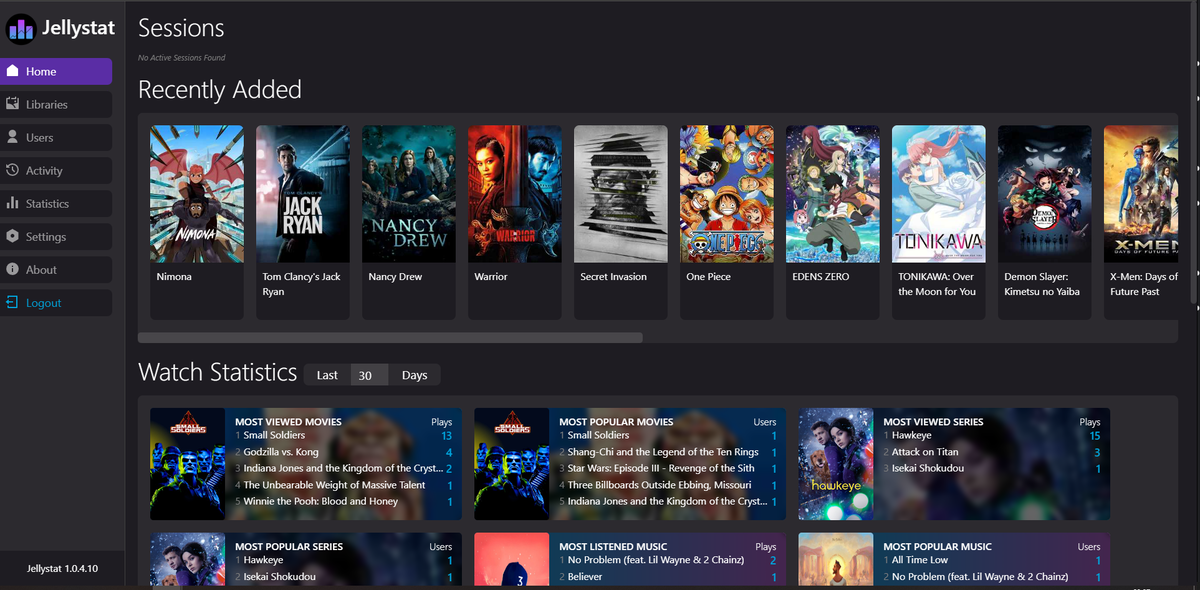
- Watch history and viewing statistics
- Android home screen widget
- Watch Pass for sharing access with users
Radarr and Sonarr
Both Radarr and Sonarr support Emby as a notification target:
- Settings > Connect > Add > Emby/Jellyfin
- Enter your Emby server URL and API key
- New content triggers automatic library scans
Seerr / Jellyseerr / Overseerr
Seerr (the unified successor) supports Emby as a media server backend. Users can request content that flows through Radarr/Sonarr and appears in your Emby library automatically.
Tdarr
Tdarr supports Emby library refresh notifications after transcoding files. Configure a webhook to trigger Emby library scans when Tdarr finishes processing.
Home Assistant
The Emby integration for Home Assistant creates media_player entities for active sessions. Automate your smart home based on Emby playback state:
- Dim lights when playback starts
- Pause on doorbell ring
- Display now-playing on dashboard
Building Your Emby Plugin Stack
Essential for Most Servers
| Plugin | Why |
|---|---|
| OpenSubtitles | Automatic subtitle downloads |
| Trakt | Watch history backup and sync |
| EmbyCredits | Skip end credits automatically |
| Home Screen Companion | Curated, consistent home screen |
| EmbyIcons | Professional poster overlays with languages, codecs, ratings |
For Large Shared Servers
| Plugin | Why |
|---|---|
| Segment Reporting | Manage intro/credit markers at scale |
| Watch Party | Synchronized group viewing |
| Trakt List to Collections | Automated curated collections |
| EmbyIcons | Professional-looking library with multi-profile badges |
For IPTV and Live TV Users
| Plugin | Why |
|---|---|
| WebStreams | Import M3U and single streams |
| Xtream Tuner | Full Xtream IPTV integration (Live TV + VOD + Series) |
| XC2EMBY | Alternative Xtream plugin with codec detection and OSD |
| Live TV tuner plugins | Extended hardware support |
| Schedules Direct | High-quality EPG data |
For Music Lovers
| Plugin | Why |
|---|---|
| Last.fm Scrobbler | Track listening history |
| Podcasts | Subscribe to RSS feeds |
Emby vs Jellyfin Plugin Ecosystem: Honest Comparison
| Aspect | Emby | Jellyfin |
|---|---|---|
| Plugin count | ~30-40 in catalog | 70+ (official + community) |
| Plugin quality | Curated, stable | Variable (some experimental) |
| Intro/Credits skip | EmbyCredits (community) | Intro Skipper (very mature) |
| Home screen curation | Home Screen Companion | jellyfin-editors-choice + home-sections |
| SSO/LDAP | Not available | jellyfin-plugin-sso, LDAP plugin |
| Anime metadata | Limited | AnimeMultiSource, Shokofin |
| Discord Rich Presence | Not available | jellyfin-rpc (two implementations) |
| Stream limiting | Built-in (Premiere) | Jellyfin.Plugin.StreamLimit |
| Theming | CSS customization | Skin Manager + extensive CSS |
| Watch Party | Plugin available | SyncPlay (built-in) |
| IPTV/Xtream integration | Xtream Tuner, XC2EMBY | Jellyfin-Xtream-Library |
| Poster overlays | Cover Art, EmbyIcons | Similar community plugins |
| Development pace | Steady (paid team) | Fast (large volunteer community) |
Jellyfin has a larger and more experimental plugin ecosystem. Emby has fewer plugins but they tend to be more stable and better integrated with the core server.
Security and Maintenance
Securing Your Emby Server
Emby provides built-in security features:
- HTTPS support (self-signed or custom certificate)
- User authentication with password policies
- Remote access controls per user
- Device management and authorization
- Activity logging
For internet-exposed servers, add:
- Reverse proxy (Caddy, Nginx, Traefik) with proper SSL
- Fail2Ban for brute-force protection
- GeoIP blocking at the reverse proxy level
- Regular server updates
Backup Strategy
Emby Premiere includes built-in backup and restore:
- Dashboard > Scheduled Tasks > Server Configuration Backup
- Backs up server configuration, users, and metadata references
- Does not back up media files (handle separately)
For comprehensive backups, also back up:
/config/directory (Docker) or%AppData%/Emby-Server/(Windows)- Plugin configurations
- Custom CSS and branding
FAQ
How many plugins does Emby have? The official catalog contains approximately 30-40 plugins. Community plugins on the Emby forums and GitHub add another 10-15 actively maintained options.
Are Emby plugins free? Most plugins are free. Some features (WebStreams, Webhooks, Cover Art advanced features) require Emby Premiere.
Can I write my own Emby plugin? Yes. Emby provides a plugin development SDK at dev.emby.media/doc/plugins. Plugins are written in C# and can be submitted to the catalog.
Does Emby have an intro skip feature like Netflix? Emby supports intro skipping natively using chapter markers or segment data. The EmbyCredits community plugin adds automatic end-credit detection. Combined with Segment Reporting, you get comprehensive skip coverage.
Is the Emby plugin ecosystem growing or shrinking? Growing. 2025-2026 saw several significant community plugins (EmbyCredits, EmbyIcons, Home Screen Companion, Segment Reporting, Watch Party, Xtream Tuner, XC2EMBY) that address long-standing feature requests.
Does Emby support Stremio addons like Jellyfin (Gelato)? No. There is no Stremio integration for Emby. The WebStreams plugin handles M3U and single stream imports, which covers some similar use cases.
Can I use Emby plugins without Premiere? Most metadata, subtitle, and social plugins work without Premiere. Plugins that involve transcoding, Live TV, webhooks, or advanced server features require Premiere.
What is the best Emby plugin for managing a large library? Home Screen Companion for curation, Trakt List to Collections for automated collections, and EmbyIcons for visual polish. Combined, they make a large library feel organized and professional.
Can I use Xtream IPTV with Emby? Yes. Two community plugins support Xtream Codes providers: Xtream Tuner (by firestaerter3) and XC2EMBY (by sftech13). Both provide Live TV, VOD, and series sync with EPG support.
The Admin Layer: EmbyWatch
Plugins extend what Emby can do. But managing an Emby server, watching active streams, diagnosing transcoding issues, and monitoring CPU and storage requires a dedicated tool.
EmbyWatch is the Android admin companion for Emby:
- Real-time session monitoring with transcoding diagnostics
- Server health: CPU, RAM, GPU, storage
- Push notifications for new sessions and CPU spikes
- Radarr, Sonarr, and Seerr integration
- Watch history and viewing statistics
- Android home screen widget
- Watch Pass: share premium access with your users
While your plugins handle automation, you keep the server running smoothly from your pocket.
Final Thoughts
The Emby ecosystem in 2026 is more capable than its reputation suggests. The combination of a commercially supported core server, official apps on every major platform (including Samsung and LG app stores without sideloading), and a growing community plugin scene makes it a legitimate choice for self-hosters who value stability and polish.
The plugin ecosystem is smaller than Jellyfin but focused on quality. EmbyCredits, EmbyIcons, Home Screen Companion, Segment Reporting, and the Xtream IPTV plugins represent a new wave of community development that addresses real user needs. The official WebStreams plugin shows the Emby team is still actively expanding server capabilities.
For users who want a polished, supported media server with a plugin ecosystem that covers the essentials, Emby delivers. For users who want maximum extensibility and zero cost, Jellyfin remains the alternative.
Your server, your choice.
Stay current: new Emby and Jellyfin tools are added to the Hub every month. Bookmark the newest plugins added in the last 30 days or browse the community-curated awesome list for the highest-engagement picks.
Running an Emby server? Monitor it from your pocket. Download EmbyWatch on Google Play - real-time session monitoring, transcoding diagnostics, and server health for Emby admins on Android.
Also running Jellyfin? Download JellyWatch on Google Play - the same complete monitoring experience built for Jellyfin.


Comments 5
EmbyCredits is the plugin I have been waiting for. Finally proper end-credit detection without relying on chapter markers. The Tesseract OCR method works surprisingly well on my library.
Home Screen Companion transformed my Emby experience. My family no longer complains about the home screen being cluttered. Collections stay organized automatically and every user sees the same curated layout.
I'm confused why you listed Emby having client apps in the Samsung and LG stores as an advantage over Jellyfin, when Jellyfin has client apps in those stores too?
I think you might be running on some outdated information.
You're right, and thanks for the correction. Jellyfin does have official apps in both stores: the LG webOS app has been in the LG Content Store since 2022, and the Samsung Tizen app officially landed in the Tizen Store in late 2025.
The nuance is that the Samsung rollout is still partial. It currently covers newer models running Tizen 6.0 or higher, while older Samsung TVs still require sideloading for Jellyfin. Emby's Samsung app has broader model coverage.
We've updated the article to reflect this accurately. Thanks for keeping us honest.
The most Advanced credit detector for Emby just released.
https://github.com/encryptedcity/EmbyVision-Credits
Best regards, EncryptedCity
Leave a comment